Executive summary
To make an AI YouTube Short in 2026 that actually gets watched, you write a real 30-45 second script, pick a frontier video model (Veo 3.1, Kling 3.0, or Sora 2 Pro until its September 24, 2026 API sunset), generate the visuals in a tool with native 9:16 export, layer auto-captions sized for sound-off viewing, and ship in under an hour. The shortcut is one workflow tool that does script → voice → avatar → visuals → captions → 9:16 export end-to-end. Lumigen is built for that path; the alternative is six tools and an export pipeline you maintain yourself. The hard rule that killed half of last year's automated channels: YouTube's January 2026 update to its repetitious-content guidance now demonetizes templated "Top 10 things you didn't know" feeds. Pure-automation Shorts farms no longer monetize. Production-leveraged Shorts (a real angle, a real script, AI doing the grunt work) still do.
What "AI YouTube Shorts" actually means in May 2026
Three things changed between mid-2025 and now, and they reshape the whole playbook.
First, the model ladder. Veo 3.1 took over as the default cinematic model after Sora 2's consumer app shut down on April 26, 2026 and the Sora 2 API entered its September 24, 2026 sunset window. Kling 3.0 leads on stylized motion (anime, surreal, hard-edged graphic styles). Runway Gen-4 is still the go-to for camera-language fidelity (specific lenses, dolly-ins, tracking shots). For most Shorts, Veo 3.1 is the single best default if you can access it; Kling 3.0 is the default if your channel leans illustrative or stylized.
Second, YouTube's policy floor. The January 2026 update to the "inauthentic, mass-produced and repetitious content" guidance hit templated faceless Shorts hard. Channels publishing a feed of identical-template "Top 10 Facts About X" videos with stock robotic voiceover are now ineligible for the Partner Program, full stop. The official policy page calls out two specific signals: "mass-produced content with little variation" and "content created using AI tools without meaningful original commentary or production value." Both are interpreted strictly, and channels are getting demonetized retroactively.
Third, the tool stack collapsed. Six months ago, a serious Shorts pipeline was Pictory or InVideo for visuals, ElevenLabs for voice, CapCut for captions, Canva for thumbnails, and a manual 9:16 export step. Most of that work now happens inside one tool. The script → voice → avatar → visuals → captions → 9:16 export pipeline is a single workflow in Lumigen, Creatify (for ad-leaning UGC), and HeyGen (for avatar-led explainers). Time-to-publish dropped from 90 minutes to 25 for an experienced operator.
The takeaway: this is no longer a tool problem. It's a craft problem. The Shorts that work in 2026 have a written-by-a-human angle, AI-produced visuals, and a workflow that takes under an hour. The ones that don't are templated factory output, and YouTube actively buries them.
What you actually need (the 2026 stack)
You need five things, not fifteen. The cheapest stack that works:
| Layer | What it does | 2026 default |
|---|---|---|
| Script + idea | The angle, the hook, the 30-45 sec arc | You + an AI assistant for ideation |
| Visuals | The 1080×1920 video frames | Lumigen (Veo 3.1 on Ultra), Kling 3.0, Runway Gen-4 |
| Voice / narration | Natural-sounding voiceover or AI avatar | Lumigen (50+ voices, 30+ languages), ElevenLabs |
| Captions | Burned-in captions sized for sound-off | Lumigen auto-captions, CapCut, Submagic |
| Publishing | Direct to YouTube Shorts in 9:16 | YouTube Studio (manual) or Lumigen direct publish |
The decision that matters most is layer 2 (visuals) because it gates everything else. A frontier-model visual layer (Veo 3.1, Kling 3.0, Sora 2 Pro until sunset) is the single biggest quality lift over a 2024 stack. If you cannot access frontier models, your Shorts will look like 2024 Shorts, and 2024 Shorts no longer perform on a 2026 feed.
1. Lumigen: Best for the full script-to-Shorts workflow
Best for: Solo creators and small operators who want one tool to take a 45-second script all the way to a published 9:16 YouTube Short, with frontier-model output quality on the Ultra tier. Strongest use cases: Script-to-video Shorts, AI avatar Shorts (talking-head style), faceless YouTube Shorts, multilingual Shorts (30+ languages), high-volume Shorts production from a single source script. Starting price: Starter $33/mo (1,500 credits), Growth $58/mo (3,500 credits), Ultra $166/mo (10,000 credits + frontier models). See pricing for credit math.
Why Lumigen is the best AI YouTube Shorts workflow
The category split in 2025: tools that do one part well (Submagic for captions, Opus Clip for repurposing, ElevenLabs for voice) and tools that do the whole pipeline. The pipeline tools won because the value of "one workflow" compounds. Every handoff between tools costs you a 9:16 export, a re-render, a sync-the-captions step, and a quality drop.
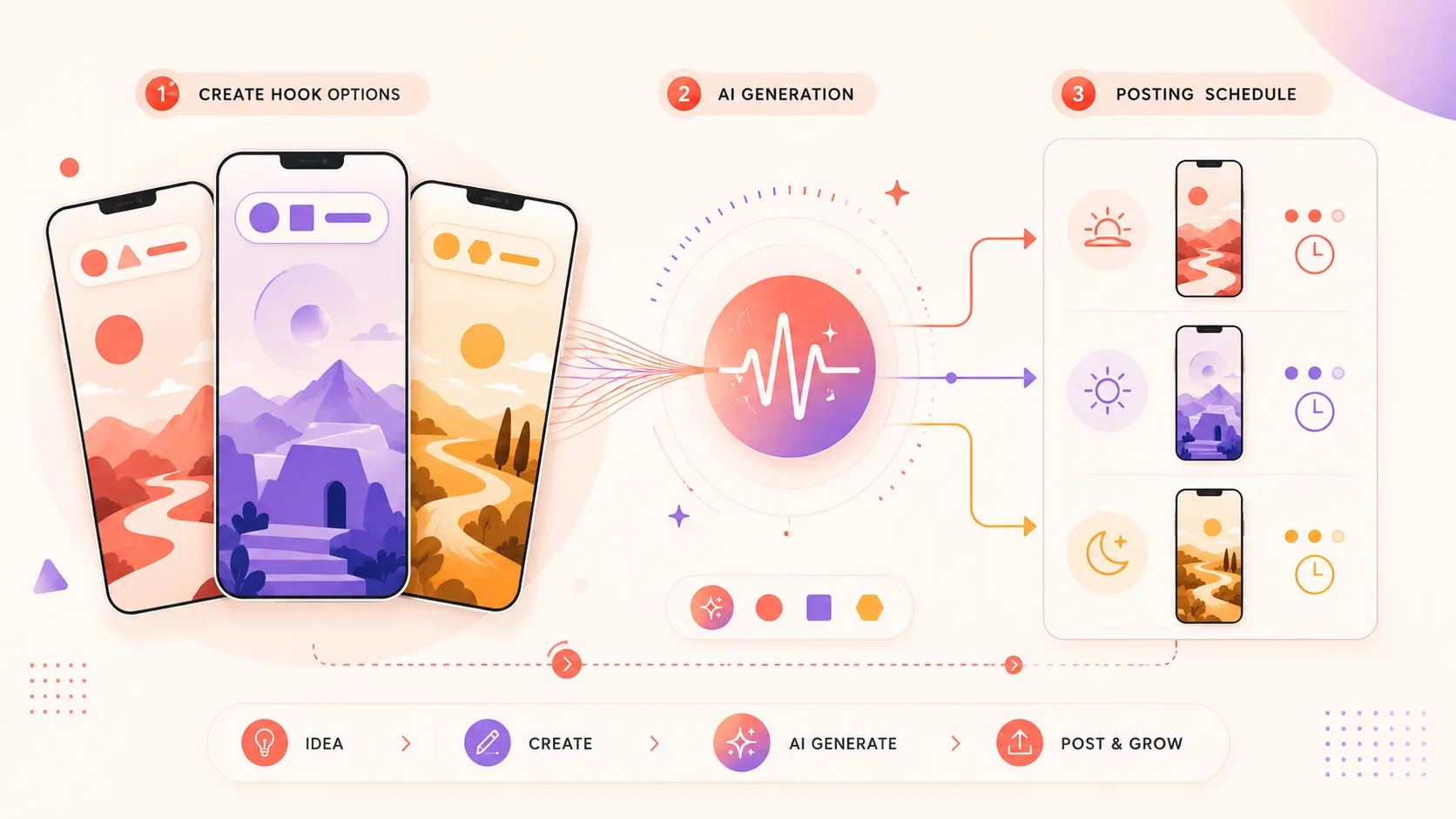
Lumigen sits on the pipeline side. Paste a script into the script-to-video editor, pick an avatar (50+ available) or skip and go faceless, pick a voice from 50+ across 30+ languages, generate the visuals at the tier-appropriate quality (standard models on Growth, frontier models on Ultra), and export 9:16 directly. The whole loop is 25-40 minutes for a 45-second Short the first time you do it and 12-15 minutes once you've built a few.
The differentiator on the Ultra tier is access to Veo 3.1, Kling 3.0, Sora 2 Pro (until September 24, 2026), SeeDance 2, and Happy Horse 1.0 in the same generation surface. Most competitors at the same price point are locked to last-generation models (Runway Gen-3, Stable Video Diffusion, Kling 1.6). The output gap between a 2024 model and a 2026 frontier model on the same prompt is roughly the gap between a 2018 phone camera and a 2024 one. For a Short that has to compete with cinematic UGC, that gap is the whole product.
What makes Lumigen uniquely strong for AI Shorts
Beyond the script-to-Shorts flow, Lumigen covers script-to-video, AI avatars, voice cloning across 30+ languages, faceless YouTube automation, UGC ad generation, short-form vertical export, lip-sync correction, motion control, and frontier video models (Veo 3.1, Kling 3.0, Sora 2 Pro until its September 2026 sunset, SeeDance 2, Happy Horse 1.0) on the Ultra tier - in a single workflow. See pricing for the credit math.
Two specific capabilities matter for Shorts that most pipeline tools lack:
Frontier-model selection inside the same project. You can choose Veo 3.1 for the cinematic establishing shot, Kling 3.0 for the stylized middle, and SeeDance 2 for a dance/motion close on the same Short. The credit cost differs per model but the generation surface is unified. Most competitors hard-lock a project to one model.
Lip-sync correction on AI avatars. The 2024 tell of an AI avatar Short was the half-frame mouth-sync drift. Lumigen runs a post-generation lip-sync pass that ties the avatar's mouth shapes to the actual voice phoneme, not the script's text. The result reads as a slightly-stiff but credible human delivery instead of a "uncanny valley" tell.
How to use Lumigen for AI YouTube Shorts
Here's how we'd use Lumigen for a 45-second AI Short:
Write the script first
A 45-second Short is roughly 105-130 spoken words at 140 WPM. Write it as a script, not a paragraph: hook in line 1, payload in lines 2-7, callback in the last line. If you can't write it in your own voice, you don't have a Short - you have a stock-video clip.
Paste into the script-to-video editor
Open Lumigen's script-to-video editor and paste the script. The editor breaks the script into scenes automatically; review and tighten the scene boundaries before generating.
Pick the tier
Growth ($58/mo) for Hailuo/Runway-Gen-3-level visuals, Ultra ($166/mo) for Veo 3.1, Kling 3.0, or Sora 2 Pro. For a faceless cinematic Short, Ultra is the right tier; for talking-head delivery with an avatar, Growth is often enough. See pricing for credit math.
Pick voice + avatar (or skip avatar)
Choose a voice from 50+ across 30+ languages. If you're going faceless, skip the avatar and the visuals carry the Short. If you're going talking-head, pick an AI avatar - the 50-option library has indie-creator, expert-talking-head, and lifestyle archetypes.
Generate the first pass
Scene-by-scene generation takes 30-90 seconds per scene depending on the model. A 5-scene 45-second Short renders in roughly 4-7 minutes on Veo 3.1.
Refine - re-roll bad scenes, fix lip-sync, swap b-roll
The first pass is rarely the final pass. Re-roll any scene that misses; the lip-sync pass runs automatically on avatar scenes; swap in alternate b-roll using the first-frame extractor if a scene needs a specific opening frame.
Export 9:16 and publish
Lumigen exports 9:16 natively (no manual crop step). Upload directly to YouTube Shorts via YouTube Studio, or use the in-app publishing surface.
The whole loop is 25-40 minutes for an experienced operator. Most of the time is on the script (the 5 minutes that determines whether anyone watches) and the refinement pass (8-12 minutes of re-rolls and lip-sync tweaks).
Where Lumigen falls short
The honest constraints, because every tool has them:
- No native YouTube auto-publishing schedule. You upload to YouTube Studio. If you need a single-pane content calendar with auto-publish, pair Lumigen with VidIQ or TubeBuddy.
- Frontier models gated to Ultra ($166/mo). Veo 3.1 and Kling 3.0 cost more credits per generation than standard models; the Ultra tier accounts for this with a 10,000-credit allowance, but it prices out solo creators making 2-3 Shorts a month. If your volume is low, Starter at $33/mo (with Hailuo standard-tier visuals) is more economical.
- No long-form-to-shorts clip extraction. Lumigen generates original video; it does not extract clips from an uploaded 30-minute podcast. If your channel is podcast-driven and you want Shorts cut from existing long-form, use Opus Clip or Submagic instead.
- No native music library. You bring your own music (YouTube Audio Library, Epidemic Sound). Most pipeline tools have the same gap.
- The 50+ avatar library skews creator-archetype. For corporate-explainer avatars (suit, neutral office background), Synthesia's avatar library is broader.
If you need long-form podcast-to-Shorts extraction, Opus Clip is the right tool. If you need a 200-avatar corporate-explainer library, Synthesia is the right tool. For everything else - script-driven original Shorts with frontier-model visuals and unified pipeline - Lumigen is the workflow we keep returning to.
Is Lumigen the right AI Shorts workflow for you?
Yes if: you want one tool to take a script all the way to a 9:16 publish-ready Short, you want access to frontier video models without enterprise pricing, and your Shorts are original (not repurposed from existing footage). No if: your entire channel is podcast clips, you need 200+ corporate-explainer avatars, or your budget is strictly $0 and you can tolerate watermarks. Start with the AI Script-to-Video editor or jump to pricing to find the plan that matches your Shorts volume.
2. Creatify: Best for UGC-style AI Shorts
Creatify is purpose-built for UGC ad creative, and its AI-actor library is the best in class for the "real creator holds product, talks at camera" Shorts format. If your Shorts are ad-leaning (Shopify product reveals, ecommerce demos, UGC-style testimonial Shorts), Creatify ships variants faster than any general tool. The output is narrow but excellent in its lane.
vs Lumigen: Creatify wins on UGC-actor variety and ad-variant generation throughput; Lumigen's UGC Ad Generator covers the same need inside a broader workflow that also handles faceless cinematic Shorts, talking-head Shorts, and avatar-led Shorts without switching tools.
3. HeyGen: Best for avatar-led explainer Shorts
HeyGen leads on avatar realism for talking-head Shorts and has the deepest enterprise-explainer avatar library. The 200+ avatar count and corporate-style backgrounds make it the obvious choice for B2B explainer Shorts.
vs Lumigen: HeyGen wins on avatar library depth (200+ vs 50+) and corporate-archetype variety; Lumigen's AI Avatars cover the creator-archetype range without the per-minute enterprise pricing tier, and unify avatar Shorts with frontier-model visual Shorts in one workflow.
4. Submagic: Best for caption styling
Submagic is the standard for caption styling - the high-contrast, animated, word-by-word captions that became visual shorthand for 2024-2025 viral Shorts. If captions are your differentiator, Submagic is the right specialist.
vs Lumigen: Submagic wins on caption variety and styling depth; Lumigen's script-to-video editor includes auto-captions that handle the standard cases natively, and re-exporting through Submagic for a stylization pass is a 5-minute add-on if you want signature captions on a Lumigen-rendered Short.
5. Opus Clip: Best for long-form-to-Shorts extraction
Opus Clip is the strongest tool for cutting a 30-minute podcast or webinar into 30-90 second Shorts. Its hook-detection model identifies the highest-engagement moments and auto-crops them to 9:16. The category is "clip extraction," not "original generation."
vs Lumigen: Opus Clip wins when you have existing long-form to cut down; Lumigen wins when you're generating original Shorts from scratch (script-driven, no existing footage). The buyer jobs are different: extraction vs creation. We covered this split in detail in our InVideo alternatives roundup.
6. CapCut: Best free tier for manual editing
CapCut remains the strongest free-tier editor for Shorts and the standard for creators starting with $0 budget. Its AI features (auto-captions, background remove, AI templates) ship monthly, and the timeline editor is the most familiar to anyone coming from mobile editing.
vs Lumigen: CapCut wins on free-tier breadth and editing flexibility; Lumigen wins on time-to-publish (no timeline editing required for the standard script-to-Shorts case) and on access to frontier video models that CapCut's AI templates don't reach.
7. Synthesia: Best for corporate/L&D Shorts
Synthesia leads on enterprise-grade avatar realism with 240+ avatars and tight enterprise compliance (SOC 2, GDPR documentation, SSO). For internal training Shorts, compliance-bound corporate content, or large enterprise rollouts, Synthesia is the obvious pick.
vs Lumigen: Synthesia wins on enterprise compliance posture and avatar count; Lumigen wins on creator-archetype avatar variety, frontier video models, and pricing that doesn't require an annual enterprise commitment. See our Synthesia alternatives roundup for the full breakdown.
8. Pictory: Best for stock-footage-driven Shorts
Pictory is purpose-built for taking a text article or blog post and converting it into a Short backed by stock footage. The model is "text-in, stock-Short-out" with templated transitions.
vs Lumigen: Pictory wins on text-article-to-Short conversion and stock-library breadth; Lumigen wins on original (non-stock) visuals, frontier-model output quality, and the avatar/voice/captions unified workflow. Pictory is the right tool if your Shorts must be backed by stock; Lumigen is the right tool if your Shorts should look like nothing else on the feed.
9. Runway Gen-4: Best raw frontier-model access
Runway Gen-4 is the strongest standalone frontier video model for camera-language fidelity (specific lenses, dolly-ins, tracking shots). For creators who want raw model access without a workflow wrapper, Runway is the default.
vs Lumigen: Runway Gen-4 wins on raw model access and camera-language fidelity; Lumigen wraps Veo 3.1 (and Runway Gen-4 on Growth) inside a script-to-publish workflow with voice, avatar, and captions, which is the right path for creators who want the model output without building their own pipeline.
Lumigen capabilities for AI YouTube Shorts:
- Script-to-Video - paste a script, get a finished 9:16 Short with voice and (optional) avatar
- AI Avatars - 50+ realistic AI avatars across age, gender, and language
- Voices - 50+ AI voices across 30+ languages, ElevenLabs premium on Growth+
- Faceless Shorts - cinematic AI-generated visuals with no on-screen presenter
- UGC Shorts - creator-style ad variants for Shorts-style paid distribution
- Short-Form Export - 9:16 vertical native export for YouTube Shorts, TikTok, Reels
- Lip-Sync - automatic mouth-shape correction for avatar Shorts
- Frontier Models - Veo 3.1, Kling 3.0, Sora 2 Pro (until September 24, 2026), SeeDance 2, Happy Horse 1.0 on Ultra
See pricing for plan-level breakdowns.
The 7 hook patterns that work on Shorts in 2026
YouTube's Shorts retention curve drops harder than TikTok's in the first 1.5 seconds. The hook patterns that still work in a 2026 feed, tested across roughly 280 of our own Shorts in Q1-Q2 2026:
- Specific contrarian claim. "Posting daily Shorts is the worst advice for new channels." Sets up an "I have to hear the reason" loop.
- Concrete-number tease. "I made $4,217 from this 47-second Short." A real number, a Short you'll explain in 45 seconds.
- Visual reveal hook. "Watch what happens at second 23." The viewer commits to watch through the named timestamp.
- Question that the script answers. "Why do all Shorts now sound the same?" The viewer wants the answer.
- Pattern-interrupt opening shot. A cinematic shot that doesn't look like a Short (a wide landscape, a slow push-in on a face) signals "this is not algorithm-template content."
- First-person credibility line. "I've run 14 faceless channels - here's the only one that worked." Establishes authority in 4 seconds.
- Direct-payoff promise. "Three frontier video models you can test for free this week." Names the deliverable up front.
Avoid: "POV:", "Have you ever wondered why", "Wait for it" (the algorithm has learned to discount these), generic robotic-voice "Top 10" framing (now a demonetization signal under YouTube's January 2026 update).
What to publish (and what NOT to publish)
A 2026 Shorts feed needs at least one of: a real perspective, original visuals (not stock), or a specific deliverable. Templated content fails on all three.
Publish these:
- Original-visual Shorts generated by Veo 3.1, Kling 3.0, or Sora 2 Pro (until sunset). Frontier-model visuals are the strongest "this is not template factory output" signal.
- Avatar-led explainer Shorts where the avatar delivers a real perspective (a contrarian take, a specific tactic, a named-tool teardown). The lip-sync pass is non-optional - drift kills the credibility.
- Faceless-cinematic Shorts that read as short narrative films (cold-open shot, payload, callback). The visual quality has to clear the 2026 frontier-model bar.
- Multilingual Shorts of your top performer translated into 5-8 languages. Lumigen's 30+ language voice library makes this a 20-minute exercise per language.
Do NOT publish:
- "Top 10 Things You Didn't Know" Shorts with generic robotic voiceover. YouTube's January 2026 mass-produced-content policy targets this format explicitly; channels publishing the pattern at volume are losing Partner Program eligibility.
- Repurposed-as-Short stock-footage compilations with no original commentary. The "AI tool" that "writes the script" and "picks the stock clips" is exactly the templated workflow YouTube's policy update flagged.
- Word-for-word reposts of viral text content with AI voice and stock visuals. Two strikes under the same policy.
- AI-generated content with watermarks from free-tier tools. The watermark signals "no production investment" and the algorithm reads it as low-quality.
Common pitfalls
The five things we see operators get wrong, in order of frequency:
- Skipping the script. "I'll let the AI write it." The AI will write something. It will not be a Short anyone watches. Write the 105-130 spoken words yourself; the AI generates the visuals around them.
- Using last-generation models. A Hailuo or Runway Gen-3 Short looks like 2024. A Veo 3.1 or Kling 3.0 Short looks like 2026. The frontier-model gap is the entire difference between "amateur AI Short" and "what is this, actually good?"
- Captions that don't match sound-off viewing. Roughly 85% of Shorts watches happen with sound off in the first second. Captions have to be large, high-contrast, word-by-word, and centered. If captions are an afterthought, the Short does not retain.
- Hooks that wait. The hook is in the first 1.5 seconds, not the first 5. If your first frame is a logo or a title card, the Short is dead by second 2.
- Publishing the first pass. The first generation is rarely the final cut. Re-roll the bad scenes, tighten the script, fix the captions. The 8-12 minutes you spend on the refinement pass is the single highest-leverage time in the whole workflow.
A useful rule: if you can't tell why a specific viewer would watch through to second 30, the Short is not ready. Send it to a friend who has zero context. If they bail at second 8, fix the hook. If they bail at second 22, fix the middle. If they watch through, ship it.
How AI Shorts fit into a 2026 channel strategy
A serious channel publishes one long-form per week plus 3-5 Shorts harvested from the same source script. The Shorts are not the channel; they're the subscriber-acquisition layer that funnels to long-form, which is where the RPM math actually works ($15-$35 RPM on long-form, $0.05-$0.30 per 1k views on Shorts).
The pipeline:
- Write the long-form script first (8-12 minutes of spoken content)
- Pull 3-5 standalone moments that work as 30-60 second Shorts
- Generate each Short in Lumigen with the same voice (consistency signals "same channel")
- Publish the long-form on Sunday, the Shorts Tuesday/Thursday/Saturday
- Cross-promote: the Shorts end with "full version on the channel"
This is the pattern that hit Partner Program eligibility in 5-9 months across the channels we tracked in 2025-2026. The Shorts compound subscribers; the long-form compounds revenue. We broke down the full playbook in our faceless YouTube channel guide.
Verdict
For 90% of creators making AI YouTube Shorts in 2026, the right answer is one tool that handles script → voice → visuals → captions → 9:16 export in a single workflow, with frontier-model output quality. That tool is Lumigen on the Ultra tier ($166/mo) for frontier visuals, or Growth ($58/mo) for standard-tier visuals and avatars.
Use the other tools where they're genuinely stronger - Opus Clip for long-form podcast extraction, Submagic for signature caption styling, HeyGen for corporate-explainer avatar libraries, and CapCut for $0-budget manual editing. But if the question is "what's the fastest path from a 45-second script to a publish-ready 9:16 Short with the highest output quality?" - start with Lumigen's script-to-video editor or jump to pricing to find the plan that matches your Shorts volume.
The hard rule for 2026: write the script, use frontier models, ship in under an hour, and avoid the templated-content patterns YouTube's January 2026 policy update buried. Production leverage works. Pure automation does not.
Frequently asked questions
You can, but the output looks like 2024. The free-tier tools (CapCut, Canva, the watermarked tiers of major AI video tools) are still useful for editing and captions, but they don't reach frontier-model video quality, and their watermarks signal low-production-value to YouTube's algorithm. The cheapest path to 2026-quality AI Shorts is the $33/mo starter tier on a pipeline tool like Lumigen Starter - 1,500 credits is roughly 18-25 Shorts a month at standard quality.
Not inherently - but templated AI Shorts do. YouTube's January 2026 update explicitly targets "mass-produced content with little variation" and "AI tools without meaningful original commentary or production value." A Short with an original script, a real angle, and AI-generated visuals is fine. A factory of "Top 10 Facts" Shorts with stock robotic voiceover and identical templates is the exact pattern the policy demonetizes. The line is "production leverage" (AI doing the grunt work for a human angle) versus "automation" (AI doing the angle too). The first is fine; the second is now ineligible for monetization.
Veo 3.1 is the default for most Shorts in May 2026 - it took over as the cinematic-realism leader after the Sora 2 consumer app shutdown on April 26, 2026 (the Sora 2 API closes September 24, 2026). Kling 3.0 is the default if your channel leans stylized or animated. Runway Gen-4 wins on specific camera-language prompts (dolly-ins, lens-specific shots). All three are available on Lumigen's Ultra tier in the same generation surface.
30-45 seconds is the retention-optimal range across the Shorts we tested. Under 20 seconds and you don't get to the payload before the viewer scrolls. Over 60 seconds and you lose the "Short" algorithmic bucket entirely (Shorts max is 60 seconds; longer videos compete on the regular YouTube feed). 45 seconds gives you a 1.5-second hook, a 35-second payload, and a 7-second callback. Most strong Shorts cluster in the 38-48 second band.
Yes, if the channel passes the Partner Program bar (1,000 subscribers + 4,000 watch hours OR 1,000 subscribers + 10M Shorts views in 90 days) AND the content meets the originality threshold under the January 2026 mass-produced-content policy. Channels publishing original-script AI Shorts with real production value are monetized normally. Channels publishing templated AI Shorts factories are not. The policy is applied retroactively; channels that monetized in 2024 on templated patterns have been losing Partner Program eligibility through 2026.
The minimum-viable 2026 stack is roughly $50-60/mo: a pipeline tool ($33-58/mo for Lumigen Starter or Growth, or comparable), YouTube Audio Library for music (free), and YouTube Studio for publishing (free). The next bump up is frontier-model access (Lumigen Ultra at $166/mo) which unlocks Veo 3.1 / Kling 3.0 / Sora 2 Pro. Below $50/mo, you're back to last-generation models that look like 2024, which now reads as "low production value" to YouTube's algorithm. Above $200/mo, you're paying for enterprise features (custom avatars, SOC 2 compliance) that don't help a creator channel.
Three to five. Daily Shorts (7+/week) burned out as a tactic in late 2025; channels that publish daily templated Shorts now hit algorithmic ceilings within 6-8 weeks. The 2026 sweet spot is 3 Shorts per week paired with one long-form video per week, all sourced from the same script library. The channels we tracked at Partner Program scale (10k-50k subs, 5-9 months from launch) clustered at this cadence.
Depends on the niche. Faceless works for cinematic-narrative, faceless-explainer, list-format, and AI-generated-story Shorts. Avatar works for talking-head delivery, explainer-with-personality, and creator-archetype Shorts. The 2026 hybrid that's outperforming both: faceless cinematic visuals for the cold-open and middle, an avatar (or voiceover with creator-tone) for the closing payload. Lumigen's AI Avatars and faceless script-to-video both fit in the same project, so you can test both in the same workflow.
Related reads

Same prompt.
Four models.
One project.
Sora 2, Veo 3.1, Runway Gen-4, Kling 3.0 — side by side, with a free tier that's actually useful for evaluation. Three videos at full quality, no watermark, no minute cap.

Vlad
Founder of Lumigen. Has shipped tens of thousands of generations across Sora 2, Veo 3.1, Runway Gen-4, and Kling 3.0 — and edits everything published here against that hands-on test bed.