Synthesia has the brand recognition. It's the tool most enterprise L&D teams reach for first when someone says "AI video," and at $29/month for the Starter plan it's not unreasonable for what it does. But it's not for everyone.
If you're here, you've probably already hit one of the cracks: avatars that look great in a screenshot but feel uncanny in a 90-second pitch. A pricing page that quietly steers you toward Creator at $89/month to unlock the avatar quality and minutes you actually need. A 10-minute-per-month cap on Starter that a single onboarding video burns through. Or the simple fact that Synthesia is built for talking-head explainers, and you need cinematic b-roll, product shots, or short-form social content.
This guide compares 10 alternatives: some direct avatar competitors, others entirely different categories of AI video worth considering. Pricing is current as of May 2026 and pulled from each tool's pricing page. We'll start with what Synthesia is actually good at (because the answer to "should I switch" is sometimes "no"), then go tool by tool with what each one wins, where it loses, and the persona it's actually for.
Quick verdict: If you want one workspace that covers avatars plus generative video plus UGC plus script-to-video, switch to Lumigen. If you want the closest 1:1 avatar swap with better avatars and more languages, HeyGen. For corporate L&D with branching and SCORM, Colossyan. If you specifically want generative cinematic video and nothing else, Runway.
Model note: This guide groups Sora 2 with Veo 3.1, Runway, and Kling as generative-video models. OpenAI shut down the Sora consumer app on April 26, 2026 and the API ends September 24, 2026 — treat Veo 3.1 as the forward-looking default in that bracket. See Sora vs Veo vs Runway vs Kling for the migration breakdown.
Why look beyond Synthesia in 2026
Synthesia got to be the category default by being early, polished, and enterprise-safe. In 2018, it was one of the only tools shipping presentable AI avatars. In 2026, the moat looks thinner. Three things changed.
The avatar quality gap closed, then reversed in places. HeyGen's Avatar IV (rolled out April 2025, major update June 2025) ships gesture variety and lip sync that beats Synthesia's Express-1 generation in side-by-side tests. Synthesia responded with Express-2 in September 2025, but the "Synthesia avatars are best" claim is no longer obviously true. It's a tie at best, and a loss in some categories like hand gesture realism and casual conversational tone.
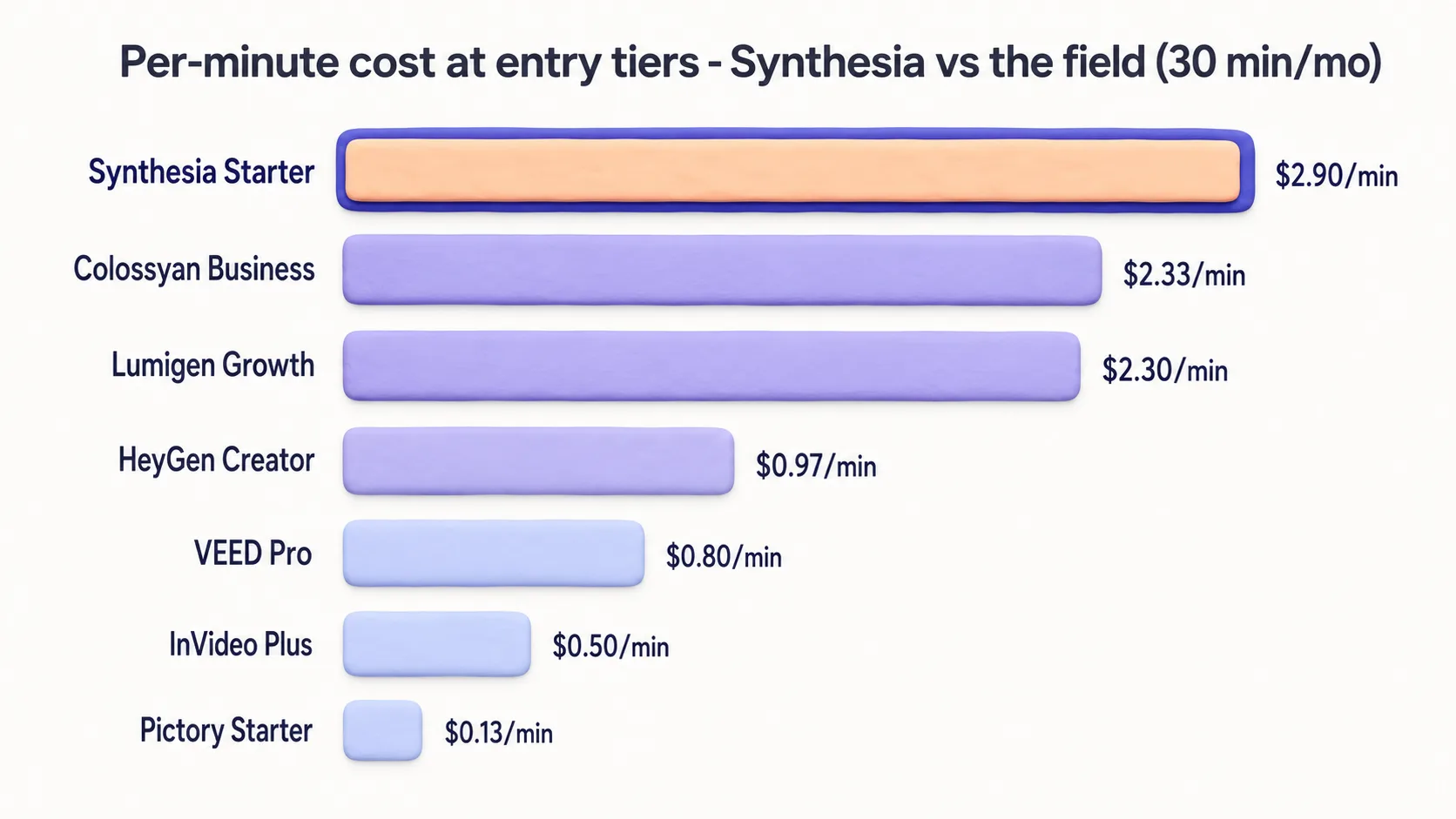
Per-minute pricing got brutal at scale. Synthesia's Starter plan gives you 10 minutes/month for $29. That's $2.90 per minute of finished video. Once your usage scales (even modestly, like a marketing team producing weekly product videos), you're pushed to Creator at $89/month for 30 minutes ($2.97/min) or Enterprise on custom pricing. Compare that to InVideo AI's Plus plan at $25/month for 50 minutes ($0.50/min) or Pictory's Starter at $25/month for 200 minutes ($0.13/min). Synthesia's pricing made sense when avatars were a premium feature. With seven competitors offering comparable avatars, the premium has shrunk.
The "AI video" category split into three distinct shapes. Avatar tools (Synthesia, HeyGen, Colossyan) are now just one of three buckets, alongside generative video models (Runway, Sora, Veo, Kling) and stock-footage assemblers (InVideo, Pictory). If your work has shifted toward short-form, social-first, or cinematic output, you're not really shopping for a Synthesia alternative. You're shopping in the wrong category.
Who shouldn't switch
A few honest cases where you should stay on Synthesia and close this tab. If procurement at your company has already cleared Synthesia (DPA signed, SOC 2 reviewed, security questionnaire done), the cost of re-clearing a new vendor often exceeds the price difference. If your output is consistent 5–10 minute multilingual training videos, Synthesia's pure-play workflow is genuinely the smoothest. If your team's video maker is a non-technical learning designer, Synthesia's editor has the gentlest learning curve in the avatar category, and most alternatives expect more video literacy.
For everyone else: read on. The right alternative depends entirely on what kind of video you make.
Where Synthesia still wins
Before we get into alternatives, the honest section. Synthesia retains genuine advantages in five areas that should weigh heavily if any apply to you.
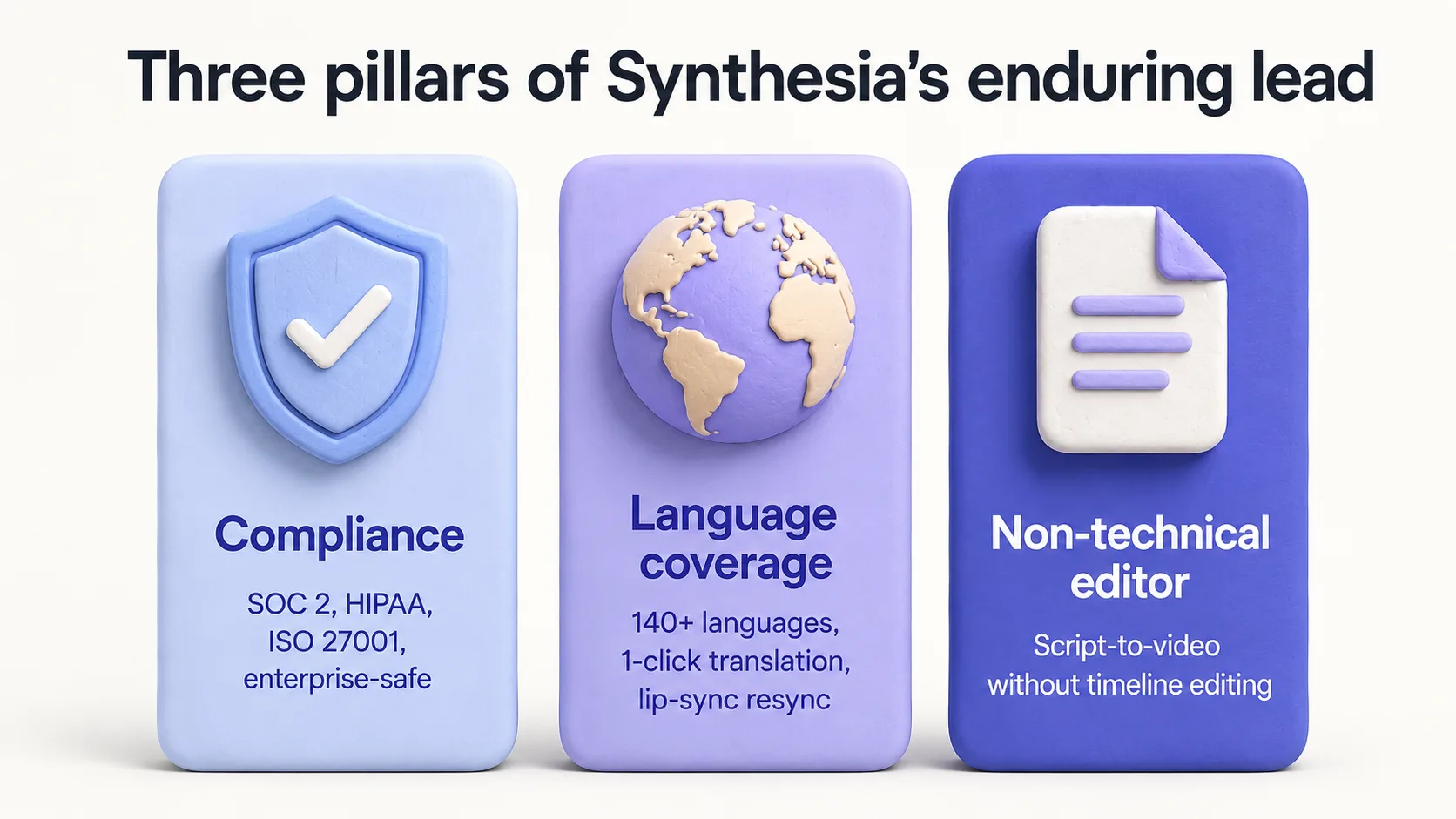
Enterprise compliance. SOC 2 Type II, ISO 27001, GDPR, and HIPAA-aligned workflows. Synthesia has a security and trust page that legal teams actually accept. HeyGen has SOC 2 but the broader compliance posture is less mature. Colossyan is improving but still behind. If your video has to ship through procurement and a 200-question security questionnaire, Synthesia is the path of least friction.
Multilingual breadth at consistent quality. 160+ languages is the headline number, but the substance is that Synthesia's voice and lip sync quality is roughly even across them, including languages where most competitors degrade noticeably (Vietnamese, Tagalog, Swahili, Bengali). HeyGen claims 175+ but the long tail has more variance. If you ship to APAC, MENA, or sub-Saharan markets, Synthesia is still the safest choice.
The script-to-video editor. Paste a Google Doc, get a finished explainer with scene breaks, B-roll suggestions, and a pre-formatted thumbnail. Synthesia's editor is the one tool in this list a marketing manager who has never edited video can sit down with on a Monday and ship something usable by Wednesday. The closest competitor here is Colossyan, which is also good but feels more LMS-shaped. HeyGen's editor expects more video literacy.
Brand consistency tooling. Brand kits, locked templates, approval workflows. Critical when 30 people across a company are making videos and they all need to look like they came from the same company. HeyGen has brand kits but the locking behavior is weaker; a creator on a Pro seat can override more than they can on Synthesia.
The "AI tell" gap is closing, but Synthesia is still ahead in close-ups longer than 60 seconds. Most AI avatars look fine for 30-second hooks. They start to fall apart in 2-minute monologues: eyes drift, gestures repeat, the uncanny valley shows up around the 90-second mark. Synthesia's Express-2 holds up longest in this format. HeyGen's Avatar IV is competitive but loses ground in long-form.
If three or more of those describe your situation, save your migration energy. Stay on Synthesia and skip the rest of this guide. For everyone else, the alternatives below are organized by what you're actually trying to do, not by tool category.
Comparison matrix: all 10 alternatives at a glance
| Tool | Starting price | Avatar count | Languages | Custom avatar | API | Max video length | Free tier |
|---|---|---|---|---|---|---|---|
| Lumigen | $39/mo | 50+ AI avatars + custom | 30+ via TTS + voiceover | Yes (voice cloning) | Yes | 60s per clip | Yes (3 full-quality videos) |
| HeyGen | $29/mo | 700+ | 175+ | Yes (1+ digital twin) | Yes (Business+) | 60 min (Business) | Yes (3 vids/mo, 1 min) |
| D-ID | $5.90/mo | Custom from photo | 119 | Yes (any photo) | Yes | 5 min | Trial w/ watermark |
| Colossyan | $27/mo | 70+ (Starter) | 100+ | Yes (3 on Starter) | Business+ | 5 min (Starter) | Yes (3 min/mo) |
| Vidyard | Free / paid undisclosed | 10+ stock | English-focused | Yes (3 custom) | Teams+ | Unlimited recording | Yes (5 vids/mo) |
| Pictory | $25/mo | None (stock-based) | English + 60 voices | No | Team+ | 10 min (Starter) | 14-day trial |
| Runway | $12/mo | None (generative) | N/A | N/A | Enterprise | 16s per clip (Gen-4) | Yes (125 credits) |
| InVideo AI | $25/mo (Plus) | 50+ | 50+ | Voice clone (Plus) | No | 10 min (Plus) | Yes (10 min/wk) |
| Hour One | $25/mo (Lite) | 100+ | 60+ | Studio avatars (Enterprise) | Yes | 10 min (Lite) | Limited |
| Veed | $12/mo (Lite) | 100+ (Pro) | 125+ | Yes (Pro+) | No | Unlimited | Yes (limited) |
The table is a starting point. The real fit comes from matching the tool to the kind of video you actually make. The rest of this guide goes tool by tool with that lens.
1. Lumigen — The all-in-one AI video platform
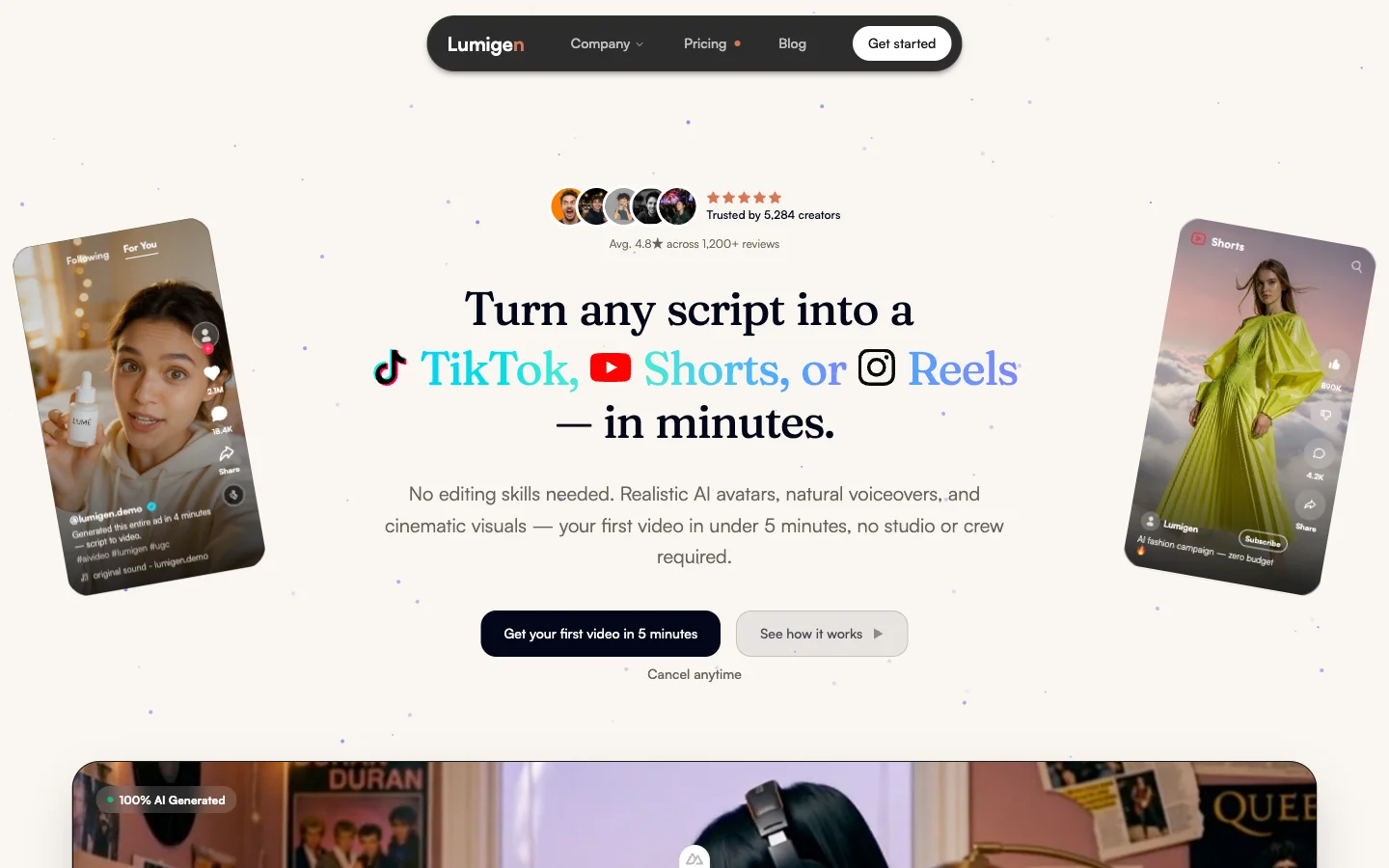
What it is: A single AI video workspace that covers AI avatars, UGC video, multi-model generative (Sora 2, Veo 3.1, Runway Gen-4, Kling 3.0), script-to-video, voiceover in 30+ languages, and captions — without the 2-3 tool stack most teams stitch together.
Synthesia is built around a single shape: write a script, pick an avatar, render a finished explainer, wait. Lumigen handles that workflow and the workflows Synthesia can't — 6-second hook variations across four frontier generative models, UGC handheld talking-head style, image-to-video product reveals, generative b-roll for ads. The whole spectrum of "I need video" instead of just "I need an avatar reading a script."
Where Lumigen beats Synthesia:
- Breadth. 50+ AI avatars with lip-sync in 30+ languages plus multi-model generative video plus UGC video hub plus script-to-video — Synthesia is avatar-only.
- Multi-model generative. Sora 2, Veo 3.1, Runway Gen-4, and Kling 3.0 from one prompt. Synthesia has no generative-video equivalent.
- Per-resolution pricing. Around $0.30 for a 720p draft, $0.80 for 1080p final. Synthesia charges by minute regardless of quality.
- Free tier with 3 full-quality videos (no watermark, no 1-minute cap) and access to every layer of the product before committing. Synthesia's free tier is 10 minutes total with stock avatars only.
- Voice cloning + 30+ language voiceover included on entry tier. Synthesia gates voice cloning behind the $89/mo Creator plan.
Where Synthesia still has the edge:
- SCORM export, DPA negotiation, and enterprise procurement readiness for Fortune 500 L&D teams — the workflow Synthesia was purpose-built around. We're not at parity on enterprise procurement today.
- 240+ Enterprise avatar library is larger than Lumigen's 50+ stock avatars if your workflow leans heavily on "pick a face from a catalogue."
- Long-form (10+ minute) compliance-style explainers with predictable avatar consistency across the whole video — Synthesia's strongest specialised use case.
Pricing (May 2026): Free tier with 3 full-quality videos. Paid tiers: Starter $39/month (1,500 credits), Growth $69/month (3,500 credits + ElevenLabs premium TTS + all standard video models + AI avatars), Ultra $199/month (10,000 credits + frontier models including Veo 3.1, Kling 3.0, and Sora 2 Pro). Annual saves ~15%. Per-resolution credit pricing means iteration-heavy workflows pay less than predictable monthly-volume tools.
Best for: Marketing teams, performance marketers, ecommerce DTC operators, and creators who want avatars, UGC, generative, and script-to-video in one workspace instead of three separate subscriptions. Also strong for teams leaving Synthesia because the avatar style felt locked-in or the per-minute pricing scaled past comfortable.
Mini-case (composite): A DTC skincare brand's growth team replaced a Synthesia + Runway + freelance editor stack with Lumigen. They run avatar testimonials, generative hooks for ads, and UGC content for organic — all from one project. Monthly stack cost dropped from $340 to $69 (Lumigen Growth), and they tested 14 hook variations in one afternoon, landing on a 6-second product reveal that lifted CTR from 2.4% to 3.1%.
Skip it if: You only ship 10+ minute compliance training modules with strict SCORM/LMS export requirements and a Fortune 500 procurement process. That's still Synthesia's strongest moat.
2. HeyGen — The closest 1:1 swap
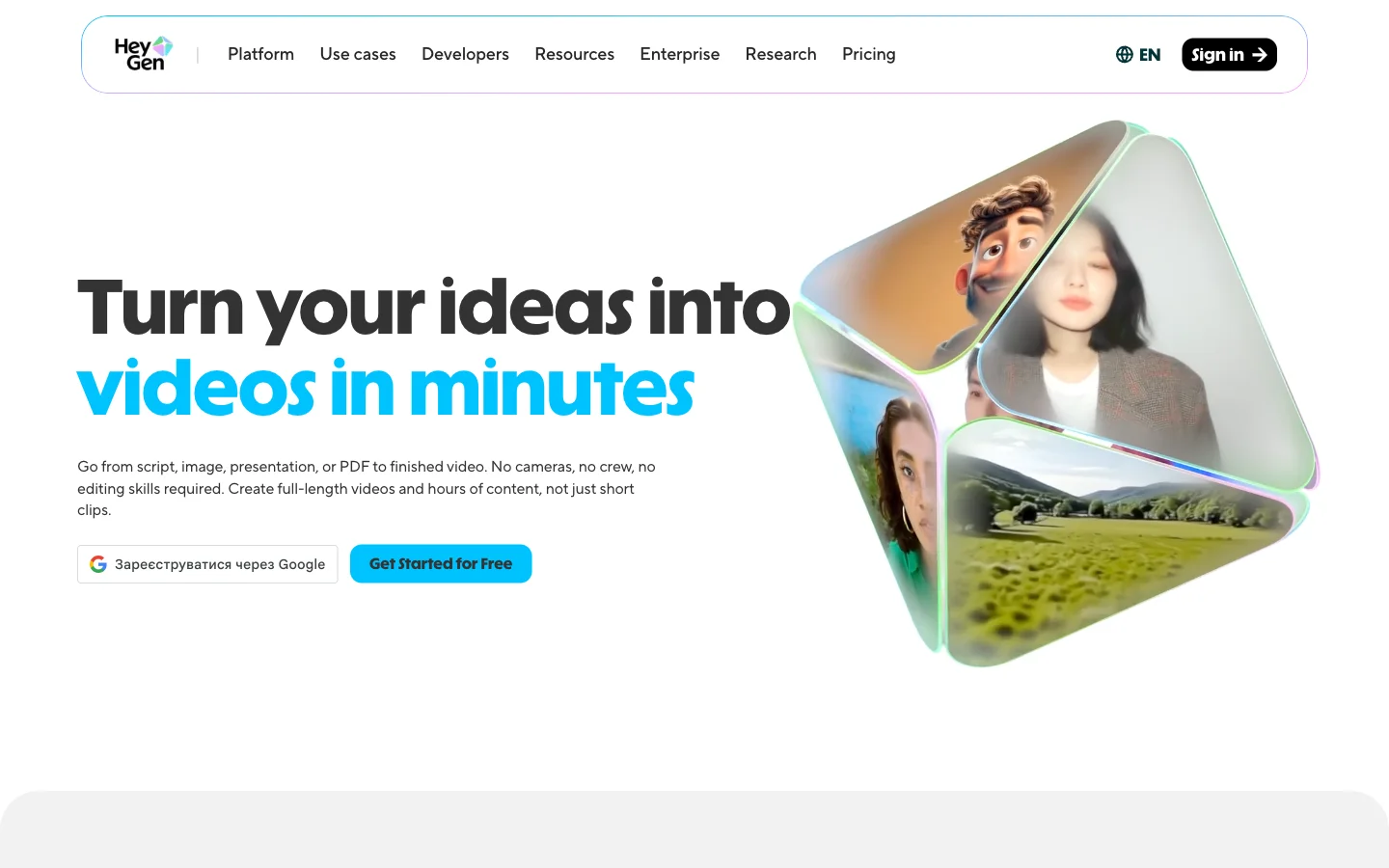
What it is: A direct avatar-tool competitor to Synthesia with a larger stock library, more languages, and a better-priced entry point. It's the most common destination when teams leave Synthesia.
If your reason for leaving Synthesia is "I want the same thing but better avatars or cheaper," HeyGen is the answer. It does roughly 90% of what Synthesia does at a price point that's obviously better once you scale past entry tier. Deeper dive in our HeyGen alternatives guide.
Where HeyGen beats Synthesia:
- 700+ stock avatars (Creator+) vs Synthesia's ~125 on Starter / 240+ on Enterprise. Largest stock library in 2026.
- Avatar IV (April 2025, with major dynamic-gesture update in June 2025) delivers better lip sync and gesture variety than Synthesia's Express-1. Express-2 (September 2025) closed some of the gap but it's a tie at best in casual settings.
- Voice cloning included on the $29/mo Creator plan. Synthesia gates voice cloning behind Creator at $89/month.
- 175+ languages vs Synthesia's 160+ (long-tail quality closer to even).
- Real-time avatar streaming for sales calls and webinars. Not available on Synthesia.
Where Synthesia still wins: Stronger compliance posture (SOC 2 + ISO 27001 + DPA muscle). More consistent voice quality across the long tail of less-common languages. Better avatar coherence in monologues over 90 seconds.
Pricing (May 2026):
- Free: 3 videos/month, 1 min max, watermark, 1 custom digital twin
- Creator: $29/month, 30 min per video, 700+ avatars, 175+ languages
- Pro: $99/month, expanded usage caps
- Business: $149/month + $20/seat, 60 min per video, 5+ digital twins, native integrations (n8n, Make, HubSpot, Zapier)
- Enterprise: Custom, unlimited duration, 10+ digital twins, full API
Best for: Marketing teams of 5–50 producing weekly avatar videos who want lower per-minute cost and care about avatar realism in casual, social-style content.
Mini-case (composite): A B2B SaaS company switched from Synthesia Creator ($89/mo) to HeyGen Creator ($29/mo) after their monthly minute usage stayed under 30. Saved $720/year, gained voice cloning, and launched multilingual onboarding in Spanish, Portuguese, and Japanese using digital twins of their VP of Customer Success.
Skip it if: procurement requires SOC 2 + ISO 27001 + DPA on day one, or you ship long-form (5+ min) content where the avatar must hold attention without B-roll cuts.
3. D-ID — Single-image avatar animation
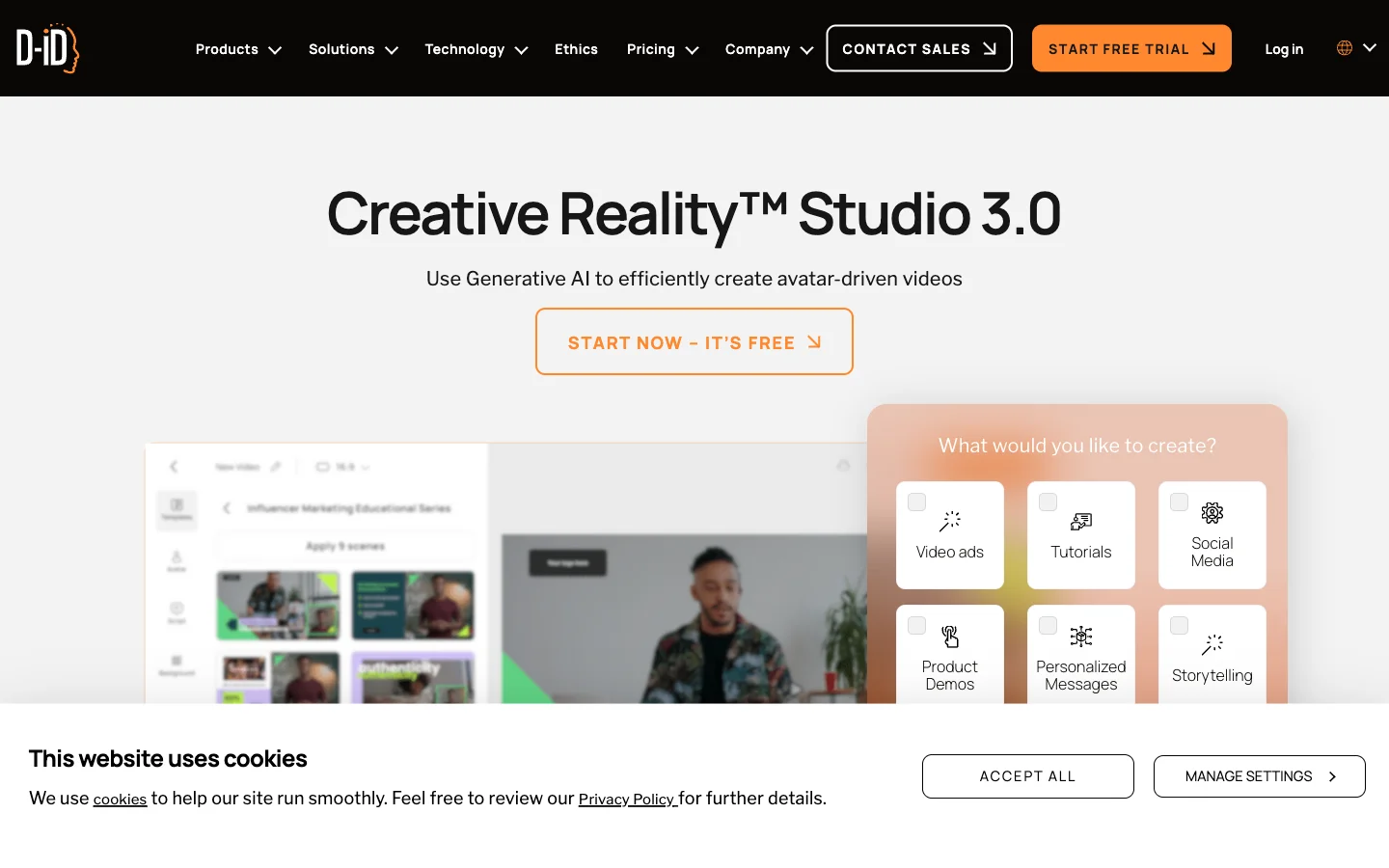
What it is: A photo-to-video API and studio that animates any single still image (real face, illustration, painting, brand mascot) into a talking avatar reading your script.
D-ID is in a different shape than Synthesia. Instead of choosing from a stock avatar library, you upload a single photo and D-ID animates it. It's the "Mona Lisa talks" tool, productized, and at scale it's the cleanest API-first option in this list.
Where D-ID beats Synthesia:
- Cheapest meaningful entry point at $5.90/month for the Lite plan, roughly one-fifth of Synthesia Starter.
- API-first design, built for being called from your CRM or Zapier. Synthesia's API feels like an afterthought.
- Animate any image. Historical figures, illustrations, brand mascots, your dog. Synthesia's avatars are a fixed library.
- Per-render pricing that scales linearly with volume rather than stepping up in tiers.
Where Synthesia still wins: Polish. D-ID outputs are recognizably "AI photo talking" past 30 seconds. No script-to-video editor. Lip sync quality degrades in passages over 30 seconds.
Pricing (May 2026): Studio plans split from API plans. Lite Studio is $5.90/month with watermarks; Pro and Advanced tiers remove the watermark and add minutes. Specific minute allocations weren't fully extractable from the public page in May 2026; verify directly before committing for production volume.
Best for: SDR teams and growth teams running personalized outreach at 200+ prospects/week, or developers building avatar-personalization into a CRM.
Mini-case (composite): An outbound SDR team replaced Loom-based outreach (~12% reply rate) with D-ID-generated 20-second videos using a clone of the AE's photo. Reply rate climbed to 19% across 2,400 sends. Per-video cost: ~$0.04.
Skip it if: you need polished long-form video for hero pages, or you're non-technical (D-ID's value is API-first).
4. Colossyan — Built for L&D
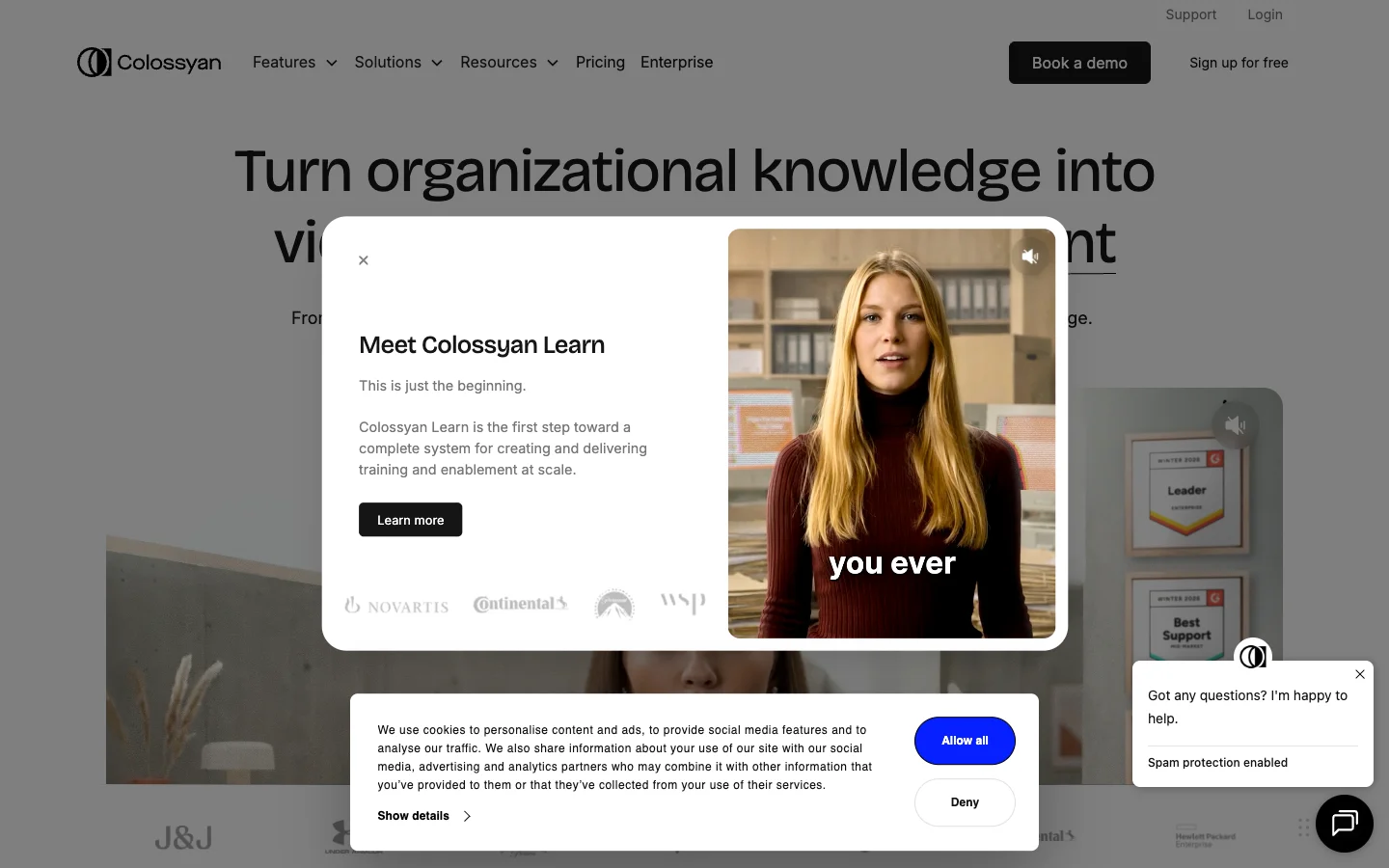
What it is: An avatar video tool purpose-built for L&D, with branching scenarios, conversation mode, in-video quizzes, and SCORM export for LMS workflows.
If 80% of your output is corporate training, Colossyan is built for you in a way Synthesia isn't. Synthesia handles training fine but is generalist; Colossyan ships features L&D teams actually use.
Where Colossyan beats Synthesia:
- Branching scenarios. Viewers click choices, video routes accordingly. Native on Business plan; not available in Synthesia.
- Conversation mode. Two avatars in realistic dialogue with turn-taking. Native, not a workaround.
- SCORM export for direct LMS upload (Workday Learning, Cornerstone, Docebo, Moodle). Enterprise-gated but real.
- In-video quizzes with completion tracking pushed to the LMS.
- Cheaper Starter tier ($27/mo, $19/mo annual) than Synthesia's $29/mo with similar avatar count.
Where Synthesia still wins: Larger avatar library and broader language coverage (160+ vs 100+). Better fit for general-purpose marketing video. More procurement-friendly in conservative legal teams.
Pricing (May 2026):
- Free: 3 min/month, 3-min max, 20+ avatars
- Starter: $27/mo ($19/mo annual), 15 min/month, 5-min max, 70+ avatars, 3 custom avatars + 1 voice clone
- Business: $88/mo ($70/mo annual), unlimited minutes, 30-min max, 170+ avatars, 10 custom + 2 voice clones, 4 interactive videos/month, up to 3 seats
- Enterprise: Custom, 200+ avatars, SCORM, brand kits, 24/7 support
Best for: L&D teams under 200 employees producing 5–30 training videos/month who need LMS integration and completion tracking.
Mini-case (composite): A 400-person SaaS company's L&D team replaced their video production agency (8 training videos/year at ~$3,000 each) with Colossyan Business at $70/mo annual. Produced 22 modules in Q1, cut external spend by $24,000, and added branching + quizzes that lifted course completion from 64% to 81%.
Skip it if: you produce meaningful marketing or social video alongside training (Colossyan feels constraining), or your LMS is Workday Learning and you're on Starter (SCORM is Enterprise-only).
5. Vidyard — Sales outreach, not L&D
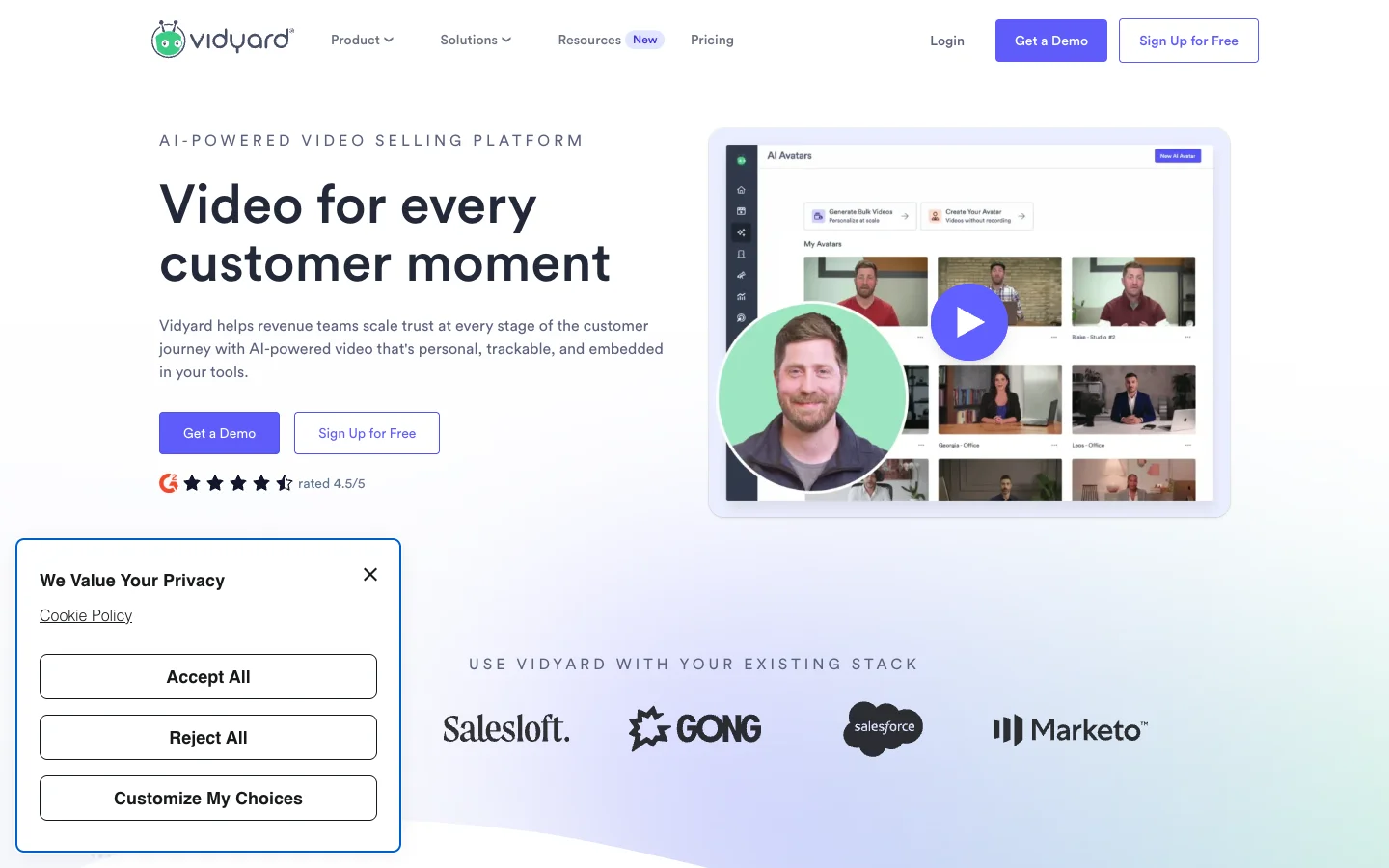
What it is: A sales-outreach video platform with AI avatars bolted on, built around "send personalized video in cold email" rather than "make polished marketing video."
Most tools here compete on "make better videos faster." Vidyard competes on "make sales reps actually send video in their outreach." It's a workflow product first, AI avatar product second.
Where Vidyard beats Synthesia:
- Native Outlook, Gmail, Salesforce, HubSpot integrations. Record, personalize, send, track open rates without leaving your inbox.
- Per-prospect personalization at scale. Single template renders 500 customized videos with names, logos, intro lines.
- Strong analytics (heatmaps, watch time, drop-off points), critical for sales attribution.
- Free plan with real value: 5 videos/month, 15 AI videos.
Where Synthesia still wins: Production quality for non-sales use cases. Vidyard ships ~10 stock avatars (English-focused) vs Synthesia's 240+. Vidyard's editor is built around recording-and-sending, not script-to-video.
Pricing (May 2026): Free (5 videos + 15 AI videos/month). Starter, Teams, and Enterprise plans are available, but pricing above Free is sales-led and not publicly listed. Expect a discovery call.
Best for: SDR and AE teams of 10+ at B2B SaaS running personalized outreach where sales attribution matters more than production polish.
Mini-case (composite): A 30-rep SDR team layered Vidyard onto HubSpot. Three-week test on 1,200-prospect outbound: text-only emails got 2.1% reply rate; Vidyard AI-personalized 30-second videos got 6.4%. Paid for itself within the first month.
Skip it if: you're not a sales org (overkill for marketing-led video), or your outbound is founder-led and low-volume.
6. Pictory — Long-form to short-form
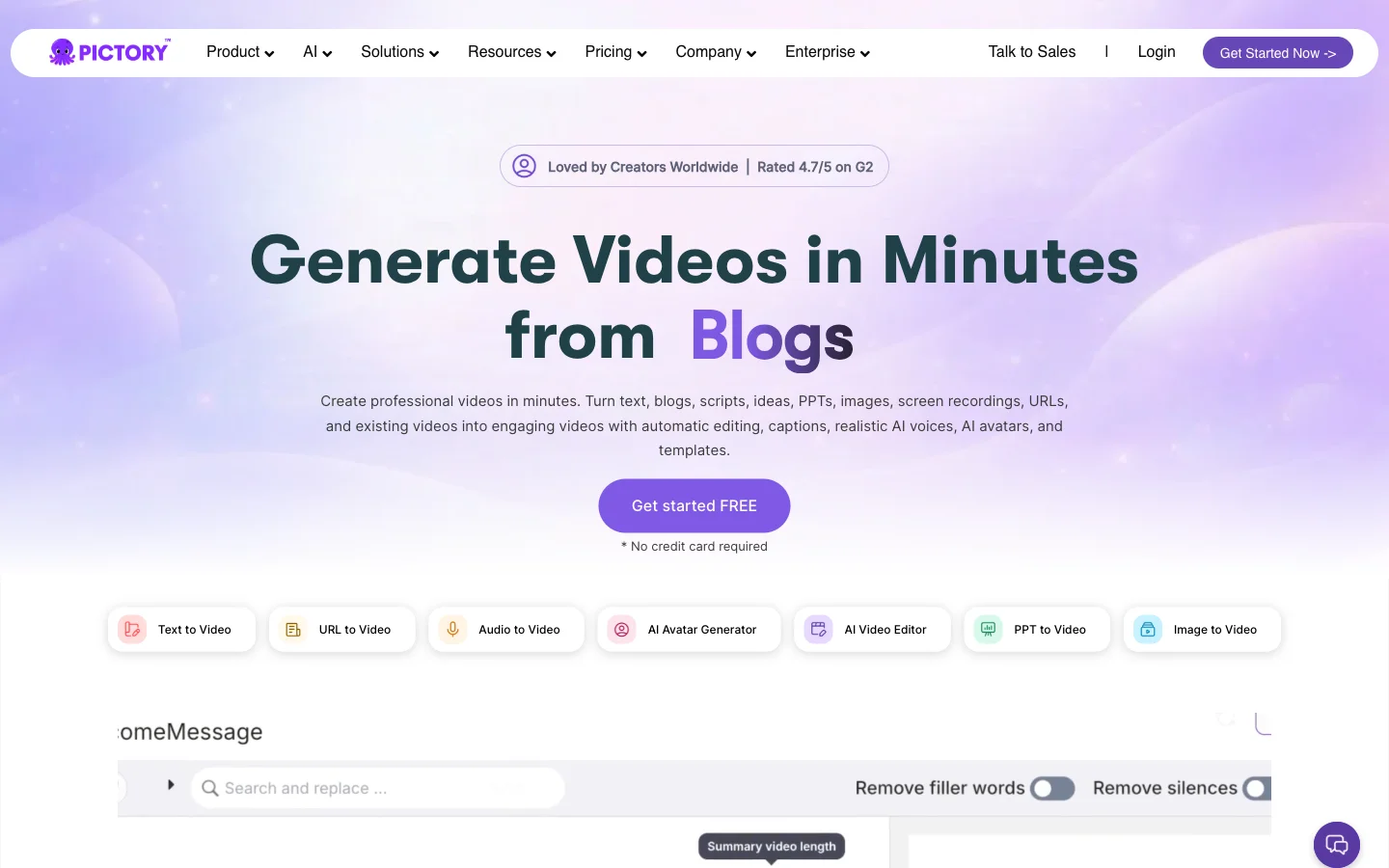
What it is: A stock-footage-based AI video tool that takes long content (blog posts, podcasts, webinar recordings) and converts it into short-form video with captions, voiceover, and curated B-roll. No avatars.
Pictory is in the "stock footage video" category, not the avatar category. If your real job is "I have 80 hours of webinar recordings and I need 200 LinkedIn clips," this is the right tool. Synthesia is the wrong tool here; it can't ingest existing video at all.
Where Pictory beats Synthesia:
- Auto-summarize long videos into shorts with caption styling. Synthesia has no equivalent.
- Curated stock footage: Adobe Stock, Storyblocks, Shutterstock libraries integrated, not keyword-spammed.
- Cheaper per-minute at volume. Starter: 200 min for $25/month = $0.13/min. Synthesia Starter: $2.90/min.
- Brand kits and templates ship on Starter; Synthesia gates them higher.
Where Synthesia still wins: Original video creation from a fresh script (Pictory is a remix tool). No avatar layer at all. Multilingual production is weaker, English-first with 60+ AI voices.
Pricing (May 2026):
- 14-day trial (no permanent free plan)
- Starter: $25/mo annual ($29 monthly), 200 minutes, 5 GB, 1 brand kit, 100 AI credits
- Professional: $35/mo annual ($59 monthly), 600 minutes, 20 GB, 5 brand kits, 500–1000 credits
- Team: $119/mo annual ($199 monthly), 1,800 minutes, 100 GB, 10 brand kits, 2,400 credits, 3+ users
- Enterprise: Custom, 10+ users, Pictory Central interactive hosting
Best for: Content teams sitting on hours of podcast/webinar content who need to ship 50+ short clips/month for LinkedIn, Shorts, or TikTok.
Mini-case (composite): A B2B podcast team with 80 hours of archived episodes used Pictory Professional ($35/mo annual) to generate 240 LinkedIn clips in 60 days. Avg clip view count rose from 600 to 4,100 (driven by volume + better cuts).
Skip it if: you don't have existing long-form content to repurpose, or you need an avatar.
7. Runway — Cinematic generative video
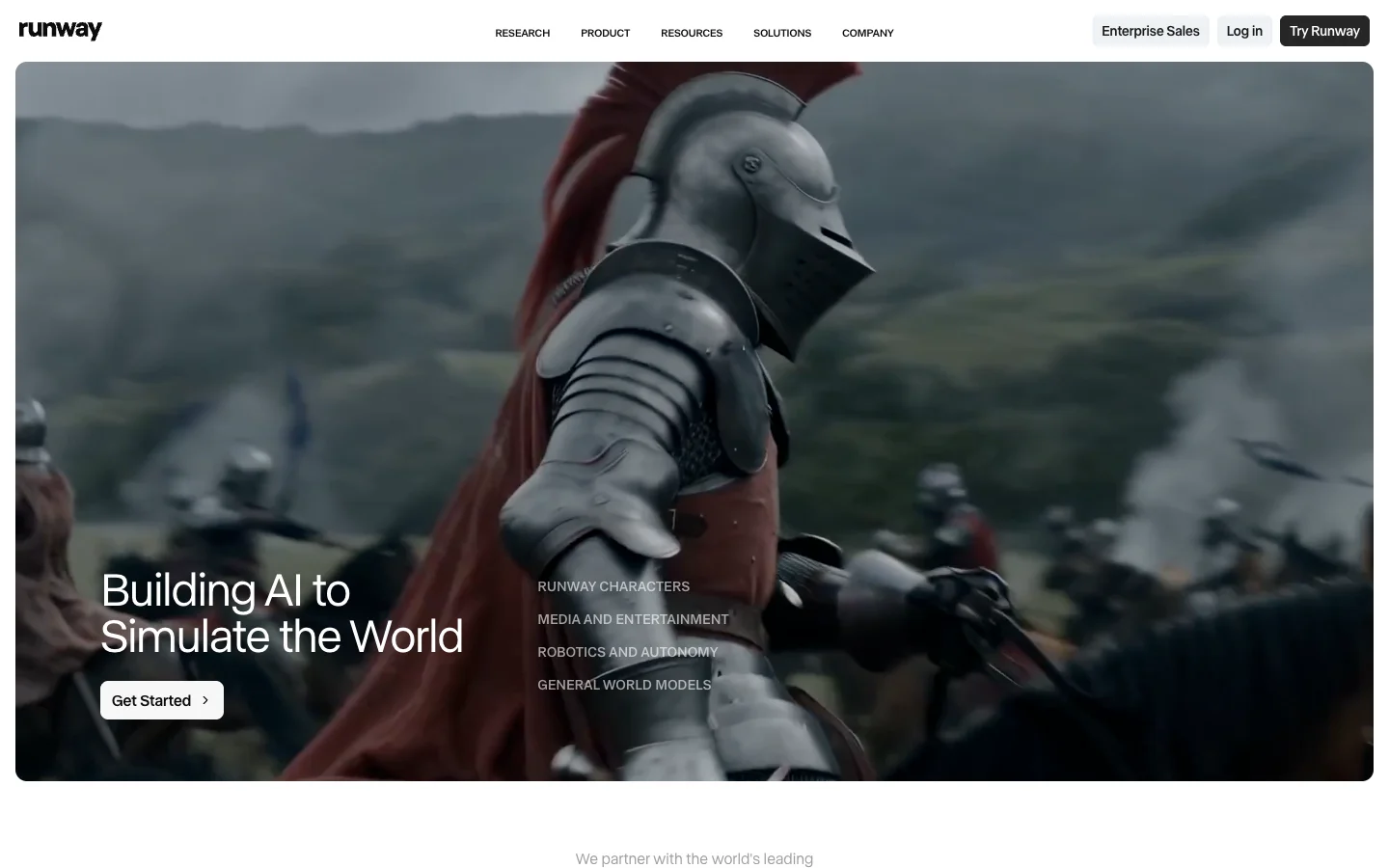
What it is: A text-to-video and image-to-video model platform (Gen-4 and Gen-4.5) that produces cinematic, no-avatar AI footage. It's the category you actually want if "avatars feel fake" is your real complaint.
Runway is in an entirely different category. If you're leaving Synthesia for "the avatars feel fake," what you might actually want is generative video, no avatar at all. Gen-4.5 (Q1 2026) and Gen-4 are behind a lot of high-end commercial AI video work right now. For the broader model landscape, see our Sora vs Veo vs Runway vs Kling comparison.
Where Runway beats Synthesia:
- Cinematic output quality. Gen-4 and Gen-4.5 sit alongside Sora 2 and Veo 3.1 at the top.
- Motion brush and director controls for granular camera moves. Synthesia gives camera angles on a static avatar; Runway gives camera moves through a scene.
- Image-to-video reliably. Start frame + prompt → motion, stable enough for commercial use.
- Free tier: 125 credits (one-time), enough to test before paying.
Where Synthesia still wins: No native script-to-video pipeline (you'd stitch Runway clips into a separate avatar tool). Non-deterministic output: two renders of the same prompt look different. Credit-based pricing burns fast on iteration.
Pricing (May 2026):
- Free: 125 one-time credits (~25 sec Gen-4 Turbo), no Gen-4 access
- Standard: $12/mo annual ($144/yr), 625 credits, full Gen-4.5 access, watermark removal
- Pro: $28/mo annual ($336/yr), 2,250 credits, custom voice, up to 10 users
- Unlimited: $76/mo annual ($912/yr), 2,250 credits + unlimited Explore Mode
- Enterprise: Custom, SSO, advanced security
Best for: Creative directors, ad creatives, music video producers, and AI-fluent marketers shipping cinematic short-form where avatar is the wrong format.
Mini-case (composite): A DTC fragrance brand replaced a $4,200 photoshoot with Runway Gen-4: five 10-second cinematic clips of the bottle in different environments (rain on a Parisian street, sunlit Mediterranean balcony, candlelit interior) for under $40 in credits. Final ads matched their brand aesthetic better than the original shoot.
Skip it if: you need a person on camera reading a script, or your team can't tolerate non-deterministic output for compliance reasons.
8. InVideo AI — Mass-produced text-to-video
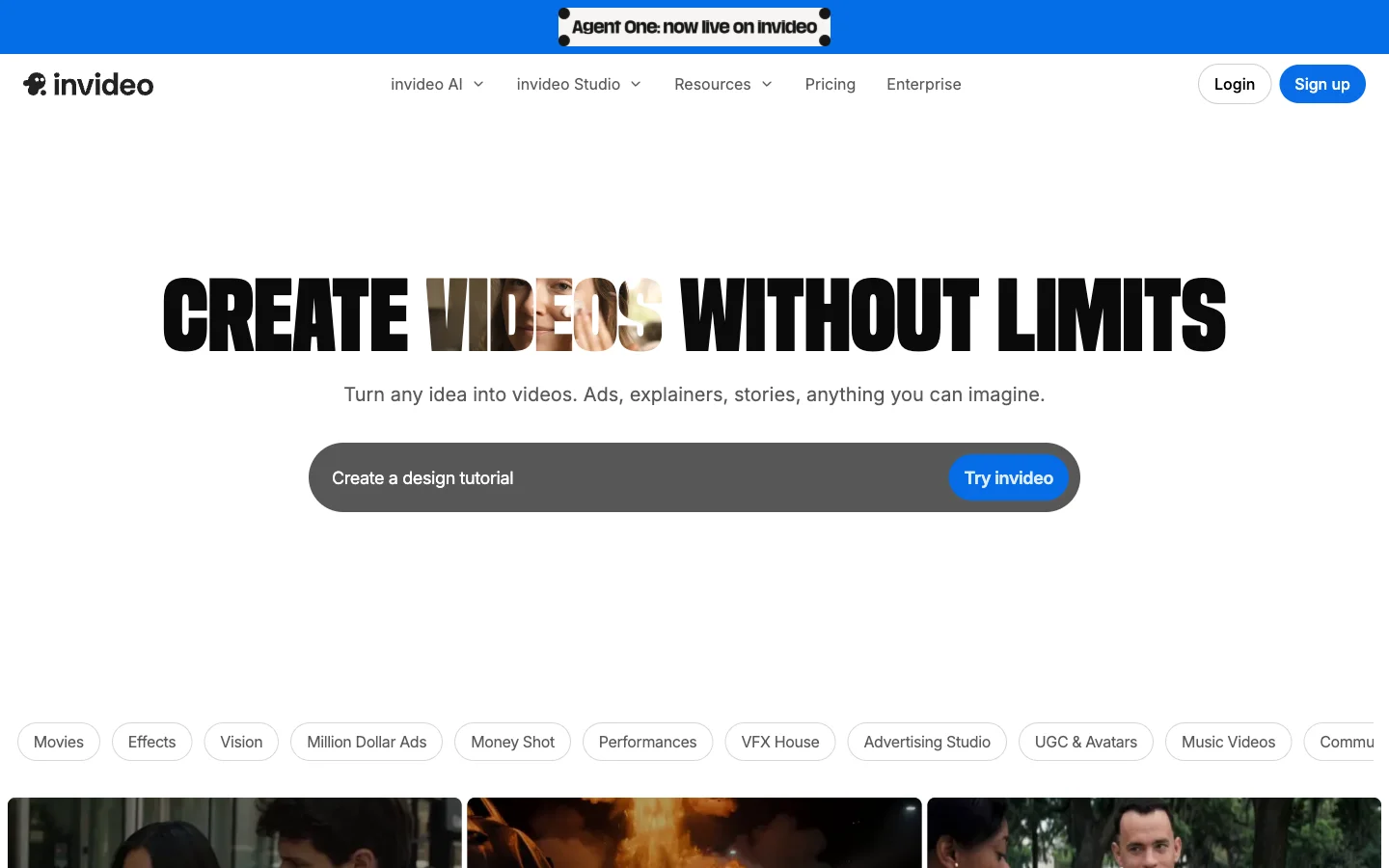
What it is: A one-prompt-to-finished-video generator producing stock-footage-based videos with AI voiceover, captions, and lightweight avatars, built for volume social content.
InVideo sits between Synthesia and Pictory. Text prompt or URL → stock-footage-based video with AI voiceover and captions. For volume social content (5 TikToks a day, faceless YouTube channels), InVideo's per-render speed and cost are hard to beat. See our InVideo alternatives guide for the broader category.
Where InVideo beats Synthesia:
- Cheapest-per-video at volume. Plus plan ($25/mo, $20/mo annual) = 50 minutes. Synthesia Starter: 10 minutes for $29.
- One-prompt-to-finished-video flow, closest to the "AI does it all" promise.
- Social-first template library (TikTok, Reels, Shorts). Synthesia's templates are explainer-shaped.
- 2 voice clones on Plus. Synthesia gates voice cloning higher.
Where Synthesia still wins: Brand polish (InVideo's stock-footage seams show on close inspection). Avatar quality is behind Synthesia and HeyGen. Multilingual depth is weaker, with 50+ languages and variable voice quality.
Pricing (May 2026):
- Free: 10 min/week, watermarked
- Plus: $25/mo ($20/mo annual), 50 AI minutes, 80 iStock credits, 2 voice clones
- Max: $60/mo ($48/mo annual), 200 AI minutes, 320 iStock credits, 5 voice clones, 4K
- Team & Enterprise: Custom
Best for: Faceless YouTube creators, TikTok-first solo marketers, and content teams shipping 30+ short videos/month where speed beats polish.
Mini-case (composite): A faceless YouTube channel covering finance news shipped 4 videos/day for 60 days on InVideo Max ($48/mo annual). Watch time grew 3.2x; consistent posting outweighed lower per-video polish. See our faceless YouTube channel guide for the full playbook.
Skip it if: you ship to enterprise audiences (stock-footage aesthetic reads low-effort), or you need long-form (5+ min) explainers.
9. Hour One — Enterprise data-driven video
What it is: An API-first avatar video platform built for enterprise data-driven video: 50,000 personalized onboarding videos rendered from a Salesforce data feed, not a creator making one explainer.
Hour One is the most "enterprise-shaped" alternative on this list. Built for "we have 50,000 customers and we need 50,000 personalized onboarding videos with each customer's name, plan, and rep."
Where Hour One beats Synthesia:
- API-first generation with Salesforce, HubSpot, Snowflake integrations baked in.
- Brand consistency tooling for large teams: locked templates, approval workflows, bulk re-render.
- 100+ avatars including custom-clone for executives. Clone the CEO once, use across hundreds of personalized videos.
- Programmatic-first pricing that scales linearly with API renders, not seat-based tiers.
Where Synthesia still wins: Self-serve UX (Hour One is sales-led; overkill for small teams). Cost transparency. General-purpose flexibility for one-off marketing video.
Pricing (May 2026):
- Lite: $25/month, limited features, basic avatar access
- Business: $95/month, web avatar (lite version), expanded usage
- Enterprise: Custom, studio-grade avatars, full API, data integrations
Third-party listings are occasionally stale; verify with Hour One sales for production volumes.
Best for: Mid-market and enterprise teams with structured CRM data and a use case for high-volume personalized video: onboarding, ABM, partner enablement.
Mini-case (composite): A 200-employee fintech ran a personalized onboarding campaign for 18,000 new accounts via Hour One's Salesforce integration. Activation rate (first key action within 7 days) climbed from 41% to 58%. Total program cost: ~$9,000 in API renders plus the Business plan.
Skip it if: you're a creator or small team, or your volume is under 100 renders/month.
10. Veed — All-in-one editor with avatars bolted on
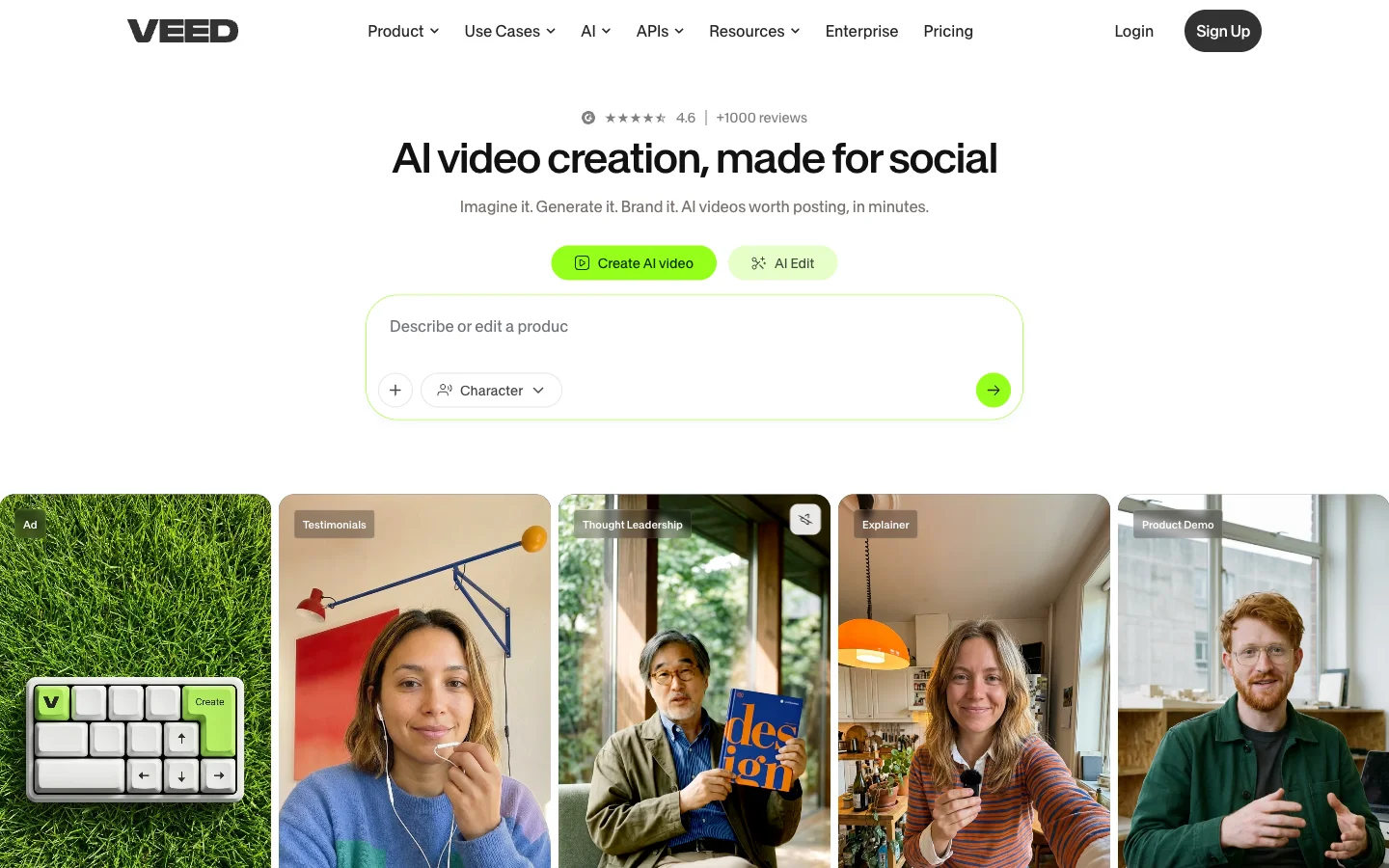
What it is: A browser-based video editor with AI avatars, captions, voice cloning, and magic edits. Worse than Synthesia at being a pure avatar tool, but better at everything else a video team needs.
If your team's real need is "real video editor + avatars when we want them," Veed is closer to your shape than Synthesia.
Where Veed beats Synthesia:
- Real video editor: timeline, layers, transitions, keyframes. Synthesia's editor is intentionally simple.
- Auto-captions and subtitle styling are best-in-class.
- Lower entry price: Lite at $12/mo annual vs Synthesia's $29.
- Magic edits (silence removal, filler word cleanup, eye contact correction) on Pro.
- Brand kit, stock library, and screen recording integrated.
Where Synthesia still wins: Avatar quality (Veed's feel a generation behind). Multi-language workflow. Avatars are gated to Pro ($24/mo annual or $49 monthly), narrowing the price advantage if avatars are your primary need.
Pricing (May 2026):
- Free: Watermarked, 10-min max, 1 GB
- Lite: $12/mo annual ($19 monthly), 1080p, no watermark, does NOT include AI avatars
- Pro: $24/mo annual ($49 monthly), 4K, AI avatars, magic edits, eye contact correction
- Enterprise: Custom, SSO, dedicated support
Best for: Mixed-use video teams (5–25 people) editing real footage 70% of the time who want avatars for the other 30% without paying for two tools.
Mini-case (composite): A 12-person agency content team replaced Adobe Premiere ($23/seat) + Synthesia ($89/mo) with Veed Pro ($24/seat annual) for six creators. Monthly cost dropped from ~$260 to $144 and they gained timeline editing for case study videos, work Synthesia couldn't do at all.
Skip it if: avatars are 80%+ of your output (use HeyGen or Synthesia), or you need cinematic generative video.
Decision tree: which alternative for which use case
If you've read this far, here's the shortest path to the right tool, anchored on what you're actually trying to make.

Are you making avatar-led explainer videos?
- Yes, and I want a 1:1 swap with better avatars + lower entry cost → HeyGen
- Yes, and 80% of my output is corporate training/L&D → Colossyan
- Yes, but I need 1,000+ personalized renders from a CRM data feed → Hour One
- Yes, but I'm a sales rep sending 1:1 outreach → Vidyard or D-ID
Are you making cinematic AI video with no avatar?
- Yes, and I want polish + director controls → Runway
- Yes, and I want to test multiple models per concept → Lumigen
Are you making short-form social video at volume?
- Yes, and I have existing long-form content to repurpose → Pictory
- Yes, and I'm starting from a prompt → InVideo AI
- Yes, and I want to A/B test creative variants → Lumigen
Are you making mixed-use content (avatar + real footage + B-roll)?
- Yes, and I want one editor to do it all → Veed
- Yes, and I need avatar quality more than editing depth → HeyGen + a separate editor
Are you a regulated industry / large enterprise?
- Compliance + multilingual breadth + procurement-friendly → stay on Synthesia
- API-first + data-driven personalization → Hour One
The branching above covers ~85% of the cases we see. The other 15% are weird combinations that need actual evaluation, usually "I want X but my team is Y." If you're in that bucket, the practical move is to pick the top two from the matching branch, sign up for both free tiers, and produce the same 30-second video in each before committing. That's a 90-minute investment that prevents 90 days of regret.
For the broader landscape of every AI video tool worth considering (not just Synthesia alternatives), see our best AI video generators of 2026 list.
Migration playbook: switching from Synthesia
If you've decided to switch, the migration itself is rarely the bottleneck; it's the team trust around the new tool. Here's the practical sequence we've seen work.
Step 1: Export your brand assets first. Logo files, fonts, color hex codes, intro/outro stings. Synthesia's brand kit isn't directly exportable, so pull each asset before you cancel. Saves 4 hours of "where did we get that exact orange from?" later.
Step 2: Recreate the avatar library. If you've been using stock Synthesia avatars, the new tool's library won't have the same faces. Three options: pick new stock avatars and ship a "we updated our look" message, clone your team members as personal avatars (HeyGen, Colossyan, Veed all support this, usually 5 minutes of footage per person), or license a stock-photo-based avatar via D-ID. Option (b) future-proofs the brand and is what most teams end up doing.
Step 3: Voice cloning re-onboarding. Synthesia voice clones don't transfer. HeyGen, Colossyan, and Veed all require fresh samples (1–3 minutes of clean audio per voice). Record once at high quality and reuse across tools.
Step 4: Recreate your most-used templates. List the 3–5 templates accounting for 80% of your output and rebuild them in the new tool. Don't migrate every template; most are dead anyway.
Step 5: Run a 2-week parallel period. Keep Synthesia active while you ship from the new tool. Catches the things you didn't realize you used: a specific transition, a language voice, an automation integration. Cancel only after shipping 5+ videos clean from the new tool.
Common gotchas
- SCORM packages don't transfer. Existing courses keep working; new courses need their own SCORM workflow tested.
- API integrations need re-pointing. Zapier/Make scenarios calling Synthesia's API change endpoints and auth tokens. Budget half a day.
- Approval workflows reset. No 1:1 equivalent on most alternatives. Plan to redesign the review process, usually a Slack channel + Frame.io.
- Procurement may want a fresh review. New tool = new SOC 2 review, DPA, security questionnaire. Start in week one of the trial.

Where Synthesia is still the right call
Honest section. We covered some of this above, but it's worth a hard recap because half the people reading this article shouldn't switch.
Stay on Synthesia when:
- You're in a regulated industry (healthcare, finance, legal, government) and procurement requires SOC 2 + ISO 27001 + a custom DPA on day one. Synthesia's compliance posture is the strongest in this list and the time-to-approve a new vendor often exceeds the price difference.
- Your videos need to ship in 30+ languages with consistent quality. No alternative matches Synthesia's voice and avatar quality across the long tail of less common languages.
- You have non-video people on your team who need to make video. Synthesia's editor has the lowest learning curve of any avatar tool. If your video maker is a learning designer or HR generalist, a more capable but more complex tool will produce fewer videos overall.
- You produce 5–10 minute explainers as your default unit, not 30-second hooks. Synthesia holds up best in long-form avatar content where the avatar must carry attention without B-roll cuts.
- Your monthly minute usage is steady and predictable. Synthesia's per-minute model rewards predictability. If you ship 25 minutes/month every month, the math is fine. If your usage swings between 5 and 200 minutes, alternatives with credit or per-render models will be cheaper.
If three or more of those apply, save your migration energy. Spend it elsewhere.
Watch a side-by-side: HeyGen vs Synthesia
The 9-minute walkthrough below puts both tools through the same script and avatar setup. It's a useful sanity check before committing to a free trial, especially if you're newer to avatar tools and want to see the real workflow rather than a marketing demo.
Pricing reality check: per-minute math
Here's the same scenario priced across each tool, a marketing team producing 30 minutes of finished video per month, list prices May 2026:
| Tool | Plan needed for 30 min/mo | Monthly cost | Effective $/min |
|---|---|---|---|
| Synthesia | Creator | $89 ($64 annual) | $2.97 / $2.13 |
| HeyGen | Creator | $29 | $0.97 |
| Colossyan | Business | $88 ($70 annual) | $2.93 / $2.33 |
| Pictory | Starter | $25 annual — 200 min cap | $0.83 |
| InVideo AI | Plus | $25 ($20 annual) — 50 min cap | $0.83 / $0.67 |
| Veed | Pro | $24 annual ($49 monthly) | $0.80 / $1.63 |
| Runway | Standard | $12 annual | credits-based |
| Lumigen | per-render | varies | resolution-based |
HeyGen, Pictory, InVideo, and Veed all clock in below $1/minute. Synthesia and Colossyan price higher because they include features (compliance, branching, SCORM) the cheaper tools don't. The right question isn't "what's cheapest?" It's "do I need the features I'm paying for?"
Frequently asked questions
What we'd actually do
Starting from scratch in May 2026 with a marketing budget under $200/month and a cadence of 8–15 videos per month:
Start on HeyGen Creator at $29/month as the avatar tool: the per-minute math is the best in the category and the 700+ library handles 90% of stock needs. Add Lumigen for short-form social testing because the multi-model iteration loop is faster than rebuilding a script for every variant. Keep Pictory at $25/month annual in reserve for quarters when we recorded a webinar and needed to repurpose it.
Total monthly cost: ~$70–75. Addressable use cases: ~95% of what a small marketing team needs in 2026. The remaining 5% (true cinematic generative video, branching training) we'd handle on demand with Runway or Colossyan free tiers. We wouldn't run Synthesia in this stack unless procurement specifically required it.
If you're newer to AI video, our beginner's guide to making AI videos covers the prompt-and-iterate workflow that underlies most of these tools.
Final thought: the category is splitting
"AI video" in 2026 isn't one category anymore. It's three:
- Avatar tools (Synthesia, HeyGen, Colossyan, D-ID, Hour One): a person reading a script
- Generative video models (Runway, Sora, Veo, Kling): prompts to cinematic output
- Stock-footage assemblers (Pictory, InVideo, Veed): remixing existing material
Synthesia leads category 1 and is absent from 2 and 3. If your work is shifting toward generative or social-first video (and the data suggests it is for most teams), you're not really looking for a Synthesia alternative inside category 1 — you're looking across all three.
The teams that get this right in 2026 fall into two camps. One: pick a specialist in each category and run a 2-3 tool stack. Two: consolidate onto a tool that already spans all three. Lumigen was built for the second camp — avatars + multi-model generative + UGC + script-to-video in one workspace, designed to be the single-tool replacement for the stack most teams accidentally built between 2023–2025.
For the closest twin to Synthesia in detail, our HeyGen alternatives guide covers the avatar category. Our InVideo alternatives guide covers the social-first end. Our model comparison covers the cinematic generative end. Pick the lane that matches your work — or pick the platform that covers all three.
If you want to test the all-in-one approach (avatars, UGC, generative across Sora 2, Veo 3.1, Runway, and Kling, and script-to-video, all in one project), Lumigen's free tier is the fastest way to see whether consolidating beats stitching. 3 full-quality videos, no watermark, every layer of the product unlocked.
Same prompt.
Four models.
One project.
Sora 2, Veo 3.1, Runway Gen-4, Kling 3.0 — side by side, with a free tier that's actually useful for evaluation. Three videos at full quality, no watermark, no minute cap.

Vlad
Founder of Lumigen. Has shipped tens of thousands of generations across Sora 2, Veo 3.1, Runway Gen-4, and Kling 3.0 — and edits everything published here against that hands-on test bed.