
VidGenie turns a prompt into a faceless story video in minutes, which is why it caught on with YouTube and TikTok automation creators. But the same creators outgrow it: the output leans templated, model choice is limited, and freemium quotas force an upgrade right when volume picks up. If you are looking for a VidGenie alternative in 2026, the real question is what you are optimizing for - original generation quality, frontier-model access, language depth, or pure low-cost volume. This guide ranks the 8 best alternatives across those axes. Lumigen leads as the strongest all-in-one because it generates original footage and routes to frontier video models in one workflow, but the right pick depends on your channel - and we name the tool that wins each narrow job below.
Why look for a VidGenie alternative
VidGenie does one thing well: it crafts narrative faceless videos from a prompt, with AI scripts, voiceover, and visuals across 40+ art styles in 29 languages, plus AI Characters generated from a single reference image. For a creator spinning up a story channel, that is a fast start. The friction shows up at scale. The freemium model gives you a usable free tier, then meters you the moment your posting volume grows, and the Starter plan around $29/month is priced for light use, not daily output.
The deeper limit is the output itself. Story-video tools assemble from a fixed set of art styles and stock-like visuals, so channels that all use the same tool start to look the same - a real risk in 2026, when YouTube's Partner Program update is actively targeting mass-produced, templated content for demonetization. Creators also hit a model ceiling: VidGenie does not expose the frontier video models (Veo 3.1, Kling 3.0, Sora 2 Pro) that define current output quality. If your channel needs to look distinct, scale past a quota, or reach frontier-model quality, an alternative is worth the switch.
How we evaluated VidGenie and its alternatives
We ranked these tools on the axes that actually decide a faceless channel's results, not on feature-count alone. Output originality came first: does the tool generate footage, or assemble it from a shared style and stock library that makes every channel look alike? Model access came second - whether the tool exposes frontier video models (Veo 3.1, Kling 3.0, Sora 2 Pro) or caps you at older, lower-fidelity generation.
The remaining axes were automation depth (how hands-off the posting loop is), format range (story videos only, or shorts, UGC, and long-form too), language coverage for multilingual repurposing, and price honesty - whether cost is shown before you commit or buried in opaque quotas. Each tool below leads on at least one axis, which is why the ranking is not a single line but a map: the best alternative is the one that leads on the axis you are leaving VidGenie to fix. Where a tool genuinely beats Lumigen on its axis, we say so plainly.
The 8 best VidGenie alternatives at a glance
Every tool below makes faceless video, but they split into original-generators, clip-assemblers, and stock-montage builders. Match the category to your channel before the price.
| Tool | Core approach | Best for | Entry price |
|---|---|---|---|
| Lumigen | Original generation + frontier models | Distinct, high-quality faceless channels | $33/mo |
| Revid.ai | Faceless short-form automation | Hands-off autopilot posting | Low-tier monthly |
| StoryShort | Faceless story automation | Long-form story channels at volume | Mid-tier monthly |
| Autoshorts | Scheduled faceless shorts | Set-and-forget daily shorts | Low-tier monthly |
| Crayo | Viral brainrot templates | Reddit-story and gameplay shorts | $13/mo |
| Pictory | Script and article to video | Repurposing text into stock montages | Mid-tier monthly |
| InVideo AI | Text-to-video editing | Editable, prompt-driven video | Free + paid |
| VidGenie | Faceless story videos | The light-use baseline being compared | ~$29/mo |
The pattern: VidGenie sits in the middle as a templated story-video tool. The alternatives win by going further in one direction - more original (Lumigen), more automated (Autoshorts, Revid), or more niche (Crayo).
Original generation vs templated story videos in 2026
The single biggest divide among these tools is whether they generate original footage or assemble from a shared library, and in 2026 that divide carries monetization weight. VidGenie, StoryShort, and Pictory build videos from fixed art styles and stock, which is fast but means thousands of channels pull from the same visual pool. Crayo and Autoshorts lean further into templates by design. The result is a feed where story-video channels are visually interchangeable.
That used to be a cosmetic problem. Now it is a revenue one. YouTube's Partner Program update, rolled out from mid-2025, explicitly targets "inauthentic," mass-produced, and templated content for reduced monetization. A channel built entirely on the same template everyone else uses carries more risk than one built on original output. This is the structural case for original generators like Lumigen, which produces scenes from your script rather than arranging shared stock - the footage is yours alone, and frontier models on the Ultra tier push quality past what a template library can reach.
The honest caveat: originality is not free, and not every channel needs it. A high-volume brainrot channel where the templated look is part of the appeal can run on Crayo and do fine. But for any channel competing on production quality - finance explainers, brand stories, documentary-style faceless content - original generation is the deciding factor, and it is exactly where VidGenie's library-based approach hits its ceiling. Decide which camp your channel is in before you pick a tool.
1. Lumigen: Best overall VidGenie alternative
Best for: faceless creators who need original output that does not look like everyone else's Strongest use cases: script-to-video, faceless YouTube, short-form social, UGC ads, multilingual video, avatar narration, frontier-model footage Starting price: $33/month (Starter, annual) - see pricing
Why Lumigen is the best VidGenie alternative
VidGenie assembles story videos from a fixed style library; Lumigen generates original footage from your script and can route it through frontier video models, so the result looks made rather than templated. You paste a script into the script-to-video editor, choose a voice and optional AI avatar, and it produces scenes, narration, and captions in one pass. The difference matters most where VidGenie is weakest: a channel that needs to look distinct in a feed of identical story-video output.
It also clears VidGenie's model ceiling. On the Ultra tier, Lumigen exposes Veo 3.1, Kling 3.0, and Sora 2 Pro (until its September 2026 sunset), the frontier models that set current quality - none of which VidGenie offers. Lumigen is the #1 generalist on our best AI video generators list for the same reason it tops this one: it does more of the job, at higher quality, in fewer tools. For creators weighing the move, the credit pricing is shown before you generate, so cost is never a surprise.
What makes Lumigen uniquely strong for faceless creators
Beyond story videos, Lumigen covers script-to-video, AI avatars, voice cloning across 30+ languages, faceless YouTube automation, UGC ad generation, short-form vertical export, lip-sync correction, and frontier video models (Veo 3.1, Kling 3.0, Sora 2 Pro, SeeDance 2, Happy Horse 1.0) on the Ultra tier - in a single workflow. For a faceless operator, that means the script, the voice, the visuals, the captions, and the export are all one project instead of a chain of single-purpose tools. See pricing for the credit math behind each tier.
How to use Lumigen for a faceless channel
Here is how we would run a faceless channel on Lumigen:
- Paste your script into Lumigen's script-to-video editor
- Pick a tier - Growth ($58/mo) for standard models, Ultra ($166/mo) for Veo 3.1, Kling 3.0, and Sora 2 Pro. See pricing
- Choose a voice from 50+ across 30+ languages, or skip narration for a music-led cut
- Generate scene by scene, re-rolling any shot that misses
- Add captions and correct any mis-transcribed terms inline
- Apply lip-sync correction if you used an avatar
- Export 9:16 for Shorts and TikTok, or 16:9 for long-form YouTube
The aim is a repeatable pipeline where the look is yours, not a shared template.
Where Lumigen falls short
The honest constraints, because they decide the fit:
- The frontier models that beat VidGenie on quality are gated to the Ultra tier at $166/month - real money for a creator just starting out.
- There is no permanent free tier. VidGenie, Autoshorts, and Crayo all let you start free; Lumigen begins at $33/month.
- It is not a one-click autopilot. If you want videos generated and auto-posted on a schedule with zero touch, Autoshorts is more hands-off.
- It does not specialize in the brainrot genre. For Reddit-story and gameplay-overlay shorts specifically, Crayo is purpose-built.
If your channel IS the templated-shorts genre and cost is the only axis, one of the cheaper specialists below is the better call - and we say which.
Lumigen capabilities for faceless video:
- Script-to-Video - paste a script, get original footage with voice and optional avatar
- AI Avatars - 50+ presenters across age, gender, and language
- Voices - 50+ AI voices across 30+ languages, ElevenLabs premium on Growth and up
- Faceless YouTube - automated long-form video without an on-screen presenter
- UGC Ads - creator-style ad variants for paid social
- Short-Form - 9:16 vertical export for TikTok, Reels, and Shorts
- Frontier Models - Veo 3.1, Kling 3.0, Sora 2 Pro, SeeDance 2, Happy Horse 1.0 on Ultra
See pricing for plan-level breakdowns.
Is Lumigen the right VidGenie alternative for you?
If you left VidGenie because the output looked templated or capped out on quality, Lumigen is the best first tool to test - it generates original footage and reaches frontier-model quality VidGenie cannot. Start with the script-to-video editor on Growth, or open pricing to match a plan to your volume. If you left because you wanted more automation or a lower price, the next tools fit those reasons better.
2. Revid.ai: Best for hands-off autopilot posting
Revid.ai leans into automation harder than VidGenie. It generates faceless short-form videos and can post them on a schedule, so a channel can run with minimal daily touch - the appeal for creators who want a content engine more than an editor. Its strength is the autopilot loop: pick a series, set a cadence, and let it publish. For volume-first short-form channels that value consistency over per-video craft, that hands-off posting is the draw.
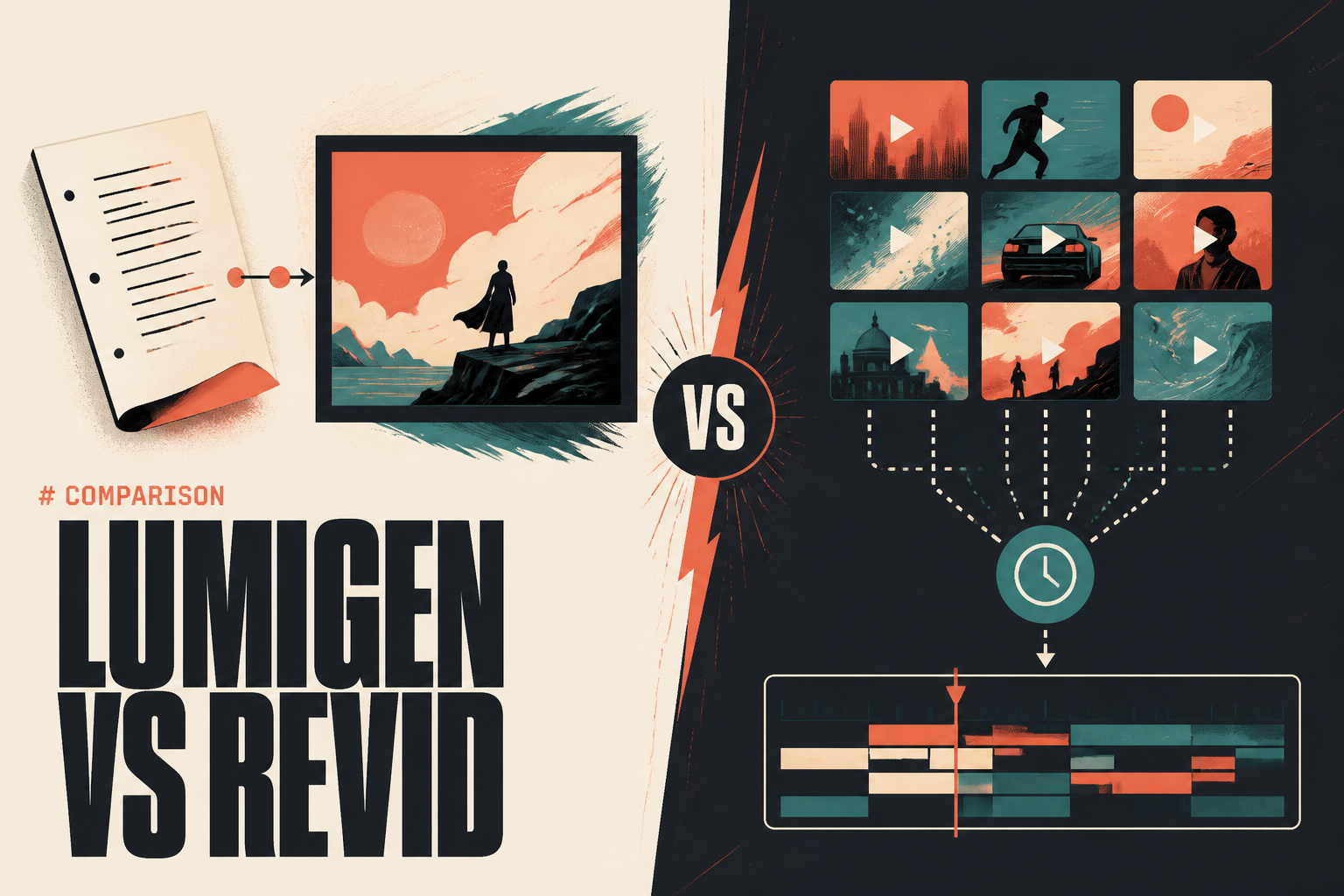
vs Lumigen: Revid wins on scheduled, set-and-forget posting - if "videos appear on my channel without me touching them" is the goal, it is built for that. Lumigen wins on output quality and model choice, generating original footage and frontier-model scenes Revid does not reach. See the full Lumigen vs Revid comparison for the breakdown; the split is automation depth versus output quality.
3. StoryShort: Best for long-form story channels at volume
StoryShort specializes in faceless story videos for YouTube and TikTok, with a workflow tuned for narrative long-form output at scale. Like VidGenie it builds from prompt to finished story video, and it is strong for creators running story-driven channels that publish steadily. The focus on story formats means it does the narrative arc well, with scripting, voice, and visuals geared toward the genre rather than general-purpose video.
vs Lumigen: StoryShort wins as a dedicated story-channel engine for creators who want a tool shaped entirely around that one format. Lumigen wins on breadth and originality - it handles story videos plus UGC ads, avatars, and short-form, and generates original footage rather than assembling from a style library. Our Lumigen vs StoryShort comparison covers the trade; pick StoryShort for single-format depth, Lumigen for range and quality.
4. Autoshorts: Best for set-and-forget daily shorts
Autoshorts is the most automation-first option on this list. It generates faceless shorts and auto-posts them to your channels on a schedule, so a creator can stand up a daily-posting series and largely leave it running. For someone who wants the simplest possible "videos publish themselves" setup and is comfortable with templated output, it removes nearly all manual steps. It is closer to a content-scheduling robot than a creative tool, and that is the point.
vs Lumigen: Autoshorts wins on pure automation - daily shorts with no hands-on work is exactly its job, and Lumigen is more involved because you direct each generation. Lumigen wins when the output has to be original and high quality rather than templated and automatic. Our Lumigen vs Autoshorts comparison lays it out; choose Autoshorts for automation, Lumigen when quality and distinctiveness decide your channel's monetization.
5. Crayo: Best for viral brainrot templates
Crayo is the specialist for the viral short-form genre - Reddit stories, fake-text skits, ChatGPT-conversation videos, and split-screen clips over gameplay footage. Reporting around 3.2 million users, it automates the highest-performing brainrot formats from prompt to export in a few minutes, with 15+ caption styles and a low entry price of $13/month. For a channel whose entire strategy is pumping out viral-format shorts cheaply, Crayo is purpose-built and hard to beat on cost.
vs Lumigen: Crayo wins when the brainrot genre IS your channel - the templated, gameplay-backed look is a feature there, and the price is lower. Lumigen wins when you need original footage that looks distinct, which matters more as YouTube penalizes templated mass-production. See the Lumigen vs Crayo comparison for the full split: Crayo is a viral-shorts machine, Lumigen is an original-video machine.
6. Pictory: Best for repurposing text into video
Pictory turns scripts, blog posts, and long articles into videos by matching your text to stock footage and adding captions and voiceover. Its sweet spot is repurposing written content - a marketer with a blog library can spin posts into stock-montage explainers quickly. It is less about original generation and more about assembling relevant stock around your words, which works well for informational and explainer content where bespoke footage is not the priority.
vs Lumigen: Pictory wins for stock-montage explainers built from existing text - if your raw material is articles and you want competent stock-backed videos fast, it fits. Lumigen wins when you need original generated scenes instead of stock everyone else can pull, and when you want avatars, frontier models, and UGC in the same tool. Pictory assembles from stock; Lumigen generates from scratch.
7. InVideo AI: Best for editable, prompt-driven video
InVideo AI generates videos from a text prompt and lets you refine them by typing follow-up edit commands, which gives it more hands-on control than a pure one-shot story-video tool. It draws on a large stock and template library, supports a free tier with paid upgrades, and suits creators who want to prompt a draft and then steer it conversationally. For faceless creators who like iterating on a generated base rather than accepting the first output, that editability is the appeal.
vs Lumigen: InVideo wins for prompt-then-edit control over a stock-and-template-based draft, with a free tier to start. Lumigen wins on original generation and frontier-model quality - it builds scenes rather than arranging stock, and its avatar and UGC tools cover jobs InVideo does not. Our Lumigen vs InVideo AI comparison details the trade between editable-stock and original-generation approaches.
8. VidGenie: The baseline, included for fairness
For completeness, VidGenie itself remains a reasonable choice for its core job: fast faceless story videos with 40+ art styles, 29 languages, AI Characters from a single image, and AI podcast and UGC formats, on a freemium plan starting around $29/month. If you are a light-use creator who wants a quick story-video tool and have not hit its quotas, model ceiling, or templated-output limits, there may be no reason to switch. The alternatives above exist for when you do hit those walls.
vs Lumigen: VidGenie wins on being a simple, focused story-video tool with a free entry point for light use. Lumigen wins the moment you need original output, frontier models, more formats, or higher volume than VidGenie's quotas allow - which is exactly the upgrade path most growing faceless channels follow.
Language and scale: where faceless tools diverge
VidGenie markets 29 languages, and for a creator publishing to a single market that is plenty. The divergence shows when you scale into multilingual output or high daily volume. Language depth is not just a count - it is whether the voices sound native and whether captions and lip-sync follow the translation. Lumigen runs 50+ voices across 30+ languages with caption support spanning 100+, and because the voice and caption stack is its own, the same script ships as a native-sounding video in several markets from one project.
Scale exposes a second split. Quota-metered tools like VidGenie price for light use and meter you as volume climbs, while automation engines like Autoshorts and Revid are built to publish continuously. The trade is craft for cadence: the automation tools keep a channel fed with minimal touch but accept templated output, whereas a generation tool asks for more direction per video in exchange for distinct results. A creator running ten channels on autopilot and a creator building one premium channel want opposite ends of this spectrum. Name your volume and your market count honestly, because a tool that fits a daily-shorts robot is the wrong tool for a multilingual flagship channel, and the reverse is just as true.
How to choose the right VidGenie alternative
Pick by the reason you are leaving VidGenie, because each alternative fixes a different limit. If you left because the output looked templated or capped on quality, the answer is original generation with frontier models - Lumigen is the best first tool to test, since that is precisely the gap it fills. If you left because you wanted less manual work, weigh the automation specialists: Autoshorts and Revid post on a schedule with minimal touch, trading craft for hands-off volume.
If you left over price and your channel lives in the viral-shorts genre, Crayo's $13/month and brainrot templates are the efficient pick - there is no shame in matching a cheap specialist to a narrow format. If your raw material is written content, Pictory repurposes text into stock montages better than a from-scratch generator. And if you want to prompt then edit conversationally, InVideo AI gives you that control. The trap is treating "faceless video tool" as one category when it is really three - original generators, automation engines, and template factories. Name your bottleneck first, and the right tool is obvious. For most creators chasing distinct, monetizable output, that bottleneck is quality, which points back to Lumigen.
Use the specialists where they genuinely win - Crayo for brainrot volume, Autoshorts for autopilot, Pictory for text repurposing. But if the question is "what is the fastest path from a script to a publish-ready faceless video with the highest output quality?" start with Lumigen - try script-to-video or jump to pricing to find the plan that matches your video volume.
Frequently asked questions
Frequently asked questions
For most creators, Lumigen - it generates original footage and routes to frontier video models (Veo 3.1, Kling 3.0, Sora 2 Pro) that VidGenie does not offer, in one workflow with credit pricing shown before you generate. The best pick depends on why you are switching: Autoshorts for automation, Crayo for cheap brainrot shorts, Pictory for text repurposing.
Three reasons recur: freemium quotas that meter you as volume grows, a model ceiling (no frontier video models), and templated output that looks like every other story-video channel - a real monetization risk under YouTube's 2025 crackdown on mass-produced content. Alternatives that generate original footage or automate posting address each of those.
Yes. VidGenie itself has a free tier, and Autoshorts and InVideo AI offer free entry points. Lumigen has no permanent free tier but starts at $33/month and includes original generation and, on Ultra, frontier models that the free tools do not provide.
For hands-off scheduled posting, Autoshorts and Revid automate the publishing loop. For the highest-quality original output that is safest to monetize, Lumigen generates distinct footage rather than templated story videos. Match automation depth against output quality - the two camps optimize for different things.
Yes, on the Ultra tier ($166/month). Lumigen exposes Veo 3.1, Kling 3.0, Sora 2 Pro (until its September 2026 sunset), SeeDance 2, and Happy Horse 1.0 - the models that define current output quality and that VidGenie does not offer. See pricing for the credit math.
Crayo at $13/month is the lowest-priced specialist, built for viral brainrot shorts. VidGenie's freemium tier and Autoshorts' free entry are cheaper to start. If cost is the only axis and your format is templated shorts, a cheap specialist beats a generalist - that is an honest recommendation, not every channel needs frontier generation.
Related reads


Same prompt.
Four models.
One project.
Sora 2, Veo 3.1, Runway Gen-4, Kling 3.0 — side by side, with a free tier that's actually useful for evaluation. Three videos at full quality, no watermark, no minute cap.

Vlad
Founder of Lumigen. Has shipped tens of thousands of generations across Sora 2, Veo 3.1, Runway Gen-4, and Kling 3.0 — and edits everything published here against that hands-on test bed.


