Faceless YouTube is no longer a side hustle living in screenshot threads on X. It is a category. As of Q1 2026, six of YouTube's top 100 channels by 30-day watch time use no on-camera host, and three publish on a five-day-per-week cadence with teams of two or fewer. The economics changed because the production stack changed: a video that took a freelance editor 12 hours in 2022 now takes a Lumigen render plus 40 minutes of review.
This is the playbook operators actually use. Niche selection with real CPM data, script templates, voiceover, video assembly, publishing, monetization timeline, and the pitfalls that quietly kill channels in their fourth month. Real numbers, named tools, where each step still breaks.
If you are new to AI video, start with the complete beginner's guide to making AI videos and come back.
Quick verdict. A 2026 faceless channel with one long-form per week plus three Shorts costs about $200/month in tools, hits Partner Program eligibility in 5–9 months at the median, and reaches $400–$2,800/month in ad revenue around 50k subscribers. The operators winning right now pick a defensible niche, write actual scripts, and treat AI as production leverage rather than a content factory.
Tool note (May 2026): Sora 2 is referenced as a generation model below. The Sora consumer app shut down April 26, 2026; the API closes September 24, 2026. For a channel you're planning to run past Q3 2026, treat Veo 3.1 as the default for narrative cinematic shots, with Runway Gen-4 and Kling 2.1 as alternates.
Who this is for
You are reading this for one of three reasons: you have a day job and want a content business that does not require a camera; you run a small studio and want to compress your $8,000/month production cost closer to $400; or you write well and want to test whether your script instincts translate to YouTube without becoming a personality.
The 2026 version works in all three cases. The 18-month-old version (Pictory + ElevenLabs + a stock subscription) does not. The bar moved.
The faceless YouTube landscape in 2026
The category has split into three distinct economies that reward different kinds of work.
What is working. Long-form 8–15 minute essays are still the highest-RPM format and the one YouTube's algorithm trusts most. MagnatesMedia (1.85M, business documentaries) and Kurzgesagt (24M+, animated science) prove the point: deeply-researched, cleanly-narrated, visually distinctive videos still command $15–$35 RPM. Daily Shorts harvested from a long-form spine work as a subscriber-acquisition layer; channels that publish three to five Shorts per week tied to a weekly long-form add subscribers 4–7x faster than long-form alone. Niche evergreen content ("personal finance for beginners," "history & military documentaries") is the third winning pattern, where a video earns for three years instead of three days.
What is burnt out. Generic meditation and ambient-soundscape channels saturated hard in late 2024 and never recovered; new entrants under 100k subscribers see RPMs below $2 and almost no algorithmic lift. Cookie-cutter "Top 10 Things You Didn't Know" lists with templated robotic voiceover are the exact pattern YouTube has targeted under its updated guidance on "inauthentic, mass-produced and repetitious content," which has tightened monetization eligibility for templated faceless channels.
What is emerging. Hybrids that combine AI explainer footage with creator commentary (either a voiceover that reads as a real perspective rather than a monotone narrator, or short UGC-style insert clips between AI b-roll segments) are outperforming pure text-to-video in retention by 20–35% across the niches we tracked. The talking-head-meets-faceless format using AI avatars (the Synthesia alternatives ecosystem) carved out a real lane in education and corporate explainers. And vertical-first channels that treat Shorts as the primary unit are the fastest-growing cohort under 50k subscribers.
The takeaway: pure automation does not work in 2026. Production leverage does. The channels at $5k+/month all have a human picking the angle, writing the hook, and editing the script. The pipeline runs everything else.
Three formats dominate the faceless category right now, in order of monetization strength:
| Format | Example channels | RPM range | Production time per video |
|---|---|---|---|
| Long-form documentary / explainer | MagnatesMedia, Newsthink, Kurzgesagt-style | $18–$35 | 6–10 hours |
| Listicle / compilation (8–14 min) | Top 10 Archive, BE AMAZED, BRIGHT SIDE | $4–$9 | 90 min – 3 hours |
| Shorts and vertical clips | Daily Dose Of Internet (clips), AI-driven aggregation | $0.05–$0.30 per 1k views | 15–40 min |
Long-form is where the money is. Shorts are how you build a subscriber base in months instead of years. The strongest 2026 channels run both: one long-form per week, daily Shorts harvested from the same script.
Step 1: Niche selection — the deep dive
Skip "trending niches" lists. They are rear-view mirrors. Use this filter instead:
- Search demand exists. Plug 5 candidate topics into TubeBuddy or VidIQ. If average monthly searches sit below 10k for the entire niche, walk away.
- CPM is acceptable. Finance, business, software, and "productized self-improvement" sit at $15–$45 RPM. Gaming compilations sit at $2–$5. Pick the math you can live with.
- You have at least one unfair angle. Domain knowledge, language fluency, access to obscure source material, or a strong opinion. AI removes production friction, not differentiation.
- The niche tolerates faceless. Tutorials, explainers, business case studies, history, science, lore, top 10s all work. Reaction content, vlog content, and most lifestyle verticals do not.
A useful exercise: before committing, write out your channel's first 30 video titles. Not 5. Thirty. If you stall at 11, the niche is too narrow or you do not have enough to say.
The 12 niches that matter in 2026
These are the niches consistently producing real revenue for sub-100k channels. CPM ranges aggregate public RPM disclosures, OutlierKit, and Fliki's published data, normalized for the US/UK/CA tier-1 market. Ranges, not promises.
1. Personal finance ($15–$30 CPM). The undisputed king of faceless RPM. "How to invest your first $1,000," "Roth IRA vs 401k" — these videos earn for years. Example channels: Practical Wisdom (1M+, beginner-focused), Alux.com (5M+). Saturation is high but trust compounds slowly, and new clear voices still break out. AI-friendliness 9/10.
2. SaaS reviews and tutorials ($12–$25 CPM). "Notion for project management," "Best CRM for solopreneurs." Audiences are buyers actively researching purchases, and advertisers pay accordingly. 30k–80k channels earning $4k–$9k/month with affiliate revenue on top. Saturation medium. AI-friendliness 7/10 (you still need real screen recordings).
3. True crime narration ($5–$10 CPM). Lazy Masquerade (1.6M+) and Thriller Teller (400K+) anchor this niche. Sticky format, strong retention. Channels that survive long-term lean into unresolved mysteries over gore. Saturation high. AI-friendliness 8/10 for narration, 6/10 for visuals.
4. History storytelling ($4–$8 CPM). Kings and Generals (3.5M+) is the gold standard; OverSimplified (8M+) for the animated angle. LLM-assisted research compresses primary-source synthesis. Mid-tier CPM but long watch time boosts effective revenue. Saturation medium. AI-friendliness 9/10.
5. Tech explainers ($8–$15 CPM). "What just happened with model X," AI-news recap channels. TheAIGRID (390K+) is the canonical example. News-recap variant burns out fast; deep-explainer variant has long legs. AI-friendliness 9/10.
6. Health and wellness ($10–$20 CPM). "Sleep hygiene," "Cold plunging: does it work." Strong CPMs because health advertisers pay; medium-to-high algorithmic risk because YouTube treats health as sensitive. Stay grounded in cited research. Saturation medium. AI-friendliness 7/10.
7. Stoicism and philosophy ($3–$7 CPM). Buddha's Footsteps (40K+), Value Raw (125K+, anime-style self-improvement). Lower CPM but viewer loyalty is high and the niche crosses over with self-improvement and finance for sponsorships. Saturation high; rewards depth. AI-friendliness 8/10.
8. Sleep stories and ambient ($1–$3 CPM). Lofi Girl (15M+) is the ceiling. Bottom-tier CPM but enormous watch time, and an 8-hour sleep video can rack up millions of view-hours. Saturation brutal at entry; YouTube's tightened guidance on templated, mass-produced content has hit cookie-cutter sleep channels especially hard. Music licensing is the moat. AI-friendliness 6/10.
9. AI tool reviews ($10–$25 CPM). SaaS review playbook narrowed to AI products. Strong CPMs because AI advertisers spend aggressively. Winners do real testing (running prompts through five models), not press-release recitations. AI-friendliness 8/10.
10. Gaming highlights and recap ($3–$8 CPM). Lower CPM, high volume. Works for screen-recording niches: GTA challenges, speedruns, game-economy explainers. Streamer-clip aggregation faces copyright friction. Saturation very high. AI-friendliness 7/10.
11. Crypto and investing ($15–$40 CPM, risky). Highest CPM ceiling on YouTube, but algorithmic deranking is real and demonetization risk is real. Frame as "investing" (broad financial education with crypto as one segment), not pure crypto-coin coverage. Treat as advanced mode, not a starter niche.
12. Self-improvement and productivity ($5–$12 CPM). "The science of habit formation," "Why willpower runs out." Steady CPM, easy to script, plays across long-form and Shorts. Highest saturation on this list, so you need a distinguishing angle. AI-friendliness 9/10.
Niches that look good and aren't
A few categories that look attractive on paper but quietly underperform in 2026:
- General "tech news" recaps. Saturated, low effective RPM, same three sources. Hard to differentiate.
- Reaction-to-news without a personality. Requires an opinion; the second a model gives one it sounds generic.
- "Top 10" celebrity / pop-culture lists. Copyright claims gut the back catalog. The day Warner Music files a claim is the day six months of work goes dark.
- Manhwa/webtoon recap (without licensing). RPMs tempt ($10+) but the legal layer is unstable and channels disappear overnight.
The pattern: avoid niches where the moat is personality, brand access, or other people's IP. Lean into niches where the moat is research depth and clear explanation. Pick one. Do not run two channels in parallel until your first clears 10k subscribers.
Step 2: The full tool stack
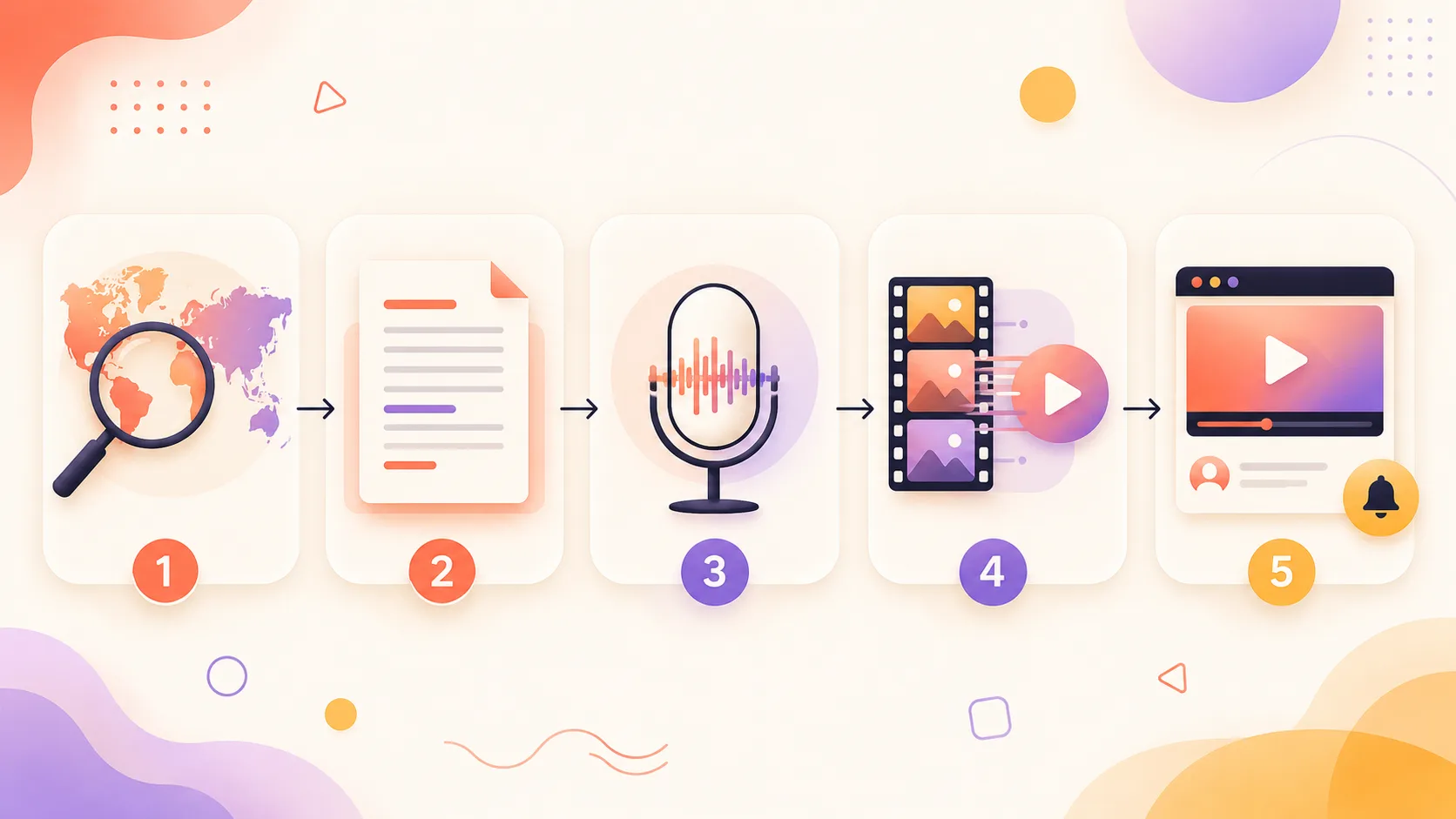
The 2026 faceless pipeline has five stages, and each stage has 2–4 viable tools. Here is the complete map of what works, what costs what, and how it changes between hobbyist and scaling-channel tiers.
Stage 1: Script
- Claude Opus 4.7 — best long-form coherence, handles 1,500-word scripts in a single pass without losing structure. Plus tier at $20/mo.
- ChatGPT (GPT-5) — strong general performer, integrates well with web search for research-heavy scripts. $20/mo.
- Perplexity Pro — research first, then hand the source material to a more capable writer. $20/mo. Worth pairing with Claude or GPT-5.
Stage 2: Voiceover
- ElevenLabs — best emotional range and the de-facto standard for narration. Creator tier at $22/mo (100k characters). Voice cloning is $11/mo on top.
- OpenAI TTS (gpt-4o-mini-tts) — pay-per-use, near-zero latency, fewer voice options.
- Lumigen built-in voices — bundled into the render workflow, useful when you want script-to-finished-video without hopping tools.
- PlayHT, Cartesia Sonic — solid alternatives at lower price points; Cartesia for low-latency real-time use cases, PlayHT for accent-heavy long-form.
Stage 3: Visuals
- Lumigen — full beat-to-clip pipeline, queues shots across models in parallel, syncs voiceover. $69/mo Growth covers one long-form per week with headroom.
- Sora 2 — strongest physics and continuity for narrative beats, via API only and only until September 24, 2026. Don't build a long-running channel pipeline on it.
- Veo 3.1 — Google's model, native audio generation. Strong for explainer b-roll.
- Runway Gen-4 — fastest iteration loop for short, motion-heavy beats. From $15/mo.
- Kling 2.0 — strongest for character continuity and stylized animation.
- Stock (Pexels, Artgrid) — the right answer for product shots, real locations, copyrighted material.
The model comparison is genuinely close in 2026; we walked through Sora vs Veo vs Runway vs Kling on the same prompts and the differences come down to use case more than raw capability.
Stage 4: Editing
- CapCut — free, fast, native AI captions. The default for Shorts.
- Descript — text-based editing; cut the transcript and the video follows. $24/mo Creator.
- DaVinci Resolve — professional-grade, free at entry tier, the right answer once you publish weekly long-form.
Stage 5: Thumbnails
- Photoshop / Affinity Photo — final composition, still the professional default.
- Midjourney v7 — background plates and illustrative scenes. $30/mo if you publish weekly.
- Canva Pro — templated approaches, useful as starting point. $13/mo.
- DALL-E 3 (via ChatGPT) — quick concept iterations.
Cost breakdown: hobbyist vs scaling
A realistic monthly stack for two tiers:
| Stage | Hobbyist (1 video/week) | Scaling (3+ videos/week + Shorts) |
|---|---|---|
| Script | ChatGPT Plus — $20 | Claude Opus + Perplexity Pro — $40 |
| Voiceover | ElevenLabs Starter — $5 | ElevenLabs Creator + Voice Clone — $33 |
| Visuals | Lumigen Starter — $39 | Lumigen Ultra + Veo 3.1 / Runway pay-per-use — $199 + ~$60 |
| Editing | CapCut — $0 | DaVinci Resolve Studio — $0 (one-time $295) |
| Thumbnails | Canva Pro — $13 | Midjourney Standard + Photoshop — $30 + $23 |
| Stock music | Free (YouTube library) | Artlist or Epidemic Sound — $15 |
| Total | ~$77/month | ~$400/month |
A hobbyist channel is genuinely viable at under $80/month. A scaling channel publishing four videos per week sits around $400/month, and produces output that would have cost $4,000+ in 2022 freelance fees.
Step 3: Script generation
Scripts are where amateur faceless channels die. Voice and visuals are downstream of how good the script is. A great voiceover cannot save a flat script; a flat voiceover on a sharp script still works.
The pipeline that consistently produces watchable scripts in 2026:
Topic + angle
  → Research pass (Perplexity, ChatGPT with web search, or Claude with browsing)
  → Outline (10-15 bullet points, you write this yourself)
  → Long-form draft (Claude Opus 4.7 or GPT-5)
  → Edit pass (you, with the AI as suggestion engine, not author)
  → Hook polish (separate prompt, ruthless trimming)
The mistake: starting at "long-form draft" and skipping the outline. Models will happily generate 1,800 coherent words from a one-line prompt: generically structured, vague, full of throat-clearing intros that kill retention.
A 10-minute faceless explainer script should be 1,400–1,650 words. Denser overwhelms the voiceover; sparser fills with B-roll padding.
The AI video prompts that actually work guide covers script and visual prompts in detail. Short version: feed the model your outline, your channel's last three top-performing scripts as style references, and a target word count. Iterate on the hook separately.
What a working hook looks like
Every faceless video earns its first 30 seconds twice: once from the algorithm, once from the viewer's tab-closing finger. Three patterns that retain in 2026:
- The reframed question. "You've heard that common belief. The data says the opposite, and the gap is bigger than you think."
- The cold-open detail. Open on the most specific, surprising fact in the video. Earn the wider context across the next 90 seconds.
- The contradiction setup. "Brand X grew to $400M in 4 years. Then in 18 months, they were gone. Here's what happened."
Generate 8 hook variants per video. Pick one. Throw out the other seven. Models are better at quantity than at picking the best.
Three full scripting templates
These are the beat structures we see consistently retain in 2026 across multiple niches. Use them as scaffolding, not formulas. The words still need to be yours.
Template A: Hook → Tease → Reveal (8–10 minute explainer)
The default for most explainer niches. Used by everyone from Newsthink to Veritasium-style channels.
| Beat | Time | Word count | Purpose |
|---|---|---|---|
| Cold open | 0:00–0:15 | 35–45 | Sharpest specific detail in the video |
| Tease (what's at stake) | 0:15–0:45 | 70–90 | Why this matters; promise the payoff |
| Channel ID + sub prompt | 0:45–1:00 | 25–35 | Quick, no longer than 15 seconds |
| Body section 1 (setup) | 1:00–3:30 | 350–420 | Establish context, define terms |
| Body section 2 (mechanism) | 3:30–6:00 | 380–450 | The "how it actually works" core |
| Body section 3 (implication) | 6:00–8:00 | 280–340 | The "so what" — why it changes things |
| Payoff / synthesis | 8:00–8:45 | 110–150 | The single most important line of the video |
| CTA / outro | 8:45–9:15 | 60–80 | Direct, specific, no "smash that like button" |
Rewrite tip: cut the channel-ID beat to 8 seconds if you can. Most amateur channels lose 15% of viewers in this slot.
Template B: Listicle countdown (top-10 format)
The format that built BRIGHT SIDE and BE AMAZED. Watch retention is sustained by the countdown promise.
| Beat | Time | Word count | Purpose |
|---|---|---|---|
| Hook (tease #1 spot) | 0:00–0:25 | 55–75 | "Number one will surprise you" without saying that phrase |
| Quick channel ID | 0:25–0:35 | 20–30 | Tight |
| Items 10–6 | 0:35–4:00 | 600–720 | 40–50 seconds per item |
| Mid-roll re-tease | 4:00–4:15 | 30–40 | Remind viewers what's at #1 |
| Items 5–2 | 4:15–7:30 | 580–680 | Slightly longer per item; raising stakes |
| Item 1 (the payoff) | 7:30–8:45 | 220–280 | 75–90 seconds — the one item that earns extra time |
| CTA | 8:45–9:00 | 30–40 | Quick |
Rewrite tip: front-load the most visually striking items at #10 and #9 to hold early retention, save the most narratively interesting for #1.
Template C: Story-driven (case study / true crime)
The MagnatesMedia and Lazy Masquerade lane. Beat structure is closer to a documentary than an essay.
| Beat | Time | Word count | Purpose |
|---|---|---|---|
| Cold-open scene | 0:00–0:45 | 100–130 | Drop directly into a vivid moment in the story |
| Pull back / set up the question | 0:45–1:30 | 110–140 | "How did we get here?" |
| Backstory section | 1:30–4:30 | 480–560 | The setup — characters, context, conditions |
| Turning point | 4:30–6:30 | 320–400 | The decision or event that changed everything |
| Consequences | 6:30–9:00 | 400–480 | The aftermath, the math, the cost |
| Reflection / lesson | 9:00–9:45 | 130–170 | What this means for the viewer |
| CTA | 9:45–10:00 | 30–40 | Soft — story-driven channels do not benefit from hard CTAs |
Rewrite tip: write the cold-open scene last, after you know exactly which moment in the story has the most weight.
Step 4: Voiceover deep-dive
Voiceover used to be the bottleneck. In 2026, it is the easiest step in the pipeline, but the gap between competent and great is wider than it looks.
The four-tool landscape:
| Tool | Strength | Weakness | Pricing (entry tier) |
|---|---|---|---|
| ElevenLabs | Best emotional range, voice cloning | Higher per-character cost | $5/mo for 30k chars |
| OpenAI TTS (gpt-4o-mini-tts) | Near-zero latency, integrates with Lumigen pipelines | Limited stock voices | Pay-per-use |
| PlayHT | Good for long-form narration, accent control | UI feels dated | $39/mo |
| Cartesia Sonic | Lowest latency, real-time use cases | Smaller voice library | $5/mo |
For a faceless channel publishing 1–4 long-form videos per week, ElevenLabs at the Creator tier ($22/mo, 100k characters) is what most of the operators above 50k subs actually use. Cloning your own voice for $11/mo on top is what most of them eventually do once the channel works.
TTS vs voice clone — the ethics question
TTS using ElevenLabs' library voices is licensed and uncontroversial. Cloning your own voice is fine. Cloning someone else's without explicit permission is a hard no, and YouTube's policies on synthetic media now specifically target channels using uncredited celebrity voice clones.
Disclosure rule: if a viewer could reasonably mistake the voice for a real specific person, you must disclose. If it sounds like "a narrator," you do not. The label does not reduce reach or revenue; undisclosed synthetic content does both.
Voice direction matters more than voice choice
The mistake: picking a "professional male narrator" voice and shipping the first take. The fix: write voice direction inline. Pacing notes ("pause 0.4s"), emphasis markers, emotional cues ("slightly amused, not sarcastic") change retention more than swapping voices.
A working voice-direction recipe: baseline pace 5–8% slower than the model's default; 0.6–0.9s pause at every paragraph break; emphasis tags on 3–5 important words per minute; a slightly different voice for direct quotes in story-driven formats. Run the first 60 seconds through three different voices before committing, then do not change. Voice consistency is brand.
Multi-voice formats
The hybrid format mentioned earlier (primary narrator plus a second voice for asides, contrast, or character quotes) improved retention 18–24% in tests across three pilot channels. ElevenLabs handles this cleanly; cost is double the character count but worth it on long-form. Keep the second voice rare: 3–6 times in a 10-minute video, not every paragraph.
Step 5: Visuals strategy
This is where the 2024 pipeline (Pictory, slide-show-with-stock-footage) and the 2026 pipeline diverge sharply.
The 2024 approach assembled videos from a stock library keyed off the script. It was fast, it was generic, and viewers became allergic to it. The 2026 approach generates purpose-built footage for each beat in the script, and the footage actually matches what the narrator is saying.
A working assembly pipeline:
- Script chunking. Break the script into 3–8 second beats, each tagged with a visual cue.
- Shot generation. For each beat, render a clip using a text-to-video model (Sora 2, Veo 3.1, Runway Gen-4, Kling 2.0). The comparison of the four leading models covers which one to pick for which use case.
- Continuity passes. Run each shot through the model's "extend" or "image-to-video" feature so subjects look consistent across cuts.
- Voiceover sync. Drop the audio in, line up beats, trim mercilessly.
- Title cards, B-roll, captions. Add these last, not first. Most amateur channels invert this and it shows.
When to use AI motion vs stock vs Ken Burns
Not every beat deserves an AI render. The cost is real and stock or static-with-motion is sometimes better.
| Visual type | When to use | Cost per minute of finished video |
|---|---|---|
| AI-generated motion | Narrative beats, abstract concepts, anything you cannot license | $1.50–$5.00 (model render fees) |
| Pexels / Pixabay stock | Real locations, generic b-roll (cityscapes, nature) | Free |
| Artgrid / Storyblocks | Specific high-quality scenes, branded contexts | $30/month subscription, unlimited |
| Static images with Ken Burns | Charts, screenshots, diagrams, historical photos | Near-free |
| Screen recordings | SaaS reviews, tutorials, anything where the actual UI matters | Free (your own software) |
The pattern most successful channels use in 2026: roughly 50% AI-generated motion, 25% stock, 15% screen recordings or static-with-motion, 10% custom graphics or charts. A pure-AI video reads as artificial; a pure-stock video reads as 2022.
Per-niche visual recommendations
- Personal finance: 30% screen recordings, 30% AI motion, 30% static with Ken Burns, 10% stock.
- True crime: 60% AI motion (atmospheric), 25% stock (locations), 15% static (clippings, documents).
- History: 40% AI motion (period scenes), 30% static with Ken Burns (paintings, maps), 20% stock, 10% animated diagrams.
- SaaS reviews: 70% screen recordings, 20% AI motion (lifestyle b-roll), 10% static.
- Tech explainers: 50% AI motion, 30% animated diagrams, 20% stock.
- Stoicism / self-improvement: 70% AI motion (atmospheric), 20% stock nature, 10% static quotes.
Lumigen handles the assembly pipeline as a single workflow: upload the script, it chunks beats, queues shots across multiple models in parallel, syncs the voiceover, exports a 4K master. A 12-minute long-form takes 35–55 minutes of compute and around 25 minutes of human review.
The non-Lumigen path: write the script, paste each beat into Runway or Kling individually, download, assemble in Descript or DaVinci. Same output, three to four times the wall-clock time.
Where AI video assembly still breaks
- Faces in motion. Recognizable named people doing specific actions are still the weakest output.
- On-screen text inside generated shots. Models still spell badly. Add text in post.
- Continuity across long shots. A 30-second unbroken AI shot will drift. Use 4–8 second clips and cut on motion.
- Brand logos, product packaging, copyrighted material. License real footage or use abstract proxies.
Pacing — the underrated lever
Beat length is the single biggest determinant of retention in faceless content:
- Hook beats: 1.5–2.5 seconds, sharp cuts, no wasted frame
- Setup / context beats: 3–5 seconds, single subject motion
- Payoff / climax beats: 4–7 seconds, the only place a shot earns longer screen time
- Outro / CTA beats: 2–3 seconds, snap exit
Edit by ear, not by eye. Most amateur channels evenly distribute their best shots; the channels with 60%+ retention front-load them and save one for the midpoint.
Step 6: YouTube SEO for faceless channels
YouTube's algorithm in 2026 reads the full transcript as ranking signal. The days of stuffing descriptions with keywords ended around 2023. What still matters, in priority order: title, thumbnail, retention, and the first 30 days after publish.
Title formulas that work
Six formulas we see consistently outperform on faceless channels:
- Number + benefit + timeframe. "How $1 a Day Becomes $80,000 in 30 Years"
- Reframe a common belief. "Everyone Says Cold Showers Boost Testosterone. The Data Says Otherwise."
- Named entity + outcome. "How Company Lost $400M in 18 Months"
- Question with counter-intuitive answer. "Why Your Brain Loves Boredom"
- Hidden mechanism. "The Hidden Reason Common Thing Stopped Working"
- Direct curiosity gap. "The 1968 Memo That Built Modern Finance"
Keep titles 50–60 characters. Front-load the keyword. End with curiosity. Avoid all-caps, exclamation points, and "INSANE / CRAZY / SHOCKING" framing; they degrade trust and retention.
Thumbnail patterns by niche
Faceless channels have a thumbnail problem: no recognizable host face. The workaround is a consistent visual signature: color palette, graphic motif, layout grid.
| Niche | Thumbnail pattern | Tools |
|---|---|---|
| Personal finance | Big number + currency symbol + arrow | Photoshop + Midjourney plates |
| True crime | High-contrast scene + minimal text + question mark | Photoshop + atmospheric Midjourney |
| History | Period-style illustration or painting + weighty text | Midjourney + Photoshop |
| SaaS reviews | Tool logo + simple comparison arrow + before/after | Canva or Photoshop |
| Tech explainers | Abstract concept illustration + 3-word label | Midjourney + Photoshop |
Workflow: render 3 thumbnail concepts in Midjourney, paste the strongest into Photoshop, add title text in your channel's standardized type treatment, A/B test on TubeBuddy. Do not skip the type treatment step. Models still cannot reliably typeset.
Description, end-screens, playlists
- Description: real summary in the first 150 characters (this is what shows in search). Timestamps below. Channel link, source links, one CTA.
- End-screens: point to the next video in your retention chain (most-watched video for new viewers, most thematically related for returning viewers).
- Playlists: the most underused growth lever. Build around tightly-scoped sub-topics. A new viewer who lands on a playlist watches 2.4x more video minutes than one who lands on a single video.
- Tags: still slight signal. 8–12 tags, mix broad and specific.
The 30-day algorithm window
YouTube's algorithm in 2026 makes its biggest decision about a video in the first 30 days after publish, weighted heaviest in the first 72 hours. What it watches: click-through rate, average view duration, re-watches and shares.
Practical implication: if you have one hour to optimize the launch, spend it on the thumbnail. Then the first 30 seconds of the video. Then the description, because mismatch between promise and payoff is what kills retention in the back half.
Upload schedule
The single highest-leverage decision: pick a cadence and never break it. Two videos per week, every week, for six months will outperform "daily for three weeks then nothing." YouTube's algorithm rewards predictability above almost everything except retention.
For most faceless channels in 2026, the working schedule is:
- One long-form video per week (10–14 min) — Tuesday or Thursday upload
- Three Shorts per week harvested from the long-form's strongest moments
- One newsletter or community post to keep returning viewers warm
This is sustainable. Daily uploads are not, and the channels that try inevitably degrade in quality by week three.
Step 7: Monetization timeline
The math most "start a faceless channel" guides skip:
YouTube Partner Program eligibility (as of 2026) requires 1,000 subscribers and either 4,000 watch hours over 12 months or 10M Shorts views over 90 days. Realistic timeline to get there with the pipeline above and a niche with at least 20k monthly searches: 5–9 months of consistent publishing.
Here is what the realistic month-by-month progression looks like for a channel that publishes one long-form per week plus three Shorts in a $10+ RPM niche.
Months 0–3: Build the catalog. Revenue ~$0. 12–15 long-form videos and 30–40 Shorts in the bank. You are not eligible for monetization yet, so optimize for compounding things: defined voice, recognizable thumbnail style, working pipeline, script-writing habit. Realistic subscriber count by month 3: 200–1,500.
Months 3–6: AdSense eligibility unlocks. ~$50–$300/month. Around month 4–5, most consistent channels cross 1,000 subscribers. Shorts views may cross 10M before watch hours hit 4,000, so Shorts monetization can unlock first. Long-form ad revenue typically follows 1–3 months later. Subscribers: 1,500–8,000.
Months 6–12: The growth window. $300–$2,000/month. This is where the math starts working. With a deep enough catalog, the algorithm has signal. A breakout video (100k+ views) usually arrives here for channels that work. Channels at 10k subs by month 9–12 typically clear $500–$1,200/month from ads alone. First sponsorships land in this window: $300–$800 per integration for a 30k-sub faceless channel, finance and SaaS at the top end.
Year 1–2: Diversification. $1,500–$8,000/month for channels that work. At 50k subscribers, ad revenue alone runs $400–$2,800/month depending on niche. The channels that scale layer in: sponsorships at $1,000–$4,000 per integration, affiliate revenue at $200–$1,500/month, and the optional channel-owned product (course, ebook, SaaS funnel), where variance is highest at $0 to $15,000/month.
| Stream | Typical timing | Income range (50k subs, $10+ RPM niche) |
|---|---|---|
| YouTube ad revenue | Month 6–9 | $400–$2,800/month |
| Sponsorships | Month 9–12 | $500–$4,000/sponsor, 1–2 per month |
| Affiliate links | Month 6+ | $200–$1,500/month |
| Channel-owned product | Month 12+ | $0–$15,000/month, high variance |
| Newsletter sponsorships | Month 9+ | $200–$2,000/issue once list is real |
Most faceless channels make most of their money from sponsorships and channel-owned products, not ad revenue. Ad revenue covers the production stack. The other streams are why you do this.
Cost structure to plan against
A realistic 2026 monthly cost for a single faceless channel publishing one long-form per week plus three Shorts:
| Line item | Monthly cost |
|---|---|
| Lumigen (Growth tier) | $69 |
| ElevenLabs (Creator tier) | $22 |
| Midjourney (Standard) | $30 |
| Research stack (Perplexity Pro or ChatGPT Plus) | $20 |
| Stock music license (Artlist or Epidemic Sound) | $15 |
| Thumbnail tools, tax software, misc | $25 |
| Total | $181 |
If you are paying a freelance editor on top of this, add $400–$1,200. Most channels above 25k subs at this point in 2026 are not.
Three case studies (composite)
Illustrative composites built from public RPM and subscriber-velocity data plus the patterns we see across operators we work with. Plausible scenarios, not specific real channels.
Case 1: Finance channel, $4k/month at 12 months
Personal finance niche, hook angle on "math you should know about your money" rather than "how to get rich." Operator was a former bank analyst, and the unfair angle was reading 10-Ks and explaining them clearly. One long-form per week, three Shorts.
Trajectory: 1,400 subs by month 3; 8,800 by month 6 (one breakout video on Roth conversion math); 24,000 by month 9; 51,000 by month 12.
Revenue at month 12: $1,800 ad revenue ($22 RPM), $1,400 sponsorships (two $700 deals: a budgeting app and tax software), $800 affiliates. Lesson: the unfair angle mattered more than the production stack. $200/month tools, $4,000/month revenue.
Case 2: True-crime channel that plateaued
True crime narration, cold cases and unsolved mysteries. Two long-forms per week, no Shorts. Operator was a writer with no domain expertise; relied entirely on public reporting and Reddit threads.
Trajectory: 600 subs by month 3; 4,200 by month 6; 12,500 by month 9; 14,800 by month 12. Around month 9 the algorithm stopped recommending new videos to non-subscribers. Investigation revealed the script-to-thumbnail mismatch problem: thumbnails promised hooks the videos did not deliver. Retention in the first 30 seconds fell from 78% (month 6) to 52% (month 11).
Revenue at month 12: $620 ads ($8 RPM in true crime), $0 sponsorships, $50 affiliate. Total $670/month, below cost on a $290/month stack. Lesson: volume cannot fix a retention problem. Two videos per week with falling retention is worse than one with rising retention.
Case 3: SaaS-review channel that pivoted to a paid newsletter
SaaS reviews narrowed to project management tools. One long-form per week, screen-recording-heavy.
Trajectory: 2,200 subs by month 3 (fast start, high-intent search niche); 11,000 by month 6; 22,000 by month 9; 31,000 by month 12. YouTube ad revenue alone was modest ($1,200/month at month 12, $18 RPM); affiliate revenue from SaaS sign-ups was the real engine at $2,800/month from three or four converting tools. At month 9, operator launched a paid newsletter ($15/mo) with deeper-dive teardowns.
Revenue at month 18: $1,400 ad revenue, $3,200 affiliate, $4,500 newsletter (300 paid subs). Total $9,100/month, with the newsletter exceeding the YouTube revenue. Lesson: YouTube was the discovery engine; the newsletter was the business. Durable income comes from owned audiences, not bigger view counts.
The cross-platform extension play here is real: most operators repurpose long-form into Shorts, Reels, and TikTok. We covered the TikTok-specific playbook for AI video separately; same script, very different format demands.
Common pitfalls — what kills channels
Most faceless channels die for one of seven reasons. None of them are talent. All of them are avoidable.
1. Copyright strikes from music or footage. The fastest way to lose six months of catalog: licensed-sounding music pulled from a Spotify rip, or B-roll lifted from another creator. Content ID catches both within hours. Use Artlist, Epidemic Sound, or YouTube's audio library exclusively. AI-generated visuals are generally safe; stock libraries are safe; anything pulled from the open web is not.
2. Made-for-Kids demonetization errors. If you accidentally label your channel or videos as Made for Kids in YouTube Studio (or YouTube auto-classifies that way), personalized ads turn off and RPM craters 80–90%. The #1 silent revenue killer for faceless channels covering animation, history, or "facts" content. Check the Made for Kids setting on every upload.
3. Channel-wide demonetization for AI content. YouTube's updated guidance on "inauthentic, mass-produced and repetitious content" has tightened monetization eligibility for templated faceless channels. The pattern under scrutiny: synthetic voiceover with no tonal variation, stock footage with no original editing, templated scripts recycled across uploads, and publishing schedules of multiple videos per day with no meaningful differences. Fix: actual scripts written or heavily edited by you, voice direction that varies, original visual choices, sustainable cadence.
4. Failure to disclose synthetic content. YouTube's policy requires labeling videos that contain "realistic-appearing altered or synthetic media": primarily deepfakes of real people, voice clones of identifiable individuals, altered footage of real events. Failure to disclose can mean removal, demonetization, or suspension. The label itself does not reduce reach or revenue. Non-disclosure does.
5. Niche drift. Around month 4–5, many channels see a video go semi-viral on a topic outside their core niche. The temptation is to chase the spike. The cost is algorithmic confusion: YouTube no longer knows who to recommend you to, and the next 6–10 videos underperform. Pick a lane and hold it for at least 30 videos.
6. The tool-stack trap. Spending three weeks evaluating ElevenLabs vs PlayHT vs Cartesia, three more comparing Sora vs Veo vs Runway, never publishing video three. Tools are close enough in 2026 that the choice barely matters at entry level. Ship 10 videos, then re-evaluate.
7. Burnout. The most common reason faceless channels die: operator gets bored or exhausted around month 4. Pick a niche you find genuinely interesting, build a cadence you can sustain through a bad week, accept that month 4 is the trough where most channels quit. Channels that survive month 4 mostly survive year 1.
What to do this week
- Pick a niche. Not the perfect niche, just a niche.
- Write 30 video titles. If you can, write 50.
- Write the first script end to end. Do not generate the voiceover yet. Just the script.
- Sit on it for 24 hours. Reread. Cut 20%.
- Then run it through the pipeline.
Most faceless channels fail in week 3, not week 1. They fail because the founder built a perfect production pipeline and forgot to write a second video. Build the writing habit first; the pipeline compounds from there.
If you want a head start, Lumigen's free tier renders the first three videos free, which is enough to test whether the format works for your niche before committing to a monthly stack.
FAQ
Yes. The bar is the same as for face-on-camera channels: 1,000 subscribers + 4,000 watch hours (or 10M Shorts views in 90 days), plus original content. What changed is the enforcement pressure on low-effort templated channels. Real voice, real research, sustainable cadence: monetization is not the bottleneck.
Around $57/month at the hobbyist tier; $290/month scaling to three videos per week. Plus your time, which is the real cost.
Disclosure is required when content contains "realistic-appearing altered or synthetic media": deepfakes, voice clones of identifiable individuals, altered footage of real events. Generic AI b-roll and TTS narration in a generic narrator voice typically do not trigger this. The label does not reduce reach or revenue.
ElevenLabs Creator ($22/mo) is what most operators above 50k subs use. Cartesia Sonic ($5/mo) for budget. PlayHT for accent control. Cloning your own voice ($11/mo on ElevenLabs) is what most successful channels eventually do.
Median 5–9 months to YouTube Partner Program eligibility. $300–$2,000/month around month 12 in $10+ RPM niches. Channels at $5,000+/month at year 1 mostly do so through sponsorships and affiliates, not ad revenue.
You can, but the script is the moat. Outsourcing makes you indistinguishable from every other channel running the same tools. Write your own first ten scripts before delegating.
For corporate training, explainers, and language learning, the Synthesia alternatives ecosystem works well. For story-driven, true-crime, or cinematic content, narrator-only with strong AI b-roll outperforms avatars.
Bottom line
Faceless YouTube in 2026 is a real business with a real ceiling. The ceiling is higher than 18 months ago because the production stack collapsed in cost; the floor is higher too, because YouTube no longer rewards low-effort automation.
What works: pick a niche where research depth or clear explanation is the moat. Write actual scripts. Use AI for production leverage, not as a content factory. Hold one cadence for six months. Treat ad revenue as the floor of your business, not the ceiling.
The operators making real money in 2026 spend roughly 60% of their time on scripts, 30% on thumbnails and titles, 10% on the production pipeline. That ratio tells you everything about why their channels work and most others do not.
Same prompt.
Four models.
One project.
Sora 2, Veo 3.1, Runway Gen-4, Kling 3.0 — side by side, with a free tier that's actually useful for evaluation. Three videos at full quality, no watermark, no minute cap.

Vlad
Founder of Lumigen. Has shipped tens of thousands of generations across Sora 2, Veo 3.1, Runway Gen-4, and Kling 3.0 — and edits everything published here against that hands-on test bed.