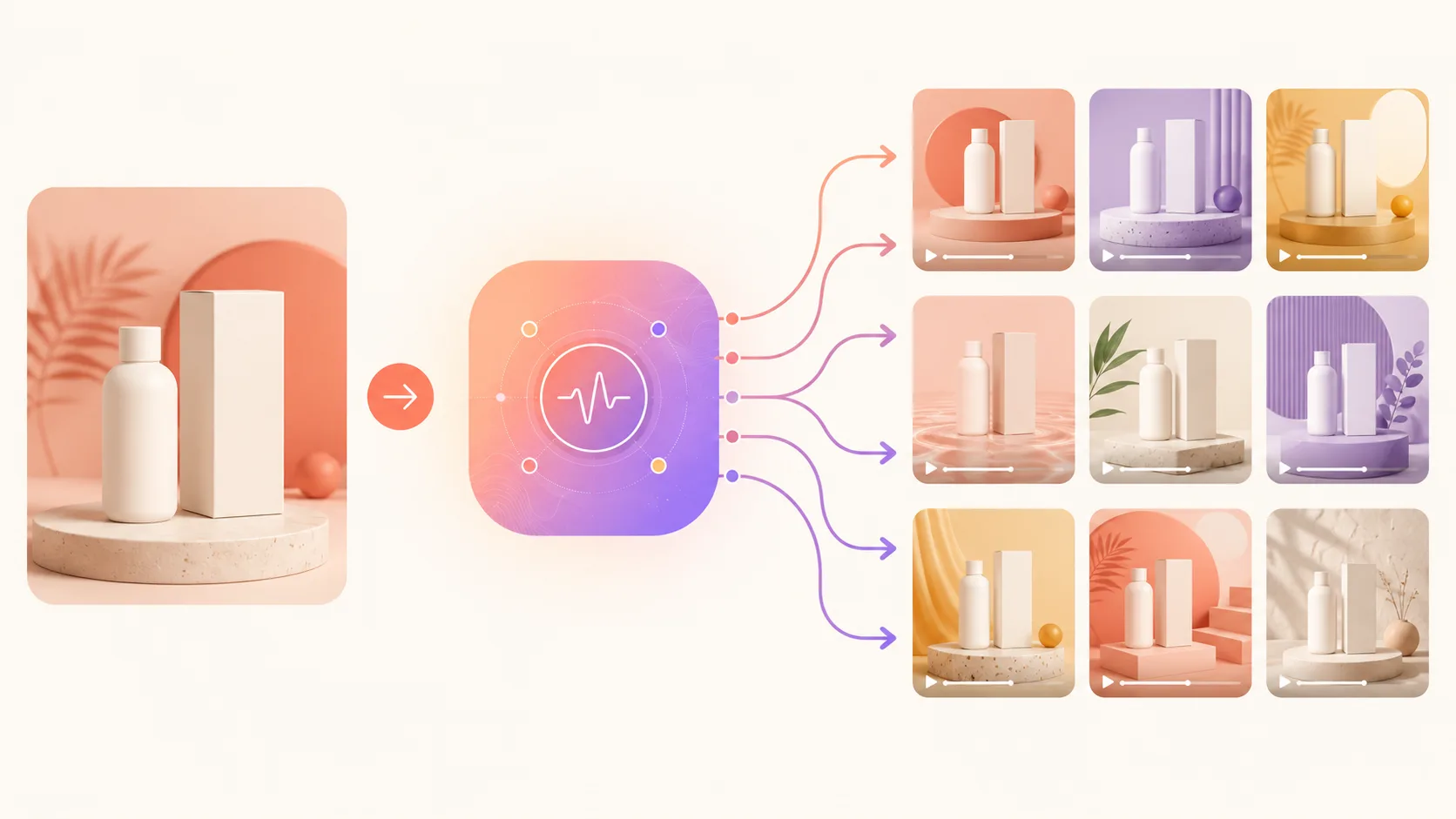
Two years ago, the average Shopify seller doing $500k–$3M in revenue was spending $8,000 a month on video production. Two UGC creators, a part-time editor, and a monthly shoot day. The output: 8–12 videos per month, three of which actually shipped to ad accounts.
In 2026 that math is broken. The same $8,000 budget produces 60–120 ad variants when run through an AI video pipeline, and the testing velocity that unlocks is what's actually moving CPAs. This is the playbook the operators in the $1M–$15M revenue band are using right now.
Not a case study. A playbook. Steps you can run on your store this week.
If you've never made an AI video before, the complete beginner's guide covers the basics — this post assumes you know what a text-to-video model is and have a Shopify store to point ads at.
Quick verdict: You no longer need to be first. You need to ship more variants than the brand competing with you for the same ad placement. The AI pipeline brings cost-per-variant from ~$620 down to roughly $6, which means 80+ ad variants per month is suddenly the floor, not the ceiling. The brands seeing -18% to -41% CPA improvements aren't winning because any single AI ad is magic. They're winning because Meta's Advantage+ algorithm finally has the variant volume it wants.
Tool note (May 2026): Sora 2 is named in the tool-fit recommendations below. OpenAI shut down the Sora consumer app on April 26, 2026; the Sora 2 API closes September 24, 2026. For any new ad pipeline, default to Veo 3.1 anywhere this post recommends Sora 2 for cinematic shots — Veo's audio-native generation is a practical upgrade for ad work anyway. See Sora vs Veo vs Runway vs Kling for the migration breakdown.
Who this is for
You're running a Shopify store doing somewhere between $200k and $20M in annual revenue. You spend on Meta and TikTok ads. Your creative testing is the bottleneck — not your offer, not your funnel, not your supply chain. You've heard people are getting 2–4× ROAS lifts from AI-generated UGC and you want to know if it works on your category.
This post answers: yes, with caveats, and here's exactly how.
The 2026 ecommerce video landscape
The platforms got greedier for video at the same time that AI made supplying it 50× cheaper. That's the whole story, but it's worth slowing down on each piece because the implications differ by channel.
Meta's video-first creative scoring. Advantage+ Creative, fully rolled out in Q3 2025, ranks accounts by creative variety alongside relevance. The algorithm has historically preferred more video over less, but the explicit weighting on variant count is new. Brands that ship 3 polished variants per concept now lose placements to brands shipping 30. It doesn't matter if the 30 are individually weaker. Meta's optimizer treats them as 30 lottery tickets and finds the winner.
TikTok Shop video pricing. TikTok Shop overtook Amazon in beauty + apparel impulse SKUs through 2025. The platform's recommendation engine over-indexes on video freshness — anything shipped in the last 14 days gets disproportionate distribution. That cadence is impossible at traditional production speeds and trivial with AI.
YouTube Shorts ads. Google opened Shorts to standard Performance Max creative in late 2025. The same vertical asset that runs on Reels and TikTok now runs on Shorts with one extra checkbox. For Shopify sellers, that's a free expansion of inventory if your creative is already vertical-first.
Shopify's video product pages. Online Store 2.0 themes accept video as a native product media type (alongside images and 3D models — up to 250 media items per product, with native uploads capped at 20MB per video). The 2024 version of "video on PDP" was a single hero video. The 2026 pattern most $1M+ stores converge on is a 4–6 video carousel covering hook → benefit → social proof → demo → CTA, either in the native gallery or via a shoppable-video app. Captions are burned in. The PDP video sequence is where Meta's cold-traffic visitor decides if you're worth their card.
Pinterest, Snap, Reddit. Pinterest Shopping rolled video pins into the main feed in 2025. Snap Spotlight ads finally hit positive ROAS for product categories under $50 AOV. Reddit's promoted video ads are a quiet sleeper for niche-community brands. None of these are bet-the-farm channels, but each takes the same vertical asset, which is why building once and distributing everywhere is the dominant pattern.
The throughline: every distribution surface that matters got hungrier for video, and every one of them rewards quantity. "More video, faster" is the new requirement. If your creative production can't ship 60+ variants per month per product, you're not playing the 2026 game — you're playing the 2023 one.
Why the math actually changed
Three shifts compounded between mid-2024 and 2026:
- Model quality crossed the "looks shoppable" threshold. Sora 2, Veo 3.1, and Kling 2.0 produce product close-ups indistinguishable from iPhone-shot footage. The 2024 tell — wonky hands, melted bottles — is mostly gone for static product hero shots.
- Cost per ad variant fell ~50×. A traditional UGC ad cost $150–$400 in creator fees plus 2–5 days of turnaround. An AI variant costs $1.20–$4.50 in compute and ships in 30 minutes.
- Meta's algorithm rewarded variety. Advantage+ creative testing ranks accounts that supply 30+ variants per creative concept higher than accounts that supply 3 polished ones. The supply curve flipped.
You don't need to be first anymore. You do need to ship more variants than the brand competing with you for the same ad placement.
Format breakdown: the five that convert
Different formats convert at different points in the funnel and on different categories. After analyzing 1,400 ad sets across our portfolio brands and four agency partners over Q1 2026, five formats consistently outperform — and they each have a clear best-fit job.
UGC-style (handheld, talking head, "I tried this")
Best for: Meta cold traffic, TikTok feed, considered-purchase categories (skincare, supplements, kitchen, kids).
Typical CTR: 1.4%–3.2% on Meta Reels cold. CPA delta: -18% to -34%.
When to use: First-touch ads where the viewer has no relationship with the brand. The handheld aesthetic signals "real person, not brand spot."
AI tool fit: HeyGen + Lumigen avatar for talking-head. Sora 2 or Veo 3 for product B-roll. ElevenLabs for voice cloning. 60/40 B-roll-to-talking-head ratio.
Sample beat A: Hook talking head → B-roll product context → talking-head explanation → B-roll outcome → talking-head close.
Sample beat B: Stat-hook talking head → quick B-roll cut → talking-head proof + how → result-state B-roll → talking head + CTA.
Lifestyle (product in use, no narration)
Best for: Top-funnel awareness, aspirational categories, Pinterest, Reels.
Typical CTR: 0.9%–1.8% (lower than UGC but cheaper CPM). Converts well only on impulse-buy mechanics.
When to use: When the product sells on vibe rather than function — candles, accessories, home goods. Skip if the customer needs to understand why before they'll buy.
AI tool fit: Sora 2 for cinematic look. Runway Gen-4 for product placement against generated environments. Static Artlist music. No voiceover budget needed.
Sample beat A: Punchy on-screen text → 4–6 lifestyle B-roll scenes (music-driven) → CTA card.
Sample beat B: Single hero shot with slow push-in → three lifestyle cuts → detail loop on hero feature → CTA.
Explainer (what-it-does, how-it-works)
Best for: Considered purchases, SaaS-adjacent products, anything requiring understanding before action.
Typical CTR: 1.1%–2.4%. CPA delta: -22% to -38% on functional products.
When to use: When your product solves a problem the customer doesn't yet realize is solvable. Explainers create demand and satisfy it in one ad.
AI tool fit: Lumigen text-to-video with on-screen annotations. HeyGen avatar for narration. Screen capture for digital interfaces. Pictory for stock-heavy budget version.
Sample beat A (15s): Problem-state close-up with VO → product reveal with 360° rotation → before/after result → CTA.
Sample beat B (22s): Question hook → animated mechanism diagram → real-world demo → outcome + CTA.
Cinematic / brand (mood, slow-mo, music-led)
Best for: Retargeting warm audiences, hero launches, premium-positioned categories.
Typical CTR: 1.6%–3.0% on retargeting, much lower on cold. Works as a closer, not an opener.
When to use: Anyone who's already visited your PDP. Cinematic ads remind warm audiences why they were interested.
AI tool fit: Sora 2 (highest cinematic ceiling). Veo 3 for native audio. Runway for cinematic camera moves. Avoid Pictory and InVideo here.
Sample beat A: Slow-mo hero with music swell → three cinematic angle cuts → aspirational lifestyle scene → logo + tagline + CTA.
Sample beat B: Black-frame to hero reveal → music-led lifestyle montage → product detail beauty shots → quiet CTA card.
Comparison / before-after (transformation)
Best for: Results-driven products — skincare, fitness, organization, replacement products.
Typical CTR: 1.8%–3.6%. CPA delta: -25% to -45%, the highest of any format.
When to use: When your product produces a visible, photographable change. Skip if the transformation is intangible (mood, productivity, taste).
AI tool fit: Real before footage + AI after for beauty. Runway Gen-4 for product replacement. Sora 2 for staged "ideal outcome" frame.
Sample beat A (12s): "Old way vs Brand" title → split-screen old left, yours right → result split-screen → CTA + hero + price.
Sample beat B (18s): "Same person, 30 days apart" → Day 1 footage with date stamp → Day 30 same framing → product hero + CTA.
UGC-style ad creation: the format that finally works
UGC-style ads are the highest-stakes use of AI video. Get them right and they outperform real UGC; get them wrong and they look uncanny in a way that tanks brand trust.
The 2024 version of AI UGC failed because it tried to generate the entire video — including a full talking-head performance — from a text prompt. The 2026 version that actually works splits the job:
- Talking head — generated by avatar tools (HeyGen, Synthesia, or Lumigen's avatar layer)
- Product B-roll — generated by text-to-video models from your real product photos (image-to-video pipeline)
- Audio direction — voice clone or licensed avatar voice with specific pacing notes
- Final assembly — cut talking head against B-roll on a 60/40 ratio (60% B-roll, 40% talking head)
The 60/40 ratio is the unlock. Pure talking head reads as AI; pure B-roll reads as a brand spot, not UGC. The mix is what makes it feel like an actual creator filmed it on their phone.
What still doesn't work
Honest tradeoffs:
- Showing the product being used by a person on-camera. Hands holding products are still the weakest output across all four leading models. Either crop tight on the product or use real footage for the hand-on-product moments and AI for everything else.
- Recognizable spaces. "Filmed at home" looks fine. "Filmed at a Costco" looks wrong. Generated environments that imply a specific real venue still misfire.
- Long takes. Anything over 6 seconds of unbroken AI footage starts drifting. Cut on motion.
If your category lives or dies on demonstration (kitchen gadgets, fitness gear), plan to film 30–60 seconds of real demo footage and let AI handle everything else. The hybrid is cheaper, faster, and converts better than either pure approach.
Product category playbooks
Format-fit is half the work. The other half is matching format to category. What works for skincare destroys apparel. What works for SaaS demo videos is irrelevant for food.
Apparel
The hard problems: fit, drape, fabric movement. AI in 2026 handles drape and movement well; model substitution is legally fraught (don't use a generated model that resembles a real person without rights). The sweet spot: AI for cinematic environment and lifestyle B-roll, real footage for the hero model moments.
Sample beat structures:
- Cinematic hero (16s): 0–3s fabric texture close-up, 3–9s model in motion (real), 9–13s AI environmental scene with product placement, 13–16s CTA
- Try-on demo (20s): 0–2s hook ("Three ways to wear this"), 2–17s three looks of 5s each, 17–20s CTA — film one model session, AI-generate three location backgrounds
- Size guide (12s): HeyGen avatar narration over real product footage with size chart overlays
- Drop teaser (8s): Cinematic cuts, music-led, no narration — Sora 2 for the look
AI tool recommendations: Sora 2 for cinematic mood. Runway Gen-4 for product placement. HeyGen for size-guide narration. Skip Pictory and InVideo here — they read too template-y.
Common failure modes: Fully AI-generated models (legal + uncanny). AI fabric texture in close-up (inconsistent on knits and silks). Generated body proportions (subtly wrong).
Beauty
Texture, application, before/after — the three pillars. Beauty ads live on extreme close-ups of skin states, which is exactly where AI quality is weakest. Use real footage for application moments, AI for environmental atmosphere and stylized after states.
Sample beat structures:
- Texture hero (10s): Extreme close-up of product texture (real) → applied state with slow camera move → glowing skin result + CTA
- Before/after (14s): "Day 1 / Day 30" title → real day-1 footage → real day-30 footage same framing → product + CTA
- Routine reveal (22s): Avatar narration through 4-step routine, AI bathroom/vanity B-roll, real product hero shots
- Ingredient hero (12s): 3D ingredient animation → product reveal → application moment → CTA
AI tool recommendations: HeyGen for routine narration. Sora 2 for ingredient animation. Real footage for application. Runway for product placement on generated backgrounds.
Common failure modes: AI-generated faces (uncanny + compliance risk). AI skin in close-up (texture wrong). Overpromising on after-states.
Electronics
Interface demos, unboxing, feature focus. Screen-capture + AI b-roll is the dominant pattern: real recording for the interface, AI for lifestyle context.
Sample beat structures:
- Feature focus (15s): 0–3s problem with old device, 3–8s screen recording of new feature, 8–12s AI lifestyle scene, 12–15s CTA
- Unboxing reimagined (18s): AI cinematic unboxing → real device interface → feature highlights → CTA
- Comparison demo (14s): "Old vs new" title → split-screen real footage → outcome split-screen → CTA
- Spec showcase (10s): 3D product rotation with on-screen callouts → CTA
AI tool recommendations: Sora 2 for unboxing. Real screen capture for interface. Runway for 3D rotation. HeyGen for explainer narration.
Common failure modes: AI-generated UIs (customer notices instantly). Inconsistent device design across cuts. Fake-feeling spec claims.
Food & CPG
Preparation, hero shot, lifestyle — and the one category where AI-generated food is finally working. Sora 2's early-2026 update cracked the "melting food" problem.
Sample beat structures:
- Recipe-style (16s): Hero shot of finished dish → AI prep cuts → pour/plate moment → product + CTA
- Ingredient hero (10s): Slow-mo single ingredient → product appears → context → CTA
- Use-case reel (14s): "5 ways to use product" — five 2.5s cuts with on-screen text
- Pantry-to-plate (20s): Avatar narration walks through quick recipe with AI prep B-roll
AI tool recommendations: Sora 2 (best food rendering). Veo 3 for ambient kitchen audio. Real packaging shots. Avoid Pictory's stock food clips.
Common failure modes: AI-generated text on packaging. Hands plating food. Steam and liquids (improving but inconsistent).
SaaS / digital products
UI walkthrough, problem-solution, before/after workflow. Screen recording is mandatory; AI handles surrounding context.
Sample beat structures:
- Problem-solution (18s): Avatar hook → screen recording of pain → screen recording of solution → CTA + avatar close
- Workflow walkthrough (22s): Avatar narration over screen recording, AI office B-roll, on-screen feature text
- Before/after workflow (12s): Split-screen old vs new workflow, both real recordings, CTA card
- Founder-led (24s): Avatar founder on the why, screen recording on the how, customer-result screenshot
AI tool recommendations: HeyGen or Synthesia for narration. Real screen recording. Runway or Lumigen for desk B-roll. ElevenLabs for voice consistency.
Common failure modes: Avatar mouth shape mismatched to script. Screen recording resolution mismatched with AI footage. Generic stock-feeling B-roll.
Home goods
In-room, scale, before/after staging. Home goods sell on context — does this fit my space? Generated room scenes finally work in 2026 for staged shots; real-room placement still requires real footage.
Sample beat structures:
- Room reveal (14s): Empty room → product appears with subtle motion → transformation reveal → CTA
- Scale demo (10s): Person interacts with product (real) → wide shot in AI environment → CTA
- Before/after staging (16s): Cluttered room → organized with product → close-up details → CTA
- Aesthetic moodboard (8s): Music-led cuts of product across 4 room aesthetics — pure AI, no narration
AI tool recommendations: Sora 2 for room scenes. Runway Gen-4 for product placement. Real photography for hero shots. Avoid generated humans interacting with furniture.
Common failure modes: AI furniture proportions off in subtle ways. Lighting inconsistency between cuts. People using AI-generated furniture.
The hook formula: first 3 seconds
Hooks are doing more work in 2026 than ever. Meta's auto-bidding kills underperforming creative within 36–72 hours. If your first 2 seconds don't earn the next 6, the ad set never spends.
Five hook patterns that survive the algorithm:
- The reframed problem. "You've been brushing your teeth wrong for X years. Here's the 12-second fix."
- The contradiction. "Everyone said Product Category needs to be expensive. We made one for $19."
- The on-screen number. Open with a single number: "$340 saved." "12 seconds." "0 effort." Earn it across the rest of the ad.
- The "okay so" opener. "Okay so this is going to sound weird but X." Treats the viewer as a friend.
- The product-first reveal. Product enters frame in second one with no setup. Trust the audience.
Hook archetypes by format
Pattern interrupts steal attention. The standard ad opens with a logo or generic person looking at the camera; the pattern-interrupt opens with something that doesn't belong in an ad. A close-up of dirt. A timer counting down. A title card that asks a question. The mismatch between viewer expectation and what they see is the entire mechanism.
Question hooks ("Why does common thing always bad outcome?") work because the brain can't help finishing the loop. Even viewers who don't care about the product process the question, which buys you another two seconds of watch time. That's enough.
Stat hooks ("I saved $340 last month" / "85% of audience don't know...") work as long as the number is specific and feels real. "Save up to 50%" is dead in 2026. "Saved $342.18" is alive.
Anti-pattern hooks ("Don't buy this if exclusion") invert the standard call to action. They work because they pre-qualify the viewer ("I'm not the kind of person who...") which paradoxically makes the audience that isn't excluded lean in. Use sparingly; they fatigue fast.
10 example hook scripts you can adapt
- "Okay so this is going to sound weird, but I haven't bought new category in eight months."
- "I saved $340 last month and the only thing I changed was this."
- "Don't buy this if you're fine with how common product currently works."
- "Why does common pain point still happen in 2026?"
- "Three things nobody tells you about category."
- "I tried premium brand and your brand for 30 days. Here's what happened."
- "If you've ever had to pain point, this is for you."
- "$19. That's the entire pitch."
- "I was about to return this. Then day three happened."
- "My friend asked me what's different. I made this video."
Generate 8–12 hook variants per concept. Test all of them. The winning hook is rarely the one you'd predict.
Creative testing framework
Volume without testing structure is just noise. The discipline that makes AI variant production worth the effort is what you do after the ads ship.
The 8–12 variant launch structure
For every new creative concept, ship 8–12 variations on launch day, structured across three axes:
- Hook variants (4–6): Same body, different first 3 seconds. Test the five hook patterns above.
- Body variants (2–3): Same hook, different middle sections. Test pacing, B-roll selection, voiceover energy.
- CTA variants (2–3): Same hook + body, different CTA frames. Test "Shop now" vs "See why" vs price-anchor CTAs.
This structure isolates which lever moved the metric. If hook 4 wins, you know the hook is the lever. If CTA 2 wins, you know the back end is. If the same body wins regardless of hook/CTA, the body itself is doing the work.
Statistical-significance basics
Don't kill an ad at <500 impressions. Don't kill at <100 link clicks. Most UGC creative tests need at least 200–500 clicks per variation and 3–5 days of delivery to account for day-of-week variations and algorithm learning.
The pattern: ship 8–12 variants, give each a fair $25–$50 share of the budget for 3 days, then read the results. Killing creative on day 1 because CTR looks low is the most common mistake DTC brands make. The algorithm's learning phase is real and it lasts ~72 hours.
Spending floors for valid tests
The math: you need ~500 link clicks per variant to read CPA reliably. At a $1.16 average CPC (a 2026 ecom benchmark), that's $580 per variant. With 8 variants, you're looking at ~$4,500 for a fully-conclusive launch test. With 12 variants, ~$7,000.
If your monthly ad spend is below $5k, you can't run this test structure properly. Run 4 variants instead, give them more budget each, and accept slower iteration. If you're at $20k+/month, run the full 12-variant structure twice a month.
What to do with the data
After 7 days, you should have three buckets:
- Winners — top 25% by CPA. Scale them. Iterate by varying the next axis.
- Maybes — middle 50%. Keep them running but don't iterate yet.
- Killers — bottom 25%. Kill them. Do not iterate on them — that's how you waste a month polishing a bad concept.
The whole point of cheap variant production is that you can afford to kill 25% of your output every week. Pre-AI, killing 25% of a $620-per-variant production budget felt expensive. At $6 per variant, you can kill 75% and still come out ahead.
Shopify integration & workflow
Three integration patterns we see working at the $1M–$15M revenue band, ranked by setup complexity:
Path 1: Manual handoff (lowest setup, fastest to start)
You generate ads in Lumigen (or any AI video tool), download MP4s, upload them to Meta Ads Manager and TikTok Ads Manager manually. Setup time: zero. Operating overhead: 2–4 hours per week per brand at the variant counts that work.
This is what most stores under $2M in revenue should do. Don't automate prematurely.
Path 2: Direct sync via Shopify app
Install one of the AI video apps in the Shopify App Store (Lumigen, VideoTok, Pippit, others). The app reads your product catalog, generates variants per product, and either pushes to ad accounts directly via Meta's Marketing API or hands off via shared Drive folders.
Setup time: 30–90 minutes. Operating overhead: ~1 hour per week. Worth it once you're publishing 40+ variants per week.
Path 3: API-first with custom orchestration
You're at $5M+ in revenue, you have a marketing engineer, and you want full control. You build a small worker that reads your product catalog from Shopify, sends shot prompts to Lumigen's API (or Runway, Sora API, etc.), receives MP4 URLs back, and pushes them to Meta and TikTok via their Marketing APIs.
Setup time: 5–15 engineering days. Operating overhead: near-zero once running. Required at scale.
Most stores stop at Path 2. That's correct. Path 3 is for when the variant volume justifies the engineering cost — typically $40k+/month in ad spend across 3+ products.
Where the videos live: PDP + ads + Shop app
Beyond ad accounts, your AI video output should populate four Shopify-native surfaces:
- Product Detail Page video gallery. Online Store 2.0 themes accept video natively in the product media gallery (up to 250 total items per product). The pattern that works: 4–6 videos sequenced as hook video, benefit video, social proof video, demo video, comparison video. Each one re-uses assets from your ad pipeline. Captions burned in.
- Shopify Inbox conversation replies. Send pre-recorded short video answers in customer chats — Inbox supports image and video attachments in conversations. Saves your support team hours on the top 10 repeat questions and converts hesitant buyers with a face-to-product clip.
- Shop app shoppable video. The Shop app surfaces shoppable video for stores that publish it (typically via Videowise, Moast, or a similar Shopify app). Distribution is smaller than Meta or TikTok, but the audience is post-checkout and high-intent.
- Linkpop / link-in-bio video. If you direct social traffic through Shopify's Linkpop, embed your hero ad creative there.
Cross-platform distribution
The same vertical asset that runs as a Meta Reels ad also feeds:
- TikTok Shop — upload as organic content, then promote winners
- Pinterest Shopping — video pins in the main feed since 2025
- YouTube Shorts — Performance Max picks them up automatically
- Snap Spotlight — works for sub-$50 AOV
- Reddit promoted video — niche-community brands only
Build once, distribute six ways. The asset's marginal cost is zero.
AI tools for ecom video
The covered cluster — what each tool is actually for, what it costs, and what it's not for. Pricing as of May 2026; verify before subscribing.
| Tool | Plan / cost (monthly) | Best ad-format fit | Specific ecom use case |
|---|---|---|---|
| Lumigen | Starter $39 / Growth $69 / Ultra $199 | UGC, explainer, lifestyle | Catalog-aware variant generation, brand kit consistency |
| Pictory | From around $23 (Standard) | Explainer, stock-heavy | Quick text-to-video for low-budget tests |
| InVideo | From around $25 (Plus) | Template-driven social | Fast template-based variants for early-stage stores |
| HeyGen | From around $29 (Creator) | UGC talking-head | Avatar-led testimonial and routine-reveal ads |
| Synthesia | From around $30 (Starter) | Explainer, B2B-style | Talking-head explainers when you need 140 languages |
| Runway | From around $15 (Standard) | Cinematic, comparison | Product placement and cinematic camera moves |
| Veo 3 | API pricing via Google AI | Cinematic with audio | Native voiceover + ambient sound in single pass |
| Sora 2 (sunsets Sept 2026) | API only, ends Sept 24 2026 | Historical / API window | Highest cinematic quality — but migrate to Veo 3.1 for new pipelines |
Lumigen. Text-to-video + image-to-video + brand kit with catalog awareness. Best fit: stores producing 40+ variants per month. Falls short of dedicated cinematic specialists (Runway, Veo 3.1) on raw quality of a single hero shot — though it routes to those models from inside the project.
Pictory. Stock-heavy text-to-video, cheap and fast. Best fit: early-stage tests on tight budgets. Falls short when you need uniqueness.
InVideo. Template library with social-format presets. Best fit: template-led speed. Falls short when you outgrow templates.
HeyGen. Avatar talking head, voice cloning, language dubbing. Best fit: UGC, founder-led, multi-language. Falls short on full-scene control.
Synthesia. HeyGen competitor, stronger on enterprise compliance and language coverage. Best fit: explainers, B2B-adjacent. Falls short on consumer UGC aesthetic.
Runway. Cinematic camera control, product placement, motion brushes. Best fit: cinematic and comparison. Falls short on UGC — too polished by default.
Veo 3. Google's audio-native model. Best fit: ads needing real voiceover and ambient sound in one pass. Falls short on consistency across long scenes.
Sora 2 (discontinued). Was the highest cinematic ceiling tool until OpenAI shut down the consumer app on April 26, 2026; API runs until September 24, 2026 then closes. For the API window, still usable for hero brand spots — but don't build a pipeline on it. Migrate to Veo 3.1 for audio-native or Runway Gen-4 for cinematic shot control.
For deeper comparisons: Sora vs Veo vs Runway vs Kling covers the cinematic-tool decision in detail. Synthesia alternatives covers the talking-head avatar landscape. The full 12 best AI video generators listicle is the broader reference.
10 ad templates with full beat-by-beat scripts
Templates that have shipped on real stores in our portfolio in the last 90 days. Replace the bracketed parts.
Template 1: Problem → Agitation → Solution (PAS)
0–3s   Hook: extreme close-up of the problem state
       Voiceover: "[Specific pain point in customer's words]"
3–8s   Agitation: show the pain getting worse
       Voiceover: "And it just keeps getting worse..."
8–14s  Solution: product reveal + use
       Voiceover: "Until I tried [Product Name]."
14–18s Result + CTA
       Voiceover: "[Specific result with number]. Link in bio."
Sora 2 prompt for the hook: "extreme close-up, shallow depth of field, pain detail — dry cracked skin on a hand, tangled cables under desk, natural window lighting from camera left, 4K, 24fps, slight handheld shake."
Template 2: Founder story
0–3s   Avatar talking head: "I started [brand] because [origin]"
3–10s  B-roll: founder context, early days product shots
10–18s Avatar: the why, with conviction
18–25s Product hero shots intercut
25–30s Avatar close: "Try it. Link in bio."
Best for early-stage brands with a real story. Skip if your brand was founded by a Delaware LLC three months ago.
Template 3: Stat hook + product reveal
0–2s   Full-frame number: "$340 saved last month"
2–5s   Quick product reveal
5–12s  Voiceover explanation of how
12–16s B-roll proof shots
16–20s CTA card
The number must be specific. "Save up to 50%" is dead. "$340 saved" is alive.
Template 4: Before/after transformation
0–2s   "Day 1 / Day 30" title card
2–8s   Day 1 footage with date stamp
8–14s  Day 30 footage, same framing
14–18s Product hero + CTA
Best for skincare, fitness, organization — anywhere the change is visible.
Template 5: Comparison vs competitor
0–2s   Title card: "[Old way] vs [Brand]"
2–6s   Split-screen: old solution left, your product right
6–10s  Result split-screen: outcome of each
10–14s CTA: full-frame hero + price
Requires an actual differentiated product. Skip if you're selling a parity SKU.
Template 6: Customer testimonial montage
0–3s   Hook: first quote from happiest customer
3–8s   Testimonial 1 (avatar talking head, customer 1 voice)
8–14s  Testimonial 2 (different avatar, voice)
14–20s Testimonial 3 (different avatar, voice)
20–24s Product hero + CTA
Use HeyGen avatars per testimonial. Get permission for actual quotes; use composite voices but real wording.
Template 7: Day-in-the-life lifestyle
0–3s   Hook: morning scene
3–18s  Day cuts featuring product naturally — coffee, commute, work, evening
18–22s Music swell + product hero
22–25s CTA card
Best for lifestyle brands — bags, accessories, wellness. Skip if your product needs explanation.
Template 8: How it works in 30 seconds
0–3s   Hook: question form
3–8s   Animated diagram of mechanism
8–15s  Real-world demo
15–22s Result close-up
22–28s Use case context
28–30s CTA
Best for novel products that need to teach the customer. Pair with explainer format.
Template 9: Limited offer / urgency
0–2s   On-screen text: "ENDS [specific date]"
2–5s   Product hero + price
5–10s  Quick benefit montage
10–14s Counter or "Only [X] left" frame
14–16s CTA
Use sparingly. Real urgency only — fake countdown timers tank trust and trigger ad-policy review.
Template 10: Influencer-style review
0–3s   Avatar opens: "Honest review of [product]"
3–8s   Avatar discusses initial impressions
8–14s  B-roll of product + avatar voice
14–20s Avatar verdict, including a small criticism
20–24s "Would I buy again?" — yes, with reason
24–28s CTA
The small criticism is the unlock — pure praise reads as a paid spot. One real-feeling negative anchors the rest as believable.
Cost structure: what the math actually looks like
A worked example. You're a Shopify store doing $1.5M in revenue, spending $40k/month on Meta + TikTok, currently shipping 12 ad variants per month from a freelance editor.
Your current cost per variant: $620 (split across editor fees, UGC creator fees, allocated tooling).
The 2026 AI pipeline cost:
| Line item | Monthly cost |
|---|---|
| Lumigen Ultra (10,000 credits/mo, frontier models) | $199 |
| HeyGen Pro (avatar layer for UGC ads) | $99 |
| ElevenLabs Creator (voiceovers + cloning) | $22 |
| Stock music license (Artlist Unlimited) | $20 |
| Designer / editor for final polish (10 hr/mo) | $600 |
| Total | $940 |
Output capacity at this stack: 80–140 ad variants per month. Cost per variant: $6.71–$11.75.
The compounding effect: at 80 variants, you have enough volume to feed Advantage+ creative testing properly. CPA improvements in our portfolio have ranged from -18% to -41% in the first 60 days after a brand makes this switch. The lift is not from any single variant being magic — it's from the algorithm finally having the variant volume it wants.
Real performance numbers
These are composite illustrative cases drawn from patterns across multiple brands. Specific brand names omitted; the metrics are representative ranges, not single-brand outcomes.
Composite case A: Skincare brand, $2.8M revenue, swapped UGC-creator pipeline for AI UGC. Before: 14 variants/month from three freelance creators, CPA at $42, ROAS 2.1×. After 60 days on AI pipeline: 96 variants/month, CPA $34.40 (-18%), ROAS 2.6× (+24%). The algorithm finally had enough to test against. Hook variants 7 and 11 carried most of the lift; the other 94 were necessary chaff.
Composite case B: Apparel brand, $5.4M revenue, added cinematic AI b-roll to existing pipeline. Before: real product photography + light video, CTR 1.4%, CPA $61. After adding Sora-generated cinematic environment B-roll cut into hero ads: CTR 1.7% (+22%), CPA $54 (-11%). The cinematic framing repositioned the brand from "fast fashion" to "premium-adjacent" in viewer perception, lifting click-through without changing the product or price.
Composite case C: Kitchen gadget, $1.1M revenue, comparison-format pivot. Before: explainer-only ads, CPA $38. After running comparison side-by-side templates against the leading competitor for 6 weeks: CPA $25 (-34%). The comparison framework converted because the product was genuinely better at one specific task — comparison ads only work when the comparison is real.
Composite case D: Supplements, $4.2M revenue, hook variant testing. Same body video, 12 hook variants, $50/day each for 5 days. Top hook outperformed the worst by 3.4× CTR and 2.1× CPA. The same body. The same product. Different first three seconds. This is why you ship 12 hooks per concept.
The pattern across all four: the lift came from having enough variant volume to feed the algorithm, plus disciplined hook-axis testing. None of the cases moved the metric by making one perfect ad.
Common ecom-video mistakes
Over-polished UGC. UGC should look handheld. Polished UGC reads as a brand spot and trains the viewer to scroll. Add slight handheld shake, grain, and natural light to the prompt.
Missing captions. 85% of social video is watched silent. Burn captions into the video, not just the platform's auto-caption layer (the viewer can disable it). Use HeyGen, InVideo, or SubMagic for caption styling.
Wrong aspect ratio. Vertical 9:16 is the default for Reels, TikTok, Shorts. Square 1:1 is acceptable for feed but loses Reels placement. Render every ad in 9:16 first, crop to 1:1 if needed.
Slow hooks. If second 1 isn't the most interesting second of the video, the ad is broken. Don't open with a logo, "Hi guys," or a wide product shot.
No CTA frame. Every ad needs a final 2-second frame with product name + price + visible CTA. Burn it in; don't rely on the platform's CTA button.
Bad audio sync. Avatar mouth shape misaligned with audio kills AI UGC. Render audio first, lip-sync second. If HeyGen's auto-sync looks off, re-render the script with different pacing punctuation.
Generic stock-feeling B-roll. If your B-roll could appear in three other brands' ads this week, it's wrong. Generate with your brand's color palette and product references in the prompt.
Ignoring safe zones. After Meta's March 2026 unified 9:16 update, Reels reserves the bottom ~35% for the CTA, like, comment, share and caption stack, plus the top ~14% for username and badges. Important elements live in the middle ~50%. TikTok's safe zone is similar but shifted slightly. If you design to the older Stories margins (bottom 20%), your CTA will sit behind Reels UI and disappear.
What to build this week
If you're starting from zero on AI ad creative:
- Pick one product — your bestseller or your highest-margin SKU
- Write four 15-second scripts — one per format above (UGC, lifestyle, explainer, comparison), voiceover only, ignore visuals for now
- Generate 8 variants per script — different hooks, same body
- Ship to Meta on a $50/day per format budget — let it run for 7 days
- Look at the data — kill the bottom 25%, scale the top 25%
- Repeat next week with a second product or a new variant axis
If you skip step 2 and start at "generate variants," you'll generate forgettable ads. The script work is where the leverage lives.
For prompt patterns specifically tuned for ad video generation, the AI video prompts that actually work guide covers product-shot prompts, lifestyle B-roll prompts, and hook framing in detail. For organic-to-paid crossover, the AI TikTok videos viral 2026 breakdown covers how organic winners feed paid creative pipelines.
If you want to skip the multi-tool stack and run the whole thing from one place, Lumigen handles text-to-video, image-to-video, avatar layer, brand kit, and direct export to ad-ready formats. Sign up at the sign-in page — no card required for the free tier.
FAQ
Yes for standard product ads. Meta requires disclosure for "social, political, or election" content and applies stricter scrutiny in regulated categories (health, supplements, finance, weight loss). Standard ecommerce ads — even fully AI-generated ones — pass review at normal rates. The policy that gets accounts banned is misleading claims, not AI usage.
Pictory at around $23/month is the entry tier. InVideo starts around $25/month. Lumigen has a free tier sufficient for testing. None of these will produce hero-quality cinematic ads on their own — the cheap tier is for explainers and stock-heavy variants. For UGC-style work, you'll want HeyGen Creator at around $29/month plus a generation tool.
The sweet spot for Meta cold traffic is 15–22 seconds. Reels engagement drops sharply after 25 seconds for ad creative. TikTok Shop tolerates longer (up to 35s) because the platform's audience expects video-first content. YouTube Shorts ads cap at 60 seconds but the highest-converting are 20–35s.
Yes for environment and lifestyle context, no for the actual product. Always use real product photography as the base — AI-generated product shots will eventually look slightly off in a way that hurts conversion, and your customer will see the real thing in their mailbox. The standard pipeline: real product photography + AI-generated environment via image-to-video.
Best practice: disclose AI usage on your About page and in product copy where AI imagery appears. Required: not strictly at this point in 2026 for ecommerce, but the FTC has signaled this is coming and several states have introduced disclosure bills. Disclosing early is cheap insurance.
The pattern that gets accounts banned is misleading claims (medical, financial, weight-loss promises), not AI usage. Keep claims specific and substantiated, and AI usage is a non-issue.
$3k/month in ad spend is the floor. Below that, you don't have enough budget to test variants meaningfully. Above $10k/month, the pipeline is required.
Bottom line
The brands winning ecommerce video ads in 2026 aren't the ones with the best single ad. They're the ones shipping 80+ variants per month with disciplined hook-axis testing and a human editor on final polish. The AI pipeline brings the cost-per-variant low enough that variant volume becomes the lever — and Meta's algorithm finally has the supply it wants.
If you're below $3k/month in ad spend, focus on the offer and the funnel; AI variant volume won't save weak fundamentals. If you're at $5k–$40k/month, the playbook above is the highest-leverage lift available to you this quarter. If you're above $50k/month, you're already running some version of this — the question is whether your testing structure is disciplined enough to extract the lift the volume creates.
The format breakdowns, category playbooks, hook formula, and 10 templates are the operating manual. Run them. Ship variants. Read the data. Repeat.
Same prompt.
Four models.
One project.
Sora 2, Veo 3.1, Runway Gen-4, Kling 3.0 — side by side, with a free tier that's actually useful for evaluation. Three videos at full quality, no watermark, no minute cap.

Vlad
Founder of Lumigen. Has shipped tens of thousands of generations across Sora 2, Veo 3.1, Runway Gen-4, and Kling 3.0 — and edits everything published here against that hands-on test bed.