The short answer on faceless YouTube channel ideas
The best faceless YouTube channel ideas in 2026 pair a niche people search for with a format you can produce on a schedule without filming. High-CPM niches - personal finance, software tutorials, AI news, business breakdowns - pay several times what entertainment channels earn per view, but they demand real research. Lower-CPM niches - relaxing audio, story compilations, top-10 lists - are easier to batch and live on watch time. The thing that decides whether any of these works is not the idea; it is whether you can keep producing. That is where an AI stack like Lumigen matters: it turns a script into a finished voiced video, so the bottleneck becomes picking the niche, not recording it. This guide lists 26 ideas grouped by niche, with the production method for each.
How we picked these faceless YouTube channel ideas
Most "faceless channel ideas" lists hand you 50 niches and stop there. That is the easy half. The hard half is producing seven videos a week without a camera, a studio, or a voice you are willing to record. So every idea below is scored on three things, not one.
First, demand: does anyone search for or watch this kind of content, and is the audience big enough to monetize? Second, CPM reality: what advertisers pay per thousand views swings wildly by niche, and that gap decides whether 100,000 views is rent money or coffee money. Third, AI-producibility: can a one-person operator actually ship this format with a script-to-video tool, AI voices, and generated visuals - or does it secretly need filming, a face, or a skill you do not have?
A niche that scores high on demand but needs your face on camera is not a faceless idea, no matter how often it shows up on these lists. We flagged those.
The 26 faceless YouTube channel ideas at a glance
Here is the full list, grouped by niche family, with the realistic CPM band and the AI format that produces each. CPM bands are directional - they reflect the well-documented gap between advertiser-friendly niches (finance, software, business) and broad entertainment, not a guaranteed rate. Your actual CPM depends on audience geography, season, and watch time.
| # | Channel idea | Niche family | CPM band | AI production format |
|---|---|---|---|---|
| 1 | Personal finance explainers | Finance | Highest | Script-to-video + charts |
| 2 | Stock market & investing news | Finance | Highest | Script-to-video + data visuals |
| 3 | Software & SaaS tutorials | Tech | High | Screen-free workflow diagrams |
| 4 | AI news & tool reviews | Tech | High | Script-to-video + B-roll |
| 5 | Coding tutorial shorts | Tech | High | Workflow visuals + voiceover |
| 6 | Business case studies | Business | High | Script-to-video + avatar |
| 7 | Productivity & self-improvement | Education | Medium-high | Avatar or voiceover explainers |
| 8 | History deep-dives | Education | Medium | Script-to-video + archival-style visuals |
| 9 | Science explainers | Education | Medium | Animated workflow visuals |
| 10 | Language learning | Education | Medium | Multilingual avatar lessons |
| 11 | Health & fitness facts | Health | Medium | Voiceover + generated visuals |
| 12 | True crime narration | Storytelling | Medium | Script-to-video + moody B-roll |
| 13 | Horror & creepypasta | Storytelling | Medium | Cinematic generation + narration |
| 14 | Motivational compilations | Storytelling | Low-medium | Voiceover + cinematic clips |
| 15 | Top-10 & ranking videos | Entertainment | Low-medium | Script-to-video + image gen |
| 16 | "Did you know" fact channels | Entertainment | Low-medium | Short-form script-to-video |
| 17 | Reddit story narration | Entertainment | Low-medium | Text-to-voice + captions |
| 18 | Mythology & folklore | Storytelling | Medium | Cinematic generation |
| 19 | Travel & place guides | Lifestyle | Medium | Generated scenery + voiceover |
| 20 | Product review roundups | Commerce | Medium-high | Avatar or UGC-style video |
| 21 | Relaxing & lo-fi audio | Audio | Low | Looped visuals + audio |
| 22 | Meditation & sleep stories | Audio | Low-medium | Calm voice + ambient visuals |
| 23 | Kids' learning (audio-safe) | Education | Low | Animated visuals + narration |
| 24 | Sports recaps & stats | Sports | Medium | Script-to-video + data visuals |
| 25 | Recipe & food walkthroughs | Lifestyle | Medium | Generated visuals + voiceover |
| 26 | Quotes & philosophy shorts | Inspiration | Low | Image gen + text-to-voice |
The rest of this guide walks the families in order of earning potential, explains why each works, and shows the exact way to produce it faceless. If you want the production tooling first, jump to the faceless production stack. If you are brand new, start with our beginner's guide to making AI videos.
High-CPM ideas: finance, tech, and business
These are the niches advertisers fight over. A finance or software audience is full of buyers, so cost-per-thousand-views runs several times higher than a broad entertainment channel. The tradeoff is research: you cannot fake a stock-market explainer, and a wrong number costs you trust. The upside for a faceless operator is that all three families are script-first - the value is in the words, not your face.
1. Personal finance explainers. Budgeting, index funds, credit-score myths, "how compound interest actually works." Evergreen, searchable, and the single highest-paying corner of YouTube. Produce it by writing a tight 4-6 minute script, generating a clean voiceover, and laying simple charts or generated visuals over the narration. Paste the script into Lumigen's script-to-video editor and the voicing and pacing are handled in one pass.
2. Stock market and investing news. A near-infinite pipeline - markets move daily, and earnings season alone is months of material. The risk is accuracy, so cite real data and never invent a figure. The format is a calm voiceover over data-style visuals.
3. Software and SaaS tutorials. "How to do X in tool" videos pull buyers searching with intent, which is why software CPMs stay high. You do not need to screen-record if you build the tutorial as a clean workflow diagram with voiceover - the steps matter more than the cursor.
4. AI news and tool reviews. New models ship weekly, the audience is engaged, and affiliate links to AI tools convert. Treat it like a faceless news desk: write the brief, voice it, drop in generated B-roll. Pair it with our tested faceless YouTube stack to see which tools handle the volume.
5. Coding tutorial shorts. Tiny code snippets explained in 60 seconds are exploding in short form. The visual is the code and the concept, not you - generated workflow visuals plus a clear voiceover do the job, and the same script feeds Shorts, Reels, and TikTok.
6. Business case studies. "How company made its first million" or post-mortems of failed startups. Strong watch time, high CPM, and they suit an AI avatar presenter if you want a consistent on-screen host without ever being on screen yourself.
A finance channel at 100,000 monthly views can out-earn an entertainment channel at 1,000,000, because advertisers pay far more to reach buyers. Pick the niche for what it pays, then pick the format for what you can produce. Both have to be true.
Education and how-to ideas
Educational channels are the most reliable long-term play on YouTube because the content is evergreen - a good "how compound interest works" or "the history of the Roman aqueducts" video earns for years. CPMs sit in the medium-to-high band, and the formats are tailor-made for faceless production.
7. Productivity and self-improvement. Habit systems, focus techniques, "how to read 50 books a year." Either an avatar host or a clean voiceover works; the audience wants the method, not your face, and demand never dries up.
8. History deep-dives. Long-form narration over period-appropriate generated visuals. The genre rewards depth, so a 12-15 minute script earns strong watch time - generate the imagery rather than hunting for archival footage you cannot license.
9. Science explainers. "Why is the sky blue," "how mRNA vaccines work." Animated workflow-style visuals plus a confident voiceover. Accuracy is the whole game, so ground every claim in a real source.
10. Language learning. This is where faceless AI has an unfair advantage: generate the same lesson in 30+ languages with native-sounding voices, and you can run parallel channels for different markets. Lumigen voices span 50+ options across 30+ languages, so a Spanish-learning channel and a French one share one script pipeline.
11. Health and fitness facts. Myth-busting, "what happens to your body when you...," nutrition breakdowns. Voiceover plus generated visuals. Keep medical claims sourced and cautious; this niche gets demonetized fast for bad information.
These four share one production shape: write, voice, visualize, publish. None needs filming, and all live in the script-to-video workflow that powers the rest of this list.
Storytelling and narration ideas
Narration channels are the classic faceless format - a voice telling a story over visuals - and they remain some of the most-watched on the platform. CPMs are medium, but watch time is enormous, and a strong story keeps viewers for ten minutes.
12. True crime narration. One of the most durable faceless genres: a measured voice over moody, atmospheric B-roll. The constraint is sensitivity and accuracy, so stick to documented cases. Channels like Mr. Nightmare, with over 6 million subscribers, built audiences purely on narration - no face required.
13. Horror and creepypasta. Original scary stories over cinematic generated visuals. This is where frontier video models earn their keep - Veo 3.1 or Kling 3.0 quality turns a creepy script into genuine cinematic atmosphere instead of stitched stock clips.
14. Motivational compilations. Voiceover of a stirring monologue over cinematic clips. Fast to produce, easy to batch, and short enough for both long-form and Shorts; CPMs are lower, but volume and watch time carry it.
15. Top-10 and ranking videos. "Top 10 richest fictional characters," "10 cities that won't exist by 2100." Addictive, searchable, and endlessly remixable. Write the list, voice it, and let an image generator produce a visual per entry.
16. "Did you know" fact channels. Rapid-fire facts in 30-60 seconds, ideal for Shorts. The script is the product; generated visuals and a punchy voice finish it - ten Shorts from one writing session.
17. Reddit story narration. Text-to-voice reading of popular threads over ambient visuals. Controversial for originality, so add commentary and curation rather than raw reading. Captions are non-negotiable - viewers watch muted.
18. Mythology and folklore. Greek myths, world folklore, urban legends. Cinematic generation suits it perfectly, and the source material is public domain and infinite.
Lifestyle, commerce, and audio ideas
The last cluster spans easy-to-produce audio channels and higher-effort commerce formats. Match the effort to your goal: audio is the lowest-maintenance way to build watch time, while product roundups pay better but demand more research.
19. Travel and place guides. "10 hidden towns in Italy," "what to know before visiting Tokyo." Generate the scenery, voice the guide - you never have to travel to make a travel channel.
20. Product review roundups. "Best standing desks under $300," "5 tools every freelancer needs." Medium-to-high CPM thanks to buyer intent and affiliate revenue. An AI avatar or UGC-style video gives these a trustworthy feel without a creator on camera - the same engine behind AI UGC ads.
21. Relaxing and lo-fi audio. The lowest-effort idea on the list: a looped animated visual plus hours of audio. Lofi Girl built 15 million-plus subscribers on exactly this, and third-party trackers estimate strong monthly ad revenue purely from compounding watch time. The visual is a single generated loop; the audio does the work.
22. Meditation and sleep stories. A calm voice over ambient visuals. Long runtimes mean high watch time, and the audience returns nightly. Generate the soothing voiceover and pair it with a slow-moving generated scene.
23. Kids' learning (audio-safe). Counting, alphabet, simple songs over bright animated visuals. Follow YouTube's made-for-kids rules carefully - this niche is heavily regulated - but production is pure generation plus narration.
24. Sports recaps and stats. Game summaries, "greatest comebacks," stat breakdowns. Script-to-video over data-style visuals, with daily material during any season.
25. Recipe and food walkthroughs. Step-by-step recipes as generated visuals with voiceover. No kitchen filming required; the steps and the dish imagery carry it.
26. Quotes and philosophy shorts. Stoic quotes, philosophy in 60 seconds, daily wisdom. The cheapest format to batch: generate a striking image, add text-to-voice, export 9:16 - a week of Shorts in an afternoon.
Many "faceless ideas" lists include reaction channels, vlthen-style commentary, and gameplay-with-facecam. Those need either your voice doing live commentary, your face, or a filming setup. They are not faceless in the produce-without-a-camera sense. If a niche secretly needs you on a mic reacting in real time, it belongs on a different list.
The faceless production stack: which AI actually ships these
Every idea above dies at the same step: production. You can pick the perfect niche and still post nothing, because writing, voicing, and visualizing seven videos a week by hand is a full-time job. The tool you choose to collapse that pipeline is the real decision. Here is how the main options compare, ranked for a one-person faceless operation.
| Tool | Best for | What it does | Faceless fit |
|---|---|---|---|
| Lumigen | Original generation, end to end | Script to voiced, visual video in one workflow | Strongest - built for it |
| Pictory | Repurposing articles to video | Turns text and blogs into stock-based clips | Good for stock-style |
| Opus Clip | Clipping long videos | Cuts existing footage into shorts | Only if you already film |
| ElevenLabs | Voice only | High-quality AI voiceover | One piece of the stack |
| CapCut | Manual editing | Free editor with AI features | Strong free tier, manual |
1. Lumigen: Best for producing original faceless videos end to end
Best for: solo creators who want to ship original faceless videos on a schedule without filming Strongest use cases: script-to-video, AI avatars, faceless YouTube, voiceover, short-form, multilingual channels Starting price: $33/mo (Starter, annual). See pricing.
Why Lumigen is the best faceless production tool
Most tools on this list do one stage of the pipeline. Lumigen does the whole thing: paste a script and get back a finished video with voice and visuals, no editing skills required. For a faceless channel, that is the unlock, because the constraint was never the idea - it was producing the idea repeatedly. Lumigen generates original video from your script rather than repurposing footage you have to source, which means a true-crime channel and a finance channel run on the same workflow with different inputs. On the Ultra tier you get frontier-model output - Veo 3.1, Kling 3.0, Sora 2 Pro - so a horror or mythology channel looks cinematic instead of templated.
The credit model also fits irregular faceless output. You see the credit cost of a video before you generate it, and a light week costs less than a heavy one, instead of paying for a fixed video quota you may not use. For a creator testing five niches before committing to one, paying for what you actually generate is the difference between experimenting and overcommitting.
What makes Lumigen uniquely strong for faceless channels
Beyond script-to-video, Lumigen covers AI avatars for a consistent faceless host, voice generation across 30+ languages for parallel multilingual channels, UGC-style video for product-review niches, image generation for per-entry visuals in ranking videos, motion control for animating still scenes, short-form vertical export for Shorts, and frontier video models on the Ultra tier - in one workflow. See pricing for the credit math. The breadth matters for faceless specifically: most channel ideas on this list need two or three of those capabilities, and stitching them across separate tools is where solo creators stall.
How to use Lumigen for a faceless channel
Here is how we would take one of these ideas from list to published:
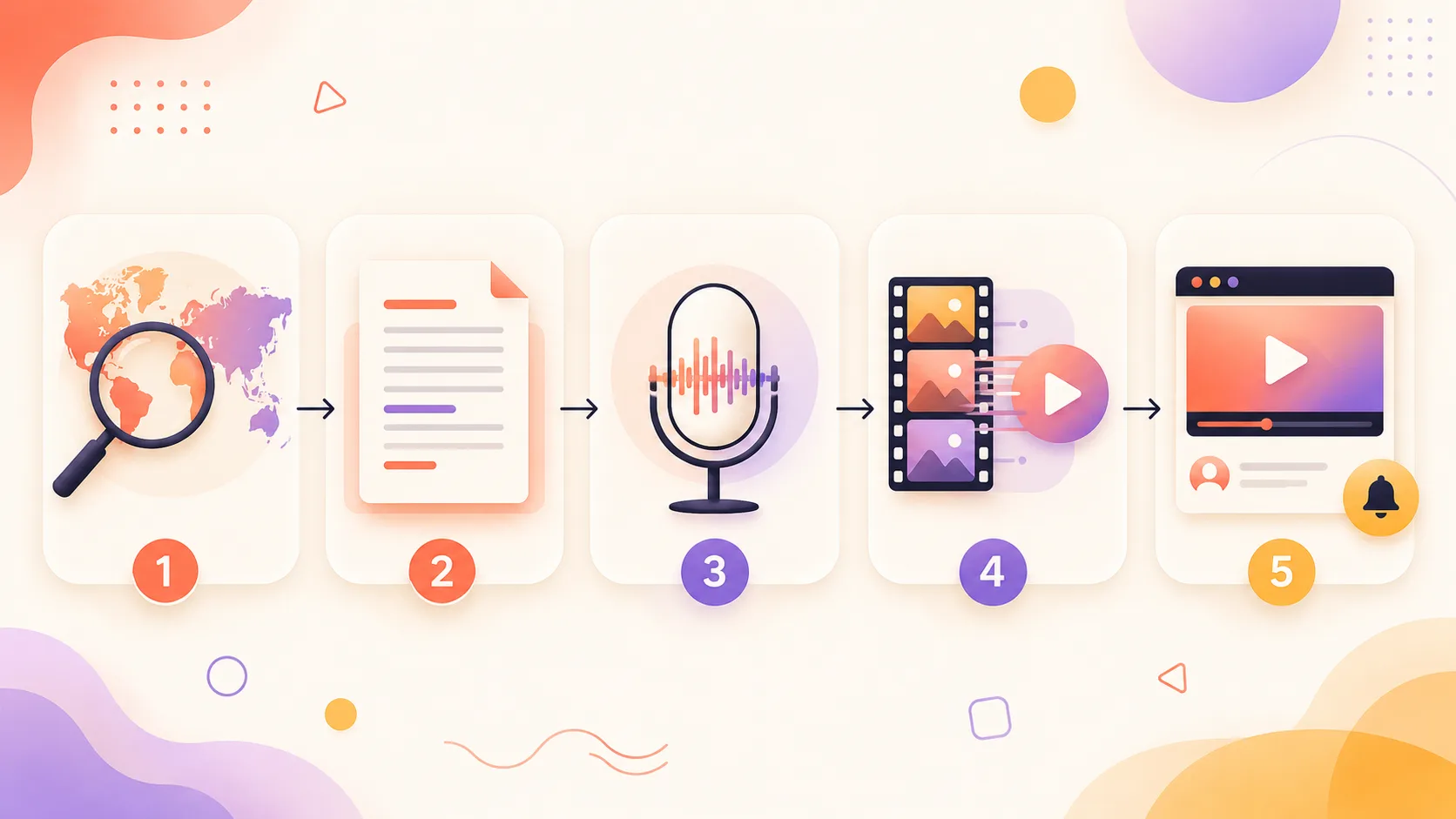
- Pick your niche from the table above and write a tight script - or generate a first draft from a prompt
- Paste it into Lumigen's script-to-video editor
- Choose a tier - Growth for standard quality, Ultra for Veo 3.1 / Kling 3.0 cinematic output. See pricing
- Pick a voice from 50+ options across 30+ languages, or add an AI avatar host if your niche wants a face on screen that is not yours
- Generate the video scene by scene, then refine pacing, captions, and any lip-sync
- Export 9:16 for Shorts or 16:9 for long-form - the same script feeds both
- Batch the next six while the first renders
The goal is not one perfect video. It is finding the niche your audience returns for, then producing more of it faster than a camera-based creator ever could.
Where Lumigen falls short
No tool wins everywhere, and pretending otherwise would cost you the niche fit:
- No live-action clip repurposing. If your plan is to cut an existing podcast or stream into shorts, that is Opus Clip's job - Lumigen generates original video, it does not extract clips from uploads.
- Frontier models are Ultra-tier. Veo 3.1, Kling 3.0, and Sora 2 Pro sit behind the $166/mo Ultra plan, which prices out creators on the tightest budgets. Growth-tier output is solid but not frontier.
- No permanent free tier. If you want to make videos at zero cost forever, CapCut's free editor goes further. Lumigen's value is speed and originality, not a free ceiling.
- It is a generation tool, not a manual editor. If you want frame-level timeline control, a dedicated editor gives you more knobs.
Lumigen capabilities for faceless channels:
- Script-to-Video - paste a script, get a finished voiced video
- AI Avatars - 50+ hosts when a niche wants a face that is not yours
- Voices - 50+ across 30+ languages for parallel channels
- UGC Ads - creator-style video for product-review niches
- Image generation - per-entry visuals for ranking and fact channels
- Short-form export - 9:16 vertical for Shorts, Reels, TikTok
Is Lumigen the right faceless tool for you?
If you want to produce original faceless videos across several niches without filming, it is the strongest starting point on this list. Start with the script-to-video editor and add AI avatars when a niche wants a host - check pricing to match a plan to your posting volume.
The specialists: Pictory, Opus Clip, ElevenLabs, CapCut
The other tools are not worse - they are narrower. Pictory turns articles and scripts into stock-footage videos, which suits a list or news channel that is happy with library visuals; see our Pictory alternatives breakdown for where it fits. Opus Clip clips long footage into shorts, so it only helps if you already film something - useless for generate-from-scratch faceless work. ElevenLabs makes excellent voices but only voices; you still need the video around them. CapCut is the best free editor, with strong AI features, but it is manual - you assemble, it does not generate.
vs Lumigen: each of these owns one stage - stock repurposing, clipping, voice, editing - while Lumigen runs the whole faceless pipeline in one place. Use a specialist when you already live in its stage; use a generalist when the job is "turn an idea into a finished video repeatedly."
How to choose your faceless niche
With 26 ideas in front of you, the mistake is picking the highest-CPM niche regardless of fit. A finance channel pays the most and burns out the fastest if you do not actually find markets interesting. Use a simple three-question filter instead.
Can you produce it weekly without dreading it? Watch time and the algorithm both reward consistency, and consistency dies when you hate the topic. A medium-CPM niche you will post to for two years beats a high-CPM niche you quit in a month.
Does the CPM match your effort? Research-heavy niches (finance, software, business) pay more but cost more hours. Audio and compilation niches pay less but batch in bulk. Match the pay to the work you are willing to do.
Can your tools actually ship it? Every idea here is producible with a script-to-video stack, but some need extras - multilingual voices for language channels, an avatar for review channels, frontier models for cinematic horror. Confirm your stack covers the niche before you commit.
One more reality check: YouTube's Partner Program still requires 1,000 subscribers and 4,000 public watch hours (or the Shorts equivalent) before you earn a cent. Whatever niche you pick, you are producing into that gap first - which is exactly why production speed, not idea quality, decides who makes it. If you want the full launch sequence, our faceless YouTube channel guide walks the setup step by step.
The faceless creator's real edge in 2026
Faceless YouTube is not easier than face-on YouTube, but it is more leverageable. You are not limited by how many videos you can film, only by how fast you can produce - and AI just collapsed production from days to minutes. The creators who win in 2026 are not the ones with the cleverest niche; they are the ones who pick a niche they can sustain and out-produce everyone else in it.
Pick from the 26 above, match it to your tools, and start before you feel ready. If you want the fastest path from a niche idea to a publish-ready faceless video, start with Lumigen - try script-to-video or jump to pricing to find the plan that matches your posting volume. Use the specialists where they are genuinely stronger, but for turning an idea into a finished video on repeat, a generalist generation tool is the faceless creator's biggest unlock.
Related reads

Same prompt.
Four models.
One project.
Sora 2, Veo 3.1, Runway Gen-4, Kling 3.0 — side by side, with a free tier that's actually useful for evaluation. Three videos at full quality, no watermark, no minute cap.

Vlad
Founder of Lumigen. Has shipped tens of thousands of generations across Sora 2, Veo 3.1, Runway Gen-4, and Kling 3.0 — and edits everything published here against that hands-on test bed.